

Knowing how to migrate to the cloud isn't about flipping a switch. It's a journey broken down into three core stages: assess what you have, securely migrate your data and apps, and then continuously optimize everything for peak performance and cost-efficiency. Think of it less as a technical task and more as a fundamental upgrade to how your business runs, paving the way for real agility and growth.
Why Your Business Needs a Cloud Migration Plan
Let's be clear: moving to the cloud is no longer an "if" but a "when." The days of being tethered to on-premise servers are numbered as more businesses discover the powerful advantages of cloud infrastructure. This is about more than just finding a new place to store files; it’s about unlocking new ways of working, tightening up security, and building a more resilient company from the ground up.
A solid migration plan is your roadmap. Without one, you’re flying blind and inviting common—and costly—mistakes like blown budgets, frustrating downtime, and dangerous security holes. A haphazard move often leads to inefficiently placed workloads, and that's when you get the dreaded "bill shock" at the end of the month.
The Real-World Benefits Awaiting Your Business
Adopting the cloud brings tangible results that you can see on your bottom line and in your ability to outmaneuver the competition. Here’s what you stand to gain:
- Enhanced Scalability: Need more power for a big promotion? You can ramp up resources instantly. Quiet season? Scale back down. You only pay for what you actually use.
- Significant Cost Savings: Stop sinking capital into expensive hardware and the staff to maintain it. Instead, you shift to a predictable operational expense.
- Improved Security and Compliance: Top cloud providers pour billions into security—far more than any small business could. Partnering with experts for managed IT and cybersecurity services ensures you're leveraging that protection correctly.
- Greater Business Agility: Launch new applications or services in a fraction of the time it used to take. This lets you innovate faster and react to market shifts before your competitors do.
The numbers don't lie. Today, 94% of organizations are already using cloud services in some form. This massive shift away from traditional data centers isn't just a trend; it's a strategic move that consistently delivers a strong return on investment.
The goal isn’t just to lift-and-shift your old systems into a new environment. It's to rebuild and refine them to actually use the cloud's native power, turning your IT from a cost center into a strategic advantage.
To make sense of the journey, it's helpful to see it broken down into its core phases.
The 6 Key Phases of Cloud Migration
This table provides a high-level overview of the entire cloud migration process, from the initial brainstorming to ongoing management. It's a cycle, not a one-and-done project.
| Phase | Primary Goal | Key Activities |
|---|---|---|
| Strategy & Discovery | Define business goals and assess current environment. | Identify key drivers, inventory applications, map dependencies. |
| Planning & Design | Create a detailed migration roadmap. | Choose migration model (rehost, replatform, etc.), select cloud provider, design target architecture. |
| Build & Test | Prepare the target cloud environment. | Configure cloud services, set up security controls, run pilot migrations. |
| Migration | Execute the move of data and applications. | Perform the actual data transfer and application cutover, often in waves. |
| Validation | Ensure everything works as expected post-migration. | Conduct user acceptance testing (UAT), performance benchmarks, and security audits. |
| Optimization | Continuously refine and improve the cloud environment. | Monitor costs, adjust resource allocation, automate processes, and enhance security. |
Each stage builds on the last, creating a structured path that minimizes risk and maximizes the return on your cloud investment.
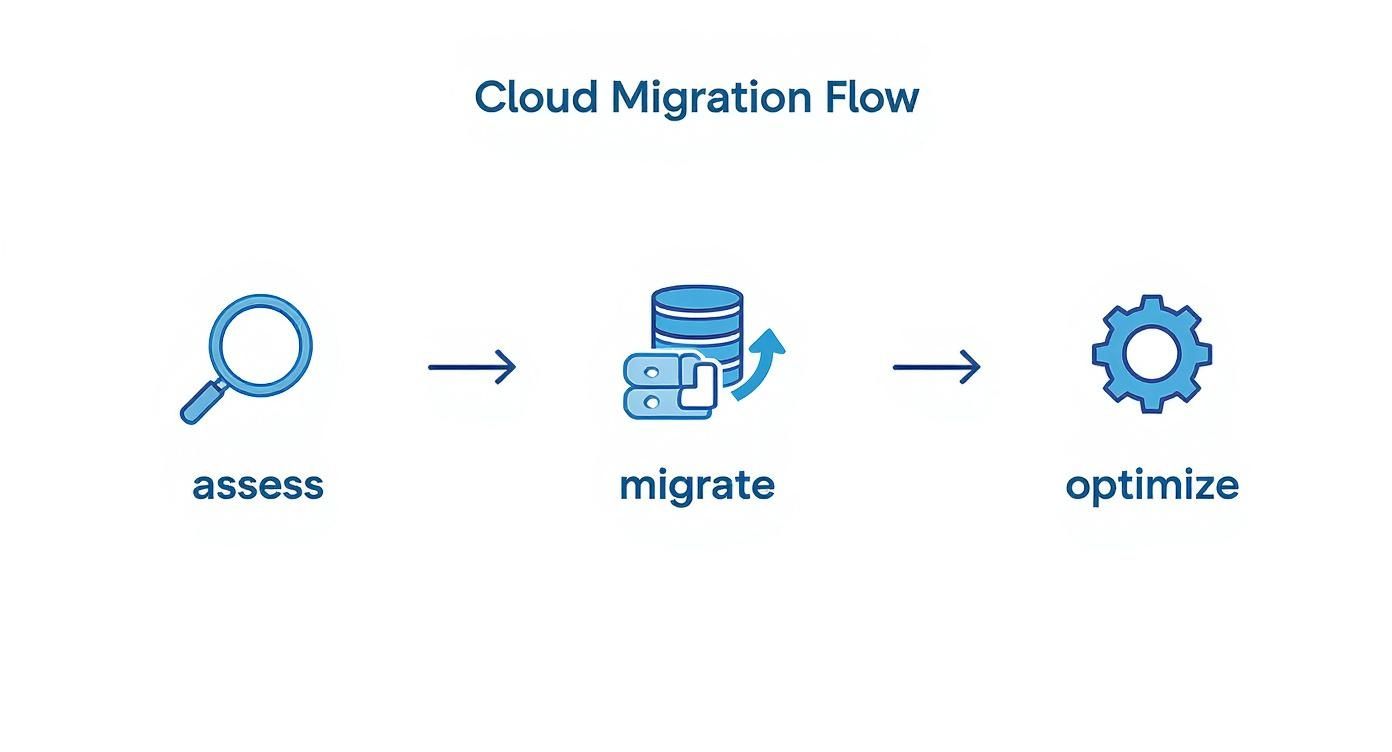
As you can see, these phases are distinct but flow into one another, creating a continuous cycle of improvement that keeps your cloud environment aligned with your business needs.
Building Your Cloud Migration Strategy and Roadmap

Before you even think about moving a single file, a solid cloud migration starts with a clear, well-defined strategy. This is where you map everything out—turning abstract goals into a concrete action plan. Honestly, skipping this step is the fastest way to end up with a project that's over budget, behind schedule, and doesn't deliver what you hoped for.
The very first question you need to ask is simple: Why are we doing this?
The answer will shape every single decision that follows. Are you trying to escape the endless cycle of maintaining and replacing aging hardware? Or is the goal to give your teams the agility to develop and roll out new features faster?
Lately, a major driver is the need to tap into powerful tech like artificial intelligence. Many businesses now see their legacy infrastructure as a competitive risk because traditional data centers just can't provide the elastic GPU power needed for demanding AI workloads. We’re at a point where small and medium-sized businesses are dedicating over 50% of their tech budgets to the cloud. It’s a massive shift.
Defining Your Migration Approach with the 6 Rs
Once you’ve nailed down your "why," it's time to figure out the "how" for each piece of your tech stack. This is where the “6 Rs” framework comes in handy. Think of it as a menu of options for what to do with every application and server you own.
Rehost (Lift-and-Shift): This is the path of least resistance. You move an application to the cloud as-is, with almost no changes. It’s quick, it’s low-risk, and it’s perfect for legacy systems you can't really touch or for scoring some quick wins to build momentum.
Replatform (Lift-and-Tinker): A slight step up from rehosting. Here, you make a few small tweaks to take advantage of cloud services without overhauling the core architecture. A common example is moving a database from an on-premise server to a managed service like Amazon RDS or Azure SQL Database to offload the management headache.
Repurchase (Drop-and-Shop): This means ditching an old solution for a cloud-native one, usually a SaaS product. Swapping out a clunky, on-premise CRM for something like Salesforce or HubSpot is a classic "repurchase" move.
Refactor/Re-architect: This is the most involved option, but it often yields the biggest rewards. You’re completely redesigning an application to be cloud-native, maybe breaking a monolith into microservices. It's a big investment upfront, but the long-term gains in scalability and performance can be huge.
Retire: As you go through your inventory, you’ll undoubtedly find software that’s just not being used anymore. Shutting it down saves you the effort of migrating it and the cost of running it.
Retain: Some things just need to stay put for now. This could be due to tricky dependencies, regulatory reasons, or simply because it’s not a priority. You can always come back to these later.
The diagram above helps visualize these paths. Using this framework forces you to think strategically about each workload instead of trying to shoehorn everything into a one-size-fits-all plan.
Conducting a Thorough Application Assessment
With the 6 Rs as your guide, it’s time for a deep dive into your current environment. You absolutely cannot skip a comprehensive application and infrastructure assessment. You can't migrate what you don't fully understand.
Start by making a complete inventory of every server (physical and virtual), application, and database you have. For each one, you need to document key details: performance metrics, dependencies, and how critical it is to the business. Which apps would bring operations to a halt if they went down? Which ones are tangled up with a dozen other systems?
Key Takeaway: Mapping application dependencies is one of the most critical—and often overlooked—steps. Missing a single dependency, like a connection to an old database or a third-party API, can cause entire workflows to break post-migration.
Building a Realistic Timeline and Budget
All the information you gathered during the assessment flows directly into your timeline and budget. A smart approach is to group applications into migration waves. Start with the low-hanging fruit—the low-risk, low-complexity workloads. This lets your team get their feet wet and build confidence before you tackle the really critical systems.
When you think about the budget, remember it’s more than just the monthly bill from your cloud provider. You need to account for:
- Migration Tools: The cost of software for discovery, planning, and data transfer.
- Team Training: Your people need to know how to manage the new environment. Investing in training and certifications is non-negotiable for long-term success.
- Potential Downtime: Even with the best planning, some cutovers might require a small window of downtime. That has a business cost.
- Network Upgrades: Don’t forget that optimizing your network infrastructure is essential to handle the new traffic patterns to and from the cloud.
This level of detailed planning is what turns a massive, intimidating project into a series of manageable, achievable steps. It sets you up for a smooth and successful move.
Choosing the Right Cloud Model and Provider
Picking the right cloud setup is a lot like choosing the right vehicle for a trip. You wouldn't take a sports car on a cross-country move, and you wouldn't use a moving truck for a quick trip to the store. The best cloud model for your business comes down to what you need to do, how much control you want, and your budget.
The cloud computing market is ballooning for a reason, expected to grow from $912.77 billion in 2025 to a staggering $1.6 trillion by 2030. This isn't just hype; it's driven by businesses of all sizes finding the perfect fit. Think of a financial firm using a private cloud to meet strict compliance rules or a retailer relying on SaaS for its sales and customer data. Getting these foundational choices right is your first major step.
Decoding the Cloud Service Models: IaaS, PaaS, and SaaS
I find it helps to think of these models as different levels of a managed service. Each one shifts a bit more of the technical heavy lifting from your team to the cloud provider, letting you focus on what your business actually does.
Infrastructure as a Service (IaaS): This is the hands-on approach. You're essentially renting the raw computing infrastructure—servers, storage, networking—from a provider like AWS or Azure. You still manage the operating system and all your software, but you don’t have to deal with the physical hardware. This is perfect for businesses that need deep control over their environment or have unique networking requirements.
Platform as a Service (PaaS): PaaS is a developer's dream. It gives you the hardware and the software platform needed to build and run applications. The provider handles all the backend stuff like operating systems and middleware, so your team can just focus on coding. Choose PaaS when your main goal is to get applications built, tested, and deployed fast, without getting bogged down in infrastructure management.
Software as a Service (SaaS): This is the most "hands-off" option and the one most people are familiar with. You're subscribing to a ready-made application, like Google Workspace, Salesforce, or Microsoft 365. The provider manages everything behind the scenes. SaaS is the go-to for standard business functions—think email, CRM, collaboration tools.
While understanding these models is crucial, it's also wise to get familiar with the key factors when choosing a hosting provider in general, as things like reliability and support are always important.
Public, Private, or Hybrid: What Is the Right Environment?
Next, you need to decide where your cloud will live. This choice directly impacts security, cost, compliance, and who can access your data.
A public cloud is what most people picture: resources owned by a third party (like Amazon or Google) and delivered over the internet. It’s incredibly scalable and works on a pay-as-you-go basis, which can be very cost-effective.
Then there's the private cloud. Here, the infrastructure is dedicated solely to your business. It can be on your own premises or hosted by a third party, but it's not shared. This gives you much more control and security, making it a favorite for regulated industries like healthcare and finance.
A hybrid cloud simply mixes the two. You get the best of both worlds by running sensitive, critical workloads in your private cloud while using the public cloud's scalability for less-sensitive tasks. It offers a great balance of security, flexibility, and cost optimization.
My Two Cents: Don't feel like you have to pick one and stick with it forever. I've seen countless businesses start on a public cloud because it's easy and affordable, then transition to a hybrid model as their security and compliance needs grew more sophisticated. It's an evolution.
Comparing the Top Cloud Providers
Once you've landed on a model and environment, it's time to choose a provider. The market is dominated by three major players: Amazon Web Services (AWS), Microsoft Azure, and Google Cloud Platform (GCP). Each has its own personality and strengths.
Cloud Service Provider Snapshot: AWS vs Azure vs GCP
Choosing between these giants often comes down to your company's existing tech stack, your team's skills, and your long-term goals. Here’s a quick look at how they stack up.
| Feature | Amazon Web Services (AWS) | Microsoft Azure | Google Cloud Platform (GCP) |
|---|---|---|---|
| Market Position | The long-standing market leader with the most extensive service portfolio. | Strong in the enterprise space, especially for businesses already using Microsoft products. | A leader in data analytics, machine learning, and containerization. |
| Key Strengths | Mature, reliable, and offers a vast array of services for nearly any use case. | Seamless integration with Microsoft's ecosystem (Office 365, Active Directory). | Top-tier AI/ML tools, advanced networking, and strong open-source support. |
| Best For | Organizations seeking the widest range of tools and a proven track record. | Businesses heavily invested in the Microsoft stack or pursuing a hybrid strategy. | Companies focused on data-driven innovation, containers, and AI development. |
Making the final call is a big decision. It pays to align the provider’s strengths with your business strategy. Getting some expert guidance on cloud services can be invaluable here, ensuring you start your migration on the right foot with a partner that truly fits your needs.
Executing a Secure and Efficient Migration

You’ve got a solid plan. Now it’s time for the main event—the migration itself. This is where all that careful preparation pays off, turning a potentially chaotic process into a controlled, predictable execution. From my experience, knowing how to migrate to the cloud securely means building a safe environment before a single piece of data makes the jump.
The first real technical step is to create what we call a secure landing zone. Think of it as building a fortified base camp in the cloud. Before any of your applications or data arrive, you’re establishing the fundamental security and governance guardrails that will protect everything.
This involves configuring your core networking, setting up Identity and Access Management (IAM) policies, and locking down security protocols. By getting this right upfront, you guarantee that every workload you migrate automatically inherits a strong security posture from day one.
Establishing Your Cloud Landing Zone
A well-designed landing zone is the bedrock of your entire cloud presence. It’s not just about security—it's about creating an organized, manageable environment that can actually scale with your business. I've seen companies skip this, and it’s like building a house without a proper foundation; things inevitably start to break down the road.
Your landing zone configuration needs to cover several key areas:
- Identity and Access Management (IAM): This is all about defining who can do what. You'll set up user roles and permissions based on the principle of least privilege, which simply means users only get access to the specific resources they absolutely need to do their jobs. Nothing more.
- Network Security: Here, you'll configure Virtual Private Clouds (VPCs), subnets, and firewalls. The goal is to isolate workloads and tightly control traffic flow, creating secure perimeters around your applications.
- Governance Policies: These are rules that enforce compliance and best practices automatically. For instance, you can create a policy that ensures all new storage buckets are encrypted by default or that all resources are tagged for proper cost allocation.
By tackling these foundational elements first, you create a repeatable, secure blueprint for every single deployment you make in the future.
A secure landing zone is your first line of defense. Taking the time to build it right is fundamental, and you can learn more about the importance of cybersecurity for growing businesses to see how this fits into a bigger strategy.
Choosing Your Data Migration Tools and Techniques
With your secure environment ready, the next move is to pick the right tools for the job. The best method really depends on the type of data you're moving, how much of it there is, and how much downtime your business can stomach.
For simple file transfers, native tools like AWS S3 Transfer Acceleration or Azure Storage Explorer might be all you need. They're great for shifting unstructured data like documents, logs, or images.
But when it comes to databases, things get a lot more complex. You’ll almost certainly need specialized services designed for this exact purpose.
| Tool Type | Best Used For | Example Scenario |
|---|---|---|
| Native Database Migration Services | Moving databases with minimal downtime. | Migrating a live transactional SQL database to a managed cloud service like Amazon RDS. |
| Bulk Data Transfer Appliances | Extremely large datasets (terabytes to petabytes). | Shipping a physical appliance like an AWS Snowball to your data center to securely transfer historical archives. |
| Third-Party Migration Tools | Complex, multi-cloud, or hybrid migrations. | Using a tool like Carbonite Migrate to replicate workloads between different clouds or from on-prem to cloud. |
Each option comes with its own trade-offs in speed, cost, and complexity. Your initial application assessment is what will point you to the right choice for each specific workload.
Migrating in Waves for Minimal Disruption
Trust me on this: a "big bang" migration, where you move everything at once, is almost always a terrible idea. It’s incredibly risky and practically guarantees significant, painful downtime. A much smarter approach is to migrate in carefully planned waves, starting with your least critical applications.
This phased strategy lets you learn and refine your process with each go. The first migration of a simple internal tool will teach you invaluable lessons you can then apply when it’s time to move that mission-critical, customer-facing application.
Before you kick off any migration wave, always run through a final pre-flight checklist:
- Finalize Backups: Perform one last full, verified backup of the application and its data right before you start.
- Communicate with Stakeholders: Let all affected users and teams know about the migration window and what to expect. No surprises.
- Implement a Code Freeze: Prevent any changes to the application's code during the migration. This is crucial for avoiding inconsistencies and headaches later.
This methodical, wave-based strategy transforms a daunting project into a series of manageable, confidence-building steps.
Post-Migration Testing and Cost Optimization
Getting your apps and data into the cloud is a huge milestone, but it’s not the finish line. Think of it more like the end of the first leg of a much longer journey. Now, your focus has to shift from moving to mastering. This is where you double-check that everything works as it should and then start tuning your new environment for maximum efficiency.
Skip this phase, and you're flying blind. You could be running a system with hidden bugs or, worse, get blindsided by a massive monthly bill. Post-migration is all about making sure you actually get the performance, security, and cost savings you were promised from the start.
Validating Your New Cloud Environment
You wouldn't buy a car without taking it for a spin, right? The same logic applies here. You can't just assume everything is working perfectly after a migration. Rigorous testing is how you find and squash issues before they affect your customers or your team. It’s all about building confidence that the move was a true success.
To be effective, your testing strategy really needs to hit a few key areas:
- Functional Testing: Simply put, does the application still do what it's supposed to do? Go through all the core user workflows—every button, form, and feature—to confirm they work correctly in the new setup.
- Performance Testing: How does the application hold up under pressure? Load testing simulates real-world user traffic to see how the system responds. This is how you find out if your shiny new cloud resources can actually handle your busiest days without grinding to a halt.
- Security Testing: In the move, did you accidentally leave a door unlocked? Penetration testing and vulnerability scans are non-negotiable for probing your new infrastructure for weaknesses an attacker could exploit.
And remember, this isn't just a one-and-done check. You're setting the benchmark for all future performance and security monitoring.
A classic mistake I see all the time is teams that only test the application itself while completely forgetting the underlying infrastructure. You absolutely have to verify that your backup and disaster recovery plans work in the new cloud environment. A successful test isn't just seeing the app run; it's being able to restore data flawlessly.
Adopting Cloud Financial Management
Once you're confident everything is stable and secure, it's time to get a handle on the costs. The cloud’s pay-as-you-go model is a double-edged sword. It gives you incredible flexibility, but it can also lead to "bill shock" if you aren't paying attention. This is where the discipline of Cloud Financial Management, often called FinOps, becomes your best friend.
FinOps isn't just about cutting costs. It's about instilling a culture of accountability where everyone understands how their actions impact the cloud bill, ensuring you get the most business value out of every dollar spent.
Practical Steps for Cost Optimization
You don't need a degree in finance to start optimizing your cloud spend. The goal is simple: eliminate waste and pay only for what you're actually using. This is a continuous process and a core part of making your cloud migration a long-term success.
Start by targeting these high-impact areas:
- Hunt Down Idle Resources: The biggest and most common money-waster is paying for resources that are running but doing nothing. Look for these "zombie" assets, like unattached storage volumes or virtual machines that are left powered on 24/7 but are only used a few hours a week.
- Right-Size Your Instances: It’s so easy to over-provision resources "just in case." Dive into your cloud provider’s monitoring tools and look at the actual CPU and memory usage of your virtual machines. If a machine is consistently humming along at just 20% capacity, you can safely resize it to a smaller, cheaper instance type.
- Use Reserved Instances or Savings Plans: For workloads with predictable, consistent usage, this is a no-brainer. By committing to a one- or three-year term, you can slash your compute costs by up to 70% compared to standard on-demand pricing.
- Leverage Auto-Scaling: For any application with fluctuating traffic, auto-scaling is a game-changer. You configure it to automatically spin up more resources when demand spikes and—just as critically—to shut them down when things quiet down. This ensures your spending perfectly matches your real-time needs.
By systematically testing your environment and then relentlessly optimizing it, you turn your cloud setup from a simple technical achievement into a powerful, cost-effective engine for your business.
Common Questions We Hear About Moving to the Cloud
Look, even the best-laid plans run into questions. When you're figuring out how to migrate to the cloud, it’s completely normal to hit a few snags or have uncertainties pop up. The trick is to anticipate these hurdles and have some solid answers ready.
We’ve guided countless businesses through this process, and the same handful of concerns almost always come up. Here’s a rundown of what people ask and the straight-up advice we give them.
What Are the Biggest Risks and How Can We Get Ahead of Them?
Every big IT project has its share of potential tripwires, and moving to the cloud is no exception. We consistently see the same three culprits: unexpected cost overruns, security gaps, and painful operational downtime. The good news? You can tackle all of them proactively.
To avoid sticker shock, you have to be almost obsessive during the discovery phase. You can't create a realistic budget without a crystal-clear map of what you have, what it does, and how it all talks to each other. Rushing this initial step is the fastest way to blow your budget later.
When it comes to security, don’t think of it as something you bolt on at the end. That’s a recipe for disaster. Instead, adopt a "secure-by-design" mindset from day one. This means building out your cloud environment with solid Identity and Access Management (IAM) and strict network rules before a single server or application makes the jump.
And for downtime? The key is to not try and boil the ocean. A phased migration is your best friend. Start with less critical applications to get your process down and work out the kinks. This way, you learn and adapt on lower-stakes systems, dramatically reducing the risk when it's time to move the crown jewels.
How Long Does a Cloud Migration Actually Take?
This is always the million-dollar question, and the only honest answer is: it depends. If you're a small business moving a few simple web apps and have a pretty straightforward setup, you could be looking at a timeline of 3 to 6 months.
But if your business runs on complex, older applications that need to be re-architected, or if you're dealing with terabytes of data, the project is going to take longer. A more involved migration can easily stretch from 6 to 12 months, sometimes more.
What really eats up the calendar? The initial assessment and planning can easily take a month or two on its own. After that, it’s the methodical, wave-by-wave migration and testing process that takes time.
I can tell you from experience that the single biggest factor in the timeline isn't the technology—it's decisiveness. A project with clear leadership and a dedicated team that can make quick, informed decisions will always outpace one stuck in analysis paralysis.
A well-defined roadmap and a committed team are your best defense against scope creep and blown deadlines.
Should We Do This Ourselves or Hire an Expert?
Deciding between a DIY migration and bringing in a partner really boils down to two things: your team’s real-world cloud experience and the complexity of your current IT setup.
If you have an in-house team with proven, hands-on cloud skills and your migration is a simple "lift-and-shift" of a few servers, you can absolutely tackle it internally. This gives your team invaluable experience and you maintain direct control.
For most small and mid-sized businesses, though, hiring a specialized partner or taking a hybrid approach is the smarter, safer bet. A dedicated cloud migration partner brings a few massive advantages to the table:
- Experience: They’ve done this dozens of times. They know where the landmines are buried because they've stepped on them before.
- Specialized Tools: They come equipped with advanced discovery and migration software that can shave weeks or even months off the project.
- Focus: An external team can dedicate 100% of their time to the migration, letting your in-house team keep the lights on and manage daily operations.
A partner is especially critical if you have a complex environment or if you want to use the migration as a chance to train and upskill your own people under expert guidance.
What’s the Most Common Mistake You See?
This one is easy. By far, the most common—and most expensive—mistake is treating the cloud like it’s just someone else’s data center. This thinking leads businesses to simply "lift and shift" their servers into the cloud as-is, without any thought for optimization.
Sure, this approach gets you into the cloud quickly, but it almost always leads to eye-watering monthly bills. You end up paying a premium for cloud infrastructure without actually using any of the features that make it so powerful.
The real value of the cloud comes from optimization. It's about using cloud-native services like auto-scaling, embracing serverless functions where it makes sense, and constantly right-sizing your resources. If you don't plan for this ongoing optimization from the start, you're just leaving money on the table and setting yourself up for a nasty case of "bill shock."
Navigating the complexities of a cloud migration requires careful planning and deep expertise. At Defend IT Services, we provide the strategic guidance and hands-on support to ensure your move to the cloud is secure, efficient, and perfectly aligned with your business goals. Learn more about our managed IT and cloud security solutions.