
Think of proper IT support not as an optional expense, but as a strategic shield. It's the system that keeps costly downtime at bay and protects you from the very real threat of cyberattacks. Honestly, it's as fundamental as the electricity that powers your office or the plumbing that keeps it running—a core function for any secure and efficient business.
Why IT Support Is Your Business Lifeline

Let's face it: the last thing you want to deal with as a business owner is a laptop that refuses to connect to the printer or a server that just went dark. These aren't just minor frustrations. They're genuine threats that can derail your productivity, damage your reputation, and hit your bottom line hard. Today, businesses are built on technology—from your CRM software to how you process payments and communicate every day.
You can think of professional IT support like the invisible framework holding your entire business up. You only really notice your office plumbing when a pipe bursts, and by that point, you're already in crisis mode. Technology works the exact same way. Without someone proactively managing it, a system failure or a security breach can bring your entire operation to a screeching halt.
The High Cost of Tech Neglect
Putting your technology on the back burner is a massive financial gamble. The true value of IT support shines through when you look at the staggering costs of downtime and cyber threats. Recent data shows that for small businesses, downtime can cost anywhere from $137 to $427 per minute. That's how fast a simple operational snag can snowball into a major financial loss.
And the threat isn't just about internal failures. Cybercriminals are actively hunting for smaller companies, betting on the fact that they have weaker defenses.
A shocking 43% of all cyberattacks are aimed squarely at small and medium-sized businesses. Attackers know that smaller teams often lack dedicated security staff, making them prime targets for ransomware, phishing scams, and data theft.
This reality completely changes the conversation about IT support. It’s not just a break-fix service anymore; it’s a crucial defense mechanism. It's about building a resilient tech foundation that not only protects your assets but also fuels your growth.
A Proactive Shield, Not a Reactive Fix
A huge part of why IT support is a lifeline is its role in protecting your most critical assets. For instance, understanding proper Email Security for Small Business is absolutely fundamental to keeping your operations and client data safe. A good IT partner doesn't just sit around and wait for something to break.
Instead, they actively manage your systems to prevent problems from ever happening in the first place. This usually involves:
- Continuous Monitoring: Keeping a watchful eye on your network 24/7 for any suspicious activity or performance drops.
- Security Patching: Making sure all your software is updated to close security holes that hackers love to exploit.
- Data Backup: Regularly creating secure copies of your most important information so you can get back on your feet quickly after a disaster.
By moving from a reactive "wait-and-see" approach to a proactive strategy, you transform your technology from a potential liability into one of your biggest competitive advantages. This frees you up to focus on what you actually do best—running your business.
What Smart IT Support Actually Looks Like

When you partner with an IT support provider, you’re not just hiring someone to fix a computer when it acts up. You're bringing in a team of specialists dedicated to keeping your business running smoothly, securely, and without a hitch.
Think of it less like a simple repair service and more like an extension of your own team. Each service area tackles a different, critical piece of your technology puzzle. Let's pull back the curtain and see what these core services really do for your business day-to-day.
A Practical Look at IT Support Services
To truly get it, you need to see how these abstract service names translate into real-world solutions. This table breaks down what each core service actually does and, more importantly, what kind of business-ending disasters they help you avoid.
| Service Area | What It Really Does For You | The Business-Ending Problem It Solves |
|---|---|---|
| Help Desk Support | Provides immediate, on-demand fixes for your team's tech glitches, like software crashes or login problems. | Crippling productivity loss when your employees can't work due to a minor (but frustrating) tech issue. |
| Network Management | Keeps your office internet, Wi-Fi, and connections to cloud apps running fast and reliably. | Constant slowdowns, connection drops, and the inability for your team to access essential files and software. |
| Cybersecurity | Actively defends your company's data from hackers, viruses, and phishing scams through multiple layers of protection. | A catastrophic data breach that leaks sensitive customer info, destroys your reputation, and results in massive fines. |
| Data Backup & Recovery | Creates a "save point" for your business data, allowing for a quick restore after a fire, flood, or ransomware attack. | Losing all your financial records, client files, and company history overnight with absolutely no way to get them back. |
As you can see, these aren't just "nice-to-haves." They're fundamental pillars that support your entire operation. Let’s explore each one a bit more.
The Help Desk: Your On-Call Problem Solvers
Imagine your top salesperson is seconds away from sending a game-changing proposal, but their email suddenly crashes. Every minute they're stuck troubleshooting is a minute you're not closing a deal.
This is where the Help Desk swoops in. They are your immediate problem-solvers for the daily tech hiccups that can bring everything to a grinding halt. From printer jams and software bugs to password resets, they provide quick, remote help to get your team back to work. Some businesses are even exploring how chatbots for IT support can provide instant answers to common questions, adding another layer of fast support.
Network Management: Your Digital Traffic Controllers
Your business network is the digital highway connecting all your computers, servers, and cloud tools. If there’s a traffic jam on that highway, everything stops. Network Management is the team making sure that highway is always clear, fast, and secure.
They monitor your network’s health, manage Wi-Fi access, and ensure your team can reliably connect to the data they need, whether they’re in the office or across the country. It’s all about preventing frustrating slowdowns and outages before they ever happen.
A well-managed network is the backbone of modern productivity. It ensures that critical applications run without interruption and that data is accessible when and where it's needed, preventing the kind of frustrating bottlenecks that hurt your bottom line.
Proper network management is just one of the many ways a professional provider can help. You can check out a broader range of managed services to see how they all work together.
Cybersecurity: Your Digital Bodyguards
In today's world, your data is one of your most valuable assets. Think about it—customer lists, financial records, and internal strategies are all stored on your systems, making them a prime target for criminals.
Cybersecurity services are your company’s digital bodyguards, on duty 24/7 to protect you from these threats. This isn't just about antivirus software; it's a complete defense strategy that includes:
- Firewall Management: Building a strong digital fence around your network to block intruders.
- Threat Monitoring: Actively hunting for suspicious activity before it can cause damage.
- Employee Training: Teaching your team how to spot and avoid phishing emails and other sneaky scams.
Without these bodyguards, you're leaving the door wide open for an attack that could be devastating.
Data Backup and Recovery: Your Ultimate Safety Net
What would you do if a ransomware attack locked up all your files tomorrow? Or if a fire destroyed your office and your server with it? For most small businesses, that’s a knockout blow.
Data Backup and Recovery is your foolproof insurance policy against that worst-case scenario. This service automatically copies your critical data and stores it securely off-site. If disaster strikes, your IT partner can quickly restore everything, keeping downtime to a minimum. It’s the ultimate safety net that lets you run your business with confidence.
What Professional IT Support Actually Does for Your Business
Good IT support isn't just about fixing a laptop when it goes on the fritz; it's the engine that keeps your business running smoothly and growing sustainably. It's easy to fall into the trap of seeing IT as just another expense. The reality is, it's a strategic investment that pays for itself over and over again. It’s what separates the businesses that are thriving from the ones constantly putting out fires.
These aren't just minor conveniences, either. They have a direct impact on your bottom line, your team's happiness, your customers' loyalty, and your ability to stay ahead of the competition. Let’s break down what professional IT support for small business really brings to the table.
Your Team Gets More Done (and Stays Happier)
Nothing grinds an employee's day to a halt faster than a lagging computer or software that decides to crash right before a big deadline. These seemingly small tech hiccups add up, killing hours of productive time and tanking morale. This is where proactive IT support flips the script.
Instead of waiting for things to break, a great IT partner is always working in the background, monitoring your systems and performing routine maintenance. This means your team's tools just work. Less downtime and fewer interruptions allow your people to focus on their real jobs, not on fighting with their computers. When technology works as it should, productivity naturally follows.
Build an Ironclad Defense and Earn Customer Trust
We live in an age of constant data breaches, and your customers are paying attention. They need to trust that their information is safe in your hands. A single security slip-up can destroy that trust for good. Professional IT support builds a strong defensive wall around your business, protecting your most critical asset: your reputation.
A strong security foundation is non-negotiable. It involves more than just antivirus software; it includes active threat monitoring, regular security updates, and employee training to prevent common scams.
When you make security a priority, it becomes a powerful selling point. It shows your clients you're serious about protecting their privacy, which can give you a real competitive advantage. To get a better sense of this, you can explore the fundamental importance of cybersecurity for growing businesses and see how it builds a resilient company.
Tap Into Big-Business Expertise on a Small-Business Budget
Let's be realistic—most small businesses can't afford to hire a dedicated cybersecurity specialist, a network engineer, and a cloud expert. The beauty of outsourced IT support is that you don't have to. For one predictable monthly fee, you get an entire team of seasoned professionals on your side.
This gives you the kind of expertise needed to outmaneuver bigger, slower-moving competitors. Your IT partner acts like a virtual Chief Technology Officer (vCTO), helping you make smart tech decisions and ensuring you have the right tools to hit your goals. This strategic advice is invaluable for avoiding expensive missteps.
Get Control of Your Budget and Grow Strategically
One of the most immediate financial perks is swapping surprise, high-cost repair bills for a flat, predictable monthly expense. Knowing exactly what your IT will cost frees up cash you can pour back into marketing, developing new products, or hiring key people. Technology is a major driver of success—the data shows that 85% of small business owners credit technology for their success, and 55% use digital tools specifically to fuel growth.
This combination of financial stability and expert guidance is a potent recipe for scalable growth. Instead of being a roadblock, your technology becomes the platform that lets you expand with confidence.
Choosing Your Support Model: In-House vs. Outsourced
One of the biggest tech decisions you'll face is how to handle your IT support. Should you hire someone to be on-site, or is it better to partner with an outside company? There’s no magic answer that fits everyone, but getting a handle on the two main approaches—in-house versus outsourced—is the first critical step.
This isn't just about who fixes a broken printer. It's a strategic decision that shapes your budget, the level of expertise you have access to, and how easily your company can scale. Let's dig into both models so you can figure out what makes the most sense for your business.
This decision tree boils it down to the core benefit of each path—having an expert in the office versus having a whole team of experts on call.
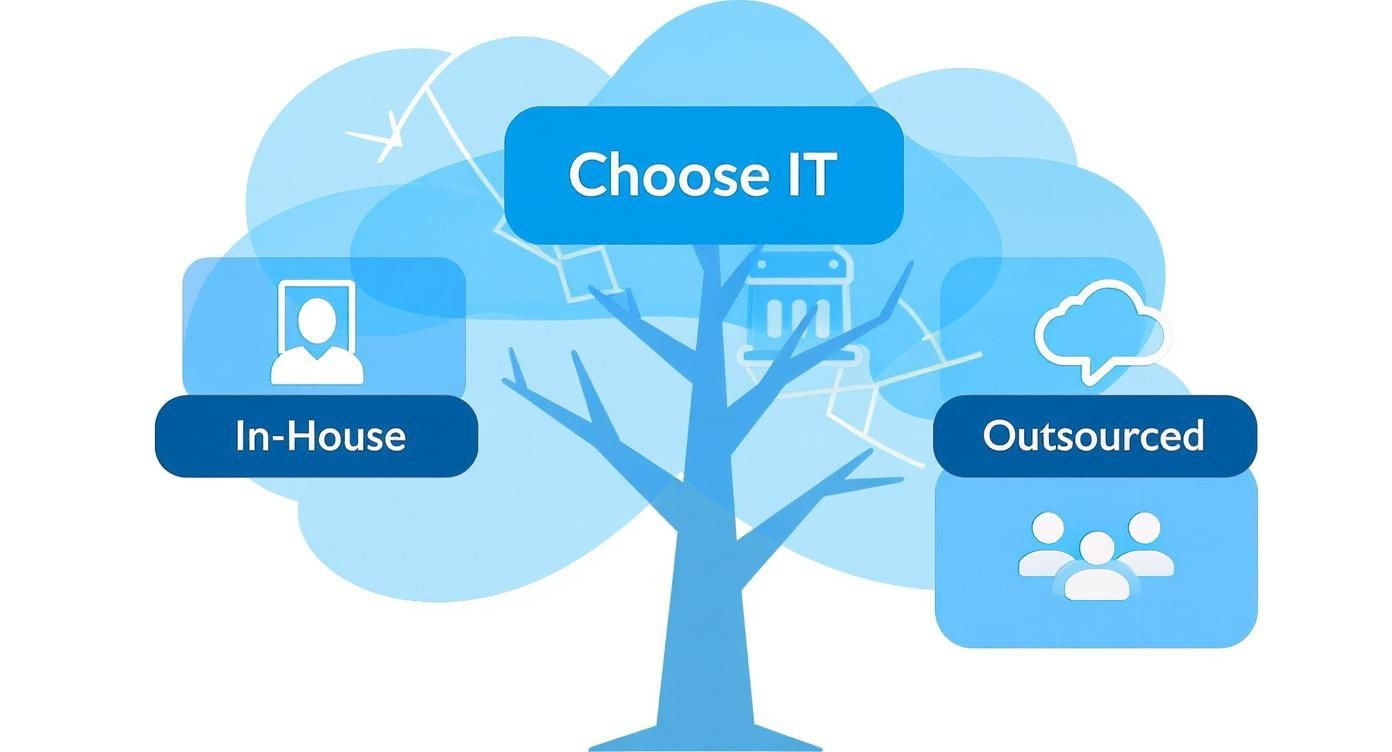
Ultimately, it comes down to what you prioritize: the convenience of having someone right down the hall or the comprehensive, scalable expertise that an external partner brings to the table.
The In-House IT Approach
Going the in-house route means hiring a dedicated IT professional as a full-time employee. This person is part of your team, works in your office, and is completely focused on your business's unique challenges and goals.
The biggest plus here is immediate, hands-on help. When a server crashes or a new employee needs their computer set up, your IT person is right there. Over time, they gain an incredible depth of knowledge about your specific systems, workflows, and the common hiccups your staff runs into. This can be a great fit for businesses with complex, proprietary software or those who really value having someone who is part of the daily company culture.
But this model has some serious downsides. The cost is a big one—you’re not just covering a salary but also benefits, ongoing training, and all the overhead that comes with an employee. You're also putting all your tech eggs in one basket. No single person can be a master of everything, from cybersecurity and cloud infrastructure to network engineering and disaster recovery. What happens when your go-to expert is on vacation, out sick, or decides to leave? Your business is suddenly left vulnerable.
The Outsourced IT Model
Outsourcing your IT involves partnering with a specialized firm, often known as a Managed Service Provider (MSP). Think of it less like hiring one person and more like renting an entire, fully-staffed IT department for a predictable monthly fee.
This immediately gives you access to a deep bench of specialists. A good MSP has experts in cybersecurity, cloud platforms, networking, and more, providing your small business with a level of knowledge that's typically reserved for large enterprises—at a fraction of the cost. The financial sense it makes is why this model has become so popular.
The move toward outsourcing is gaining steam because the benefits are undeniable. Around 37% of small and medium-sized businesses now outsource at least some of their IT. The savings can be significant, with 13% of companies reporting cost reductions of over 50% after switching to an MSP.
This approach flips IT from a major capital expense (salaries, new hardware) into a predictable operating expense. The MSP takes a proactive approach, handling monitoring, maintenance, and security to stop problems before they can disrupt your work. The main trade-off is that your support team isn't physically in the office, but the vast majority of issues are handled remotely, with on-site support available whenever it's truly needed. You can dig deeper into the numbers by exploring more business technology stats and insights.
Making the right call on IT support for small business comes down to what you need most. If you have a simple tech setup and value having someone physically present, an in-house hire might work. But if you're after cost savings, broad expertise, and a solution that can grow with you, an outsourced partner is usually the more strategic long-term play.
Comparing In-House vs Outsourced IT Support
Deciding on the right IT model can feel overwhelming. This side-by-side comparison should help clarify the key differences and guide you toward the best fit for your company's specific needs and goals.
| Factor | In-House IT Team | Outsourced IT Provider (MSP) |
|---|---|---|
| Cost Structure | High fixed costs (salary, benefits, training, overhead) | Predictable monthly operating expense |
| Expertise | Limited to the knowledge of one or a few individuals | Access to a diverse team of specialists (security, cloud, etc.) |
| Availability | Standard business hours; vulnerable during leave/sickness | 24/7/365 monitoring and support available |
| Scalability | Difficult and expensive to scale; requires new hires | Easily scalable up or down as your business needs change |
| Focus | Often reactive; pulled into daily "firefighting" | Proactive approach focused on prevention and optimization |
| On-site Presence | Always on-site, fully integrated into company culture | Remote-first support with on-site visits scheduled as needed |
At the end of the day, neither model is universally "better"—it's about what's better for you. Review these factors against your budget, growth plans, and tolerance for risk to make an informed choice.
How to Choose the Right IT Partner
Picking an IT provider isn't like hiring a plumber; it's more like bringing on a business partner. The right one becomes a genuine asset, someone who's actually invested in seeing you succeed. The wrong one? They can quickly turn into an expensive, frustrating headache. To make the right call, you have to cut through the tech-speak and glossy sales presentations to figure out what really counts.
Think of this as your playbook for vetting potential IT partners. It's about asking the tough questions that show you how they'll perform when things get messy and whether they truly get what it's like to run a small business. This helps you find a team that feels like they're part of your own crew.
Look Beyond the Contract
Every IT company on the planet will promise you lightning-fast response times. But what does that actually mean when your whole system is down on a Tuesday morning? A Service Level Agreement (SLA) might guarantee a one-hour response, but that could easily be just an automated email confirming they got your ticket. The number you really care about is time-to-resolution.
When you're talking to potential partners, pin them down on this. Ask for their average resolution times for everyday problems like password lockouts and for catastrophic failures like a server crash. Even better, ask if you can talk to a few of their current clients. Hearing from another business owner about their real-world experience is worth more than any sales pitch. That’s the difference between a paper promise and proven performance.
Choosing an IT partner is a high-stakes decision. You're entrusting them with your company's digital lifeline. Prioritize providers who can demonstrate a history of reliability, transparency, and a genuine commitment to their clients' operational success.
Verify They Understand Your World
A cookie-cutter approach to IT support just doesn't work. A medical practice has a completely different set of security and compliance worries than a construction firm or a local coffee shop. A great IT partner won’t just know tech; they’ll know your industry.
Here are a few sharp questions to ask to see if they really get it:
- Industry Experience: Have you worked with other businesses in our field? What are the biggest tech challenges you see them facing?
- Software Familiarity: Are you familiar with the specific software we rely on every day, like our CRM or accounting platform?
- Compliance Needs: If you’re in healthcare, how do you help clients stay on the right side of regulations like HIPAA?
Finding a partner who already speaks your language is a game-changer. It saves you from having to explain the basics of your business over and over and ensures their solutions actually make sense for you from day one.
Find a Partner, Not Just a Provider
At the end of the day, the best IT support for small business comes from a team that feels like they’re in the trenches with you. They should be looking ahead, keeping you in the loop, and helping you use technology to hit your goals—not just waiting for things to break.
As you evaluate your options, think about the cultural fit. Do they talk to you like a human, or do they bury you in technical jargon? Check out their online reviews and testimonials, looking for comments that mention proactive advice and a willingness to go the extra mile. Learning how a provider handles cybersecurity and IT solutions for businesses similar to yours can provide deep insight. For instance, you can see why San Antonio businesses trust DefendIT Services to get a feel for what a strong, trust-based relationship looks like. This groundwork helps you find a partner who will solve today’s problems and help you gear up for whatever comes next.
Understanding IT Support Costs and Taking the First Step
Figuring out the financial side of IT support can feel like a maze, but it gets a lot simpler once you understand how most providers structure their pricing. When you start exploring IT support for small business, you’ll run into a few common models. Each is built to offer a different balance of service and predictability.
Most IT support plans are built around the size of your team, which makes sense—it ties the cost directly to the amount of support you’ll likely need. Getting a grip on these models is the first real step to finding a plan that fits your budget without any nasty surprises down the road.
Decoding Common Pricing Models
To make sure you're comparing apples to apples, let's break down the main pricing structures you’ll come across.
Per-User Pricing: This one’s simple. You pay a set monthly fee for each employee. It typically covers all the devices one person uses—their desktop, laptop, and phone. It's a great fit for companies where people work across multiple gadgets.
Per-Device Pricing: Here, the fee is tied to each piece of hardware being looked after. Every server, computer, and network switch gets its own line item. This often works well for businesses with shared computers or just a lot more equipment than people.
Tiered Pricing: Think of this as a "good, better, best" approach. Many providers offer packages—often called something like Bronze, Silver, and Gold—that bundle progressively more services. A basic tier might give you monitoring and help desk access, while a premium one could throw in advanced cybersecurity and long-term tech planning.
Knowing how these work lets you pick a plan that mirrors how your company actually operates, so you're not paying for things you don't use.
How to Get an Accurate Quote
Before you even start making calls, a little prep work can mean the difference between a vague ballpark figure and a precise, reliable quote. The better prepared you are, the smoother the whole process will be.
Investing in the right IT support isn't an expense; it's a strategic investment in your business's security, efficiency, and future growth. It's the foundation that allows you to operate confidently and securely.
To get a quote you can actually work with, have this information handy:
- Employee Headcount: How many full-time and part-time people are on your team?
- Device Count: Get a quick tally of your desktops, laptops, servers, and other critical network gear.
- Key Software: What are the must-have applications your business can't live without? Think CRM, accounting software, or any specialized industry tools.
- Current Pain Points: Be ready to talk about your biggest tech headaches. Are things running slow? Are you losing sleep over security?
Walking into a conversation with these details turns a guessing game into a straightforward, productive discussion. This simple prep work is how you start building a solid technology foundation for your company's future.
Your Questions About IT Support, Answered
Even with all this information, you probably still have a few questions buzzing around. That's completely normal. Let's tackle some of the most common ones we hear from business owners trying to navigate the world of IT support for small business.
We're a Tiny Operation. Do We Really Need to Pay for IT Support?
Yes, without a doubt. Think about it: even a one-person shop today runs on technology. From your emails and invoicing to how you process payments, it's all digital. A single disaster—a fried hard drive, a stolen laptop, or a sneaky ransomware attack—could knock you out of business overnight.
Professional IT support is like an insurance policy for your entire operation. It's not just about fixing what's broken; it's about making sure your systems are secure, running smoothly, and ready for you to grow. You're not just managing today's tech; you're protecting your company's future.
What's the Real Difference Between Break-Fix and Managed IT Services?
It all comes down to one thing: being proactive versus being reactive.
Break-Fix Service: This is the classic "call the computer guy" model. Something breaks, you call for help, and you get a bill for that one-time fix. The problem is, you're always waiting for a disaster to strike, which means more downtime and surprise costs that can wreck your budget.
Managed IT Services: This is the proactive approach. You pay a flat, predictable monthly fee for a team that constantly monitors and maintains your systems. Their goal is to prevent problems from ever happening in the first place. For most businesses, this model brings stability, better security, and a whole lot less stress.
Managed services turn IT from a constant fire drill into a strategic advantage. You stop worrying about expensive repairs and start focusing on how reliable technology can help you grow.
How Much Should I Actually Budget for This?
There's no single magic number, as costs depend on how many people are on your team, how complex your setup is, and what level of security you need. A good starting point for a ballpark estimate is to budget somewhere between 2% and 5% of your annual revenue.
But to get a concrete figure, your best bet is to get a few quotes from reputable providers. When you're looking at their proposals, don't just hunt for the lowest price. Focus on the total value they bring—how they reduce your risk, improve your team's efficiency, and protect your business.
Will an Outsourced IT Company "Get" My Business?
The good ones absolutely will. In fact, they'll make it their mission. When you're interviewing potential IT partners, ask them point-blank about their experience with businesses just like yours. A quality provider will invest the time to understand your specific workflows, the software you can't live without, and any industry regulations you have to follow.
Their job isn't to shoehorn you into a generic package. A true IT partner acts like an extension of your own team, tailoring their support to help you hit your unique business goals.
Ready to secure your business with an IT partner who understands your needs? Defend IT Services provides expert managed IT, cybersecurity, and print solutions designed for San Antonio businesses. Get in touch today to build your technology roadmap.