
The HIPAA Security Rule lays out the federal requirements for protecting all electronic patient data, or ePHI. At its heart, the rule demands that any healthcare organization or business associate handling this data guarantees its confidentiality, integrity, and availability. This isn't just a suggestion—it's a mandate achieved by putting specific administrative, physical, and technical safeguards into practice.
Understanding Your Core HIPAA Security Mandates

Think of the HIPAA Security Rule not as a simple checklist, but as the master blueprint for a digital fortress protecting sensitive health information. It's not enough to just have a strong password. You need layers of defense—like policies for who gets a key, physical locks on server room doors, and technology that alerts you to a breach. This rule takes the abstract idea of "privacy" and turns it into concrete, actionable security measures.
A good starting point for any organization is developing comprehensive privacy policies, which set the stage for how all personal information is managed. The Security Rule then zooms in, applying a laser focus to the unique challenges of protecting patient data in the healthcare world.
The Three Pillars of Data Protection
Everything in the Security Rule is built on three fundamental goals. These principles should be the North Star for every security decision you make, ensuring patient data is kept safe from prying eyes but remains accessible to the right people at the right time.
- Confidentiality: This is the most straightforward pillar. It means making sure ePHI isn't seen or shared with anyone who isn't authorized. It's the promise of privacy.
- Integrity: This one is about trust. The data must be protected from being changed or deleted without permission, ensuring that what a doctor sees in a patient's file is accurate and reliable.
- Availability: This ensures that authorized staff, like a nurse in the ER, can get to the ePHI they need, whenever they need it, to provide care. Data that's locked down so tight that it can't be used is failing this critical test.
The Security Rule is designed to be flexible and scalable. A small-town clinic and a massive hospital network can apply the same core principles in a way that’s reasonable and appropriate for their size, resources, and specific risks.
The Framework of Safeguards
To bring these three pillars to life, the rule breaks down the required protections into three distinct categories. It's not just about firewalls and software. True HIPAA security involves your people, your policies, and your physical buildings, all working together in a layered defense.
The real challenge, especially for smaller practices, is getting these safeguards in place and keeping them running. It's a heavy lift, which is why many organizations turn to outside experts. Partnering with a provider of managed IT and cybersecurity services can bridge the knowledge gap and help navigate these complex rules.
- Administrative Safeguards: These are your "people and paper" controls—the policies, procedures, and training that guide your team's actions.
- Physical Safeguards: This covers the tangible, real-world protections, like locks on doors, screen protectors, and secure server rooms.
- Technical Safeguards: This is the technology you use to protect ePHI, from access controls and encryption to audit logs.
Putting the Three Required Safeguards into Practice
To bring the principles of confidentiality, integrity, and availability to life, the HIPAA Security Rule lays out three types of safeguards. The best way to think about them is as a layered defense for a castle.
- Administrative safeguards are the rules of the kingdom—who gets in, how guards are trained, and what the battle plans are.
- Physical safeguards are the castle walls, moats, and locked gates.
- Technical safeguards are the secret codes, surveillance systems, and encrypted messages that protect the information itself.
Each safeguard comes with specific implementation specifications, which are the detailed instructions for putting it into action. These instructions are labeled either "Required" or "Addressable."
"Required" means just that—you have to do it, no exceptions. "Addressable" offers a bit of wiggle room. You can choose a different method to achieve the same security goal, but you absolutely must document your reasoning and prove your alternative is just as effective.
HIPAA Security Rule Safeguards and Implementation Specifications
To make this clearer, let's break down the safeguards and what "Required" versus "Addressable" looks like in the real world for a small clinic.
| Safeguard Category | Implementation Specification Example | Type (Required/Addressable) | Practical Example for a Clinic |
|---|---|---|---|
| Administrative | Security Awareness and Training | Addressable | The clinic implements mandatory annual security training for all staff and sends monthly email reminders about phishing threats. |
| Administrative | Contingency Plan | Required | The clinic creates a formal plan that includes data backups, a disaster recovery process, and procedures for operating in an emergency. |
| Physical | Facility Access Controls | Addressable | The clinic installs keycard access on the server room door and maintains a visitor log at the front desk. |
| Physical | Workstation Security | Required | All computers that can access patient data are set to automatically lock after 5 minutes of inactivity. |
| Technical | Unique User Identification | Required | Every staff member is assigned their own unique login and password for the electronic health record (EHR) system. |
| Technical | Encryption and Decryption | Addressable | The IT provider enables full-disk encryption on all laptops to protect patient data if a device is lost or stolen. |
This table shows how these rules aren't just abstract concepts; they translate into concrete actions you need to take to protect patient data every single day.
Administrative Safeguards: The Human Element
Administrative safeguards are all about the policies, procedures, and day-to-day actions that manage your security. This is the human side of the equation and, frankly, it’s where most security programs either succeed or fail. These aren't just dusty binders on a shelf; they're the living rules that shape your organization's security culture.
Here are some of the most critical administrative safeguards:
- Security Management Process: This is the big one. It requires you to perform a risk analysis to figure out where your vulnerabilities are and then actually do something to fix them.
- Assigned Security Responsibility: You need to name a single person as your Security Official. This individual is ultimately responsible for developing and implementing your security program.
- Workforce Security: This covers everything from background checks to defining how employees get access to ePHI and, just as importantly, how you revoke that access when they leave.
- Information Access Management: You must enforce policies that limit access to ePHI based on job roles. A front-desk scheduler shouldn't have access to the same detailed clinical notes as a physician.
- Security Awareness and Training: Every single person on your team needs regular, ongoing security training. This has to cover current threats like malware, phishing scams, and social engineering.
- Contingency Plan: What happens when disaster strikes? You need a documented plan for emergencies, including data backups, disaster recovery steps, and how you’ll operate if your main systems are down.
A common mistake is treating security training as a one-and-done checkbox. Real security involves regular, engaging training that builds good habits. Done right, it turns your team from a potential weak link into your best line of defense.
Physical Safeguards: Protecting Your Environment
Physical safeguards are the real-world protections for your building and the equipment inside it where ePHI is stored or accessed. We’re talking about everything from the server room closet to a doctor’s laptop. The goal here is simple: stop unauthorized people from physically touching, tampering with, or stealing the devices that hold patient data.
These safeguards protect your tangible assets. Whether you're a small clinic or a major hospital, you have to take concrete steps to lock down your physical space. This is an area where a clear strategy, often built with the help of cybersecurity pros, is essential. For Texas businesses, seeing how San Antonio cybersecurity professionals build secure IT solutions can offer a practical look at how these controls are put into place effectively.
Examples of physical safeguards include:
- Facility Access Controls: This means locks on doors, alarm systems, and even simple visitor sign-in sheets to control who gets into sensitive areas.
- Workstation Use: Creating policies that dictate how workstations are used. For example, making sure screens showing ePHI are angled away from public view.
- Workstation Security: Taking steps to physically secure devices. Setting up automatic screen locks after a few minutes of inactivity is a classic and required example.
- Device and Media Controls: Having clear procedures for how you handle and dispose of old hard drives, USB sticks, or anything else that once held ePHI. This often involves professional data wiping or physical destruction.
Technical Safeguards: The Technology of Protection
Finally, technical safeguards are the technology and software-based policies you use to protect ePHI and control who can access it. These are your firewalls, encryption software, and audit logs—the digital backbone of your security strategy. But remember, technology is only as good as the administrative and physical safeguards supporting it.
HIPAA is intentionally technology-neutral, which means it doesn't tell you which software to buy. Instead, it defines the security outcomes you have to achieve.
- Access Control: You must implement tech policies that only allow authorized people to access ePHI. This always starts with giving every user their own unique ID and password.
- Audit Controls: You need systems in place (whether hardware, software, or a process) that record and let you examine activity. These logs are crucial for figuring out who accessed what data, and when.
- Integrity Controls: These are measures to ensure that ePHI isn't accidentally or maliciously changed or deleted. Think of it as a digital seal that proves the data hasn't been tampered with.
- Authentication: You must have a way to prove that the person trying to access ePHI is actually who they say they are. Passwords are the most basic form; multi-factor authentication (MFA) is much better.
- Transmission Security: This involves protecting ePHI while it's in motion over a network. The most common and effective tool for this is strong encryption.
By weaving these three types of safeguards together, you create a tough, multi-layered defense that meets HIPAA's demanding requirements and, more importantly, genuinely protects sensitive patient data.
How to Conduct a Security Risk Analysis
Think of the Security Risk Analysis as the absolute cornerstone of the HIPAA Security Rule. It’s not just the most important requirement; it's also the place where most organizations stumble during an audit. This isn't a one-and-done checkbox. It's an ongoing, living process.
Imagine you're buying a house. You'd hire a home inspector to crawl into every nook and cranny to find hidden problems before you sign the papers. Your risk analysis serves the same purpose—it’s about proactively finding your security weaknesses before a cybercriminal does.
At its core, the process boils down to answering a few straightforward questions: What patient data (ePHI) do we actually have? Where is it all hiding? What could realistically go wrong? And if it does, how bad will the damage be?
Despite HIPAA being around for decades, this is where many covered entities fall short. A report from the Department of Health & Human Services (HHS) found that a staggering 94% of organizations failed to implement adequate risk management to get their security risks down to an acceptable level. That kind of widespread failure leaves patient data wide open and practices exposed to crippling fines.
Step 1: Identify the Scope of Your Analysis
You can't protect what you don't know you have. The first real step is to take a complete inventory of every single device, application, and location where you create, receive, store, or send ePHI. Most people are surprised by just how long this list gets.
Your inventory needs to cover everything:
- All hardware: Servers, desktops, laptops, tablets, and yes, even personal smartphones if they're used for work (the whole BYOD environment).
- Software applications: Your EHR is the obvious one, but what about billing software, patient communication portals, or even your email system?
- External media: Don't forget the easy-to-lose stuff like USB drives, backup tapes, and external hard drives.
- Cloud services: If your ePHI lives in the cloud, you have to account for it. This includes everything from file storage and email hosting to your telehealth platform, all while mitigating cloud computing security risks.
Step 2: Pinpoint Threats and Vulnerabilities
Once your map of ePHI is complete, it's time to play the "what if" game. You need to identify all the potential threats and vulnerabilities that could compromise your data. A threat is the bad thing that could happen (like a ransomware attack), and a vulnerability is the weakness that lets it happen (like unpatched software).
You have to think broadly here, because threats come in all shapes and sizes. They can be natural or human, intentional or completely accidental.
- Human Threats: This covers everything from a determined hacker trying to breach your network to a well-meaning employee who unknowingly clicks a phishing email.
- Natural Threats: Think about disasters like fires, floods, or even a simple power surge that could fry your servers and knock out access to critical data.
- Technical Vulnerabilities: These are the classic weak spots—out-of-date software, weak passwords, a lack of encryption, or a poorly configured firewall.
Go through your inventory, system by system, and brainstorm every plausible worst-case scenario. Could a laptop with patient charts be stolen from an employee's car? Could a disgruntled former employee still have access to your network? Could someone accidentally email a patient list to the wrong person? Write it all down.
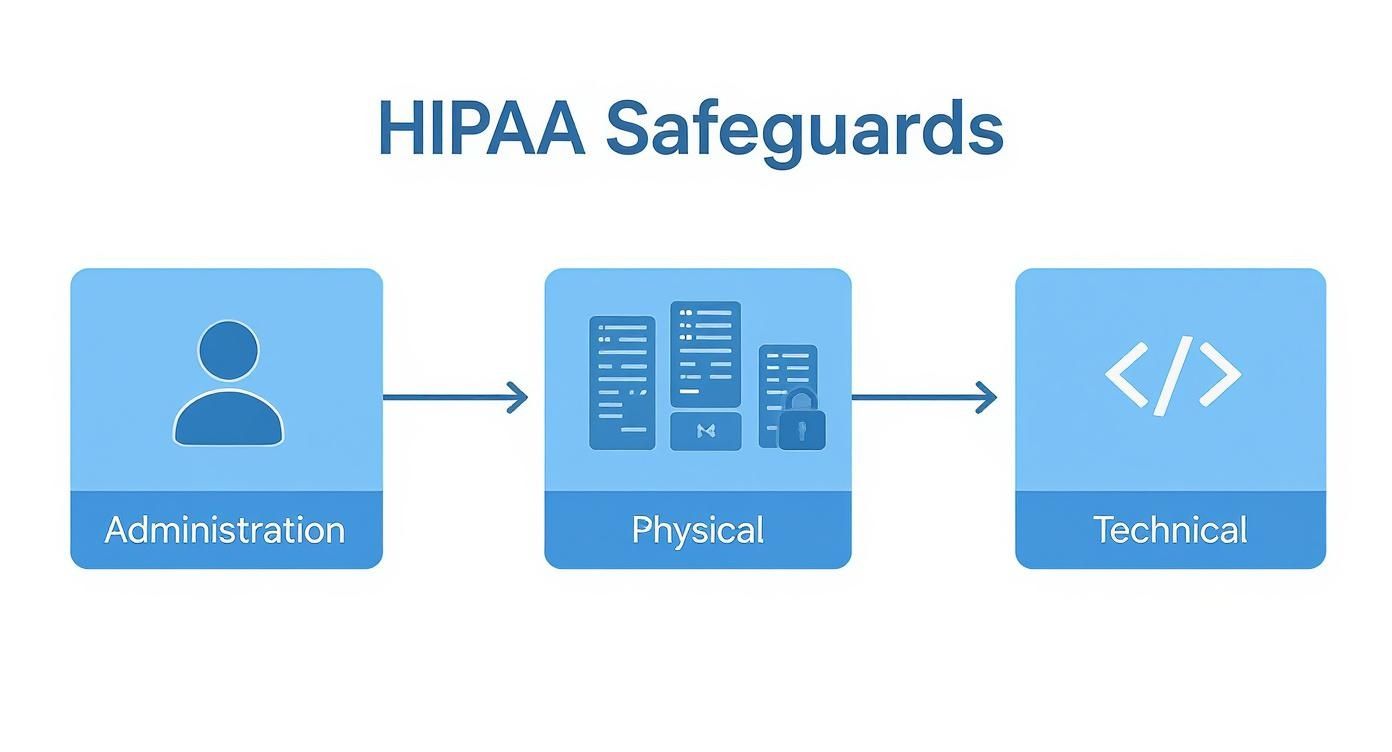
This is where you can see how all the safeguards—administrative, physical, and technical—are meant to work together. A strong security posture isn't just about technology; it's a layered defense that combines smart policies with locked doors and secure networks.
Step 3: Assess Your Current Security Measures
Now it's time for an honest self-assessment. Look at the threats you just listed and evaluate the security controls you already have in place to counter them. This is about taking a hard look in the mirror to see where you’re strong and, more importantly, where you're weak.
The goal here is to figure out the likelihood of a threat hitting a vulnerability and the potential impact if it does. This simple calculation is what tells you what to fix first.
Let's use a real-world example. You identified a "stolen laptop" as a threat. Do you have full-disk encryption on all company laptops? If the answer is yes, the likelihood of a data breach is low, even if the device is gone. If the answer is no, the likelihood is dangerously high.
Then you assess the impact—how bad would the fallout be? This could mean financial damage from fines and lawsuits, reputational harm from losing patient trust, or operational chaos from being unable to provide care.
Step 4: Document Everything Meticulously
If you don't write it down, it never happened. This is the golden rule for any audit. Every step of your risk analysis, from your initial inventory to your final conclusions, must be documented with painstaking detail.
Your final Security Risk Analysis report is your proof of compliance. It must include:
- A full list of all assets that touch ePHI.
- A corresponding list of threats and vulnerabilities for each asset.
- An assessment of the security controls you currently have in place.
- A determination of the risk level (e.g., high, medium, low) for each potential incident.
This document is more than just a compliance hoop to jump through. It becomes the blueprint for your risk management plan—the actionable roadmap you'll follow to patch the holes and protect your data.
Creating Your Risk Management Plan
Finishing a Security Risk Analysis is a huge step, but it’s really just the beginning. An analysis that just sits in a folder is nothing more than a well-documented list of future problems. To truly satisfy the HIPAA Security Rule requirements, you need to take those findings and forge them into an actionable Risk Management Plan.
Think of it like this: your risk analysis is the doctor's diagnosis. The management plan is the treatment you follow to get healthy. It’s your roadmap for moving from finding vulnerabilities to actively fixing them, shifting your entire security approach from reactive to proactive.
This plan becomes a living, breathing document. It proves to auditors that you not only understand your weaknesses but are also making a deliberate, ongoing effort to shore them up. This is all about building a culture of continuous improvement, not just ticking a box for compliance.
How to Prioritize Your Security Fixes
Your analysis will almost certainly uncover a long list of potential risks, and trying to fix everything at once is a surefire way to get overwhelmed. The trick is to prioritize intelligently, and you can do that by looking at two key factors: likelihood and impact.
- Likelihood: What are the actual odds of this threat happening? For example, an unencrypted laptop that leaves the building every day has a very high likelihood of being lost or stolen.
- Impact: If this threat becomes a reality, how bad will the damage be? A full-scale breach of your entire patient database would be catastrophic. A single workstation getting a minor virus? Much less so.
By mapping each risk based on its likelihood and potential impact, you can instantly see what needs your attention right now. Anything that scores high on both is your top priority, no question.
A risk management plan isn't about achieving perfect security overnight. It’s about making smart, risk-based decisions to systematically lower your organization's vulnerability over time in a way that is both reasonable and appropriate for your practice.
Building Your Remediation Roadmap
With your priorities straight, it's time to build the action plan. For every single risk you identified, you need a clear, documented path to fixing it. This step is crucial for creating accountability and providing a clear audit trail of your good-faith efforts.
A simple table is your best friend here. It keeps everything organized and lets you see progress at a glance. For each risk, your plan must spell out the specific steps, deadlines, and people responsible for getting it done.
A Practical Risk Management Plan Template
Here’s a simple, effective template you can borrow. This structure gives you the clarity and documentation that auditors love to see, proving you have a mature approach to the HIPAA Security Rule requirements.
| Identified Risk | Proposed Solution | Assigned To | Due Date | Status |
|---|---|---|---|---|
| Staff laptops with ePHI are not encrypted | Enforce mandatory full-disk encryption (e.g., BitLocker) on all company-issued laptops. | IT Department | 30 Days | In Progress |
| No formal log-off procedure for shared workstations | Create and enforce a policy requiring users to lock or log off workstations when stepping away. | Security Officer | 14 Days | Completed |
| Backup and recovery testing is inconsistent | Schedule and conduct quarterly data recovery tests from backups to ensure data integrity. | Managed IT Provider | End of Q3 | Not Started |
A format like this leaves no room for guessing. It clearly states the problem, the fix, who owns it, and the deadline. This is how you transform a static risk analysis report into a dynamic tool that actively strengthens your security and ensures you stay compliant.
Avoiding Common HIPAA Compliance Pitfalls

When it comes to the HIPAA Security Rule, even well-meaning organizations fall into the same traps. These aren't just minor oversights; they're the kinds of foundational mistakes that auditors flag time and time again. Knowing what these common pitfalls are is the first step to building a security program that can actually stand up to scrutiny.
The most dangerous pitfall is treating compliance like a one-and-done project. It’s not. It’s a constant cycle of assessing risks, fixing what's broken, and making continuous improvements. Another classic error is a half-baked risk analysis that completely misses entire classes of devices or data storage locations, leaving massive security holes wide open.
The Missing Business Associate Agreement
One of the most frequent—and expensive—mistakes is failing to get a signed Business Associate Agreement (BAA) from every single vendor that touches your electronic Protected Health Information (ePHI). This means your IT provider, your cloud backup service, the company that handles your billing, and even the vendor that shreds your old hard drives.
Think about it. A small clinic hires a local IT guy to manage their network. They shake on it and have a basic service contract, but no BAA. If that IT provider gets hit with ransomware and the clinic’s patient data is exposed, both the clinic and the vendor are on the hook for a HIPAA violation.
A BAA is a legal contract that makes your vendor promise to safeguard ePHI with the same level of care you do. Without it, you have zero legal guarantee they are upholding their end of the bargain, and you become directly responsible for their security failures.
Ineffective or Nonexistent Employee Training
Another gaping hole in many compliance programs is security training that’s treated as a box-checking exercise. Forcing employees to click through a stale presentation once a year does almost nothing to create a culture of security. Ineffective training leaves your biggest vulnerability—human error—exposed to phishing attacks and simple mistakes.
For training to actually work, it needs to be:
- Ongoing: Annual training is the absolute floor. It’s the regular reminders, simulated phishing tests, and quick security huddles that truly make a difference.
- Relevant: Tailor your training to the real-world threats your team faces. Use examples they can actually relate to in their daily work.
- Engaging: Ditch the dry slideshows. Use interactive sessions, quizzes, and open discussions to get people invested and keep them paying attention.
Recent data shows a scary gap between knowing and doing. The 2025 HIPAA Journal Annual Survey revealed that while most organizations understand their duties, many still haven't appointed a dedicated HIPAA Privacy Officer with actual authority or haven't updated their risk assessments in years, even as cyber threats get worse. You can find additional survey insights on HIPAA Journal to see the full picture.
The Danger of Assuming Compliance
Finally, it's incredibly dangerous to assume your cloud provider or EHR vendor is handling HIPAA compliance for you. While these partners offer secure platforms, they all operate on a shared responsibility model. They are responsible for securing their cloud infrastructure, but you are still responsible for how you configure their services, who you give access to, and protecting the data you upload.
This is where so many organizations get tripped up. Just using a "HIPAA-compliant" service doesn't automatically make you compliant. For any growing practice, understanding this distinction is fundamental, which is why we emphasize the importance of cybersecurity for growing businesses. Steering clear of these pitfalls isn't about perfection; it's about being proactive and recognizing that compliance is everyone's job.
HIPAA Security Rule FAQs
Let's be honest, trying to apply the HIPAA rules to your day-to-day operations can bring up a lot of questions. As you work through the safeguards and try to build a strong security posture, a few common points of confusion always seem to pop up. We're going to tackle those head-on with clear, practical answers.
Think of this as your quick guide to cutting through the dense legal language so you can make confident, compliant decisions.
What Is the Difference Between the HIPAA Privacy and Security Rules?
This is a big one. The easiest way to think about it is that the Privacy and Security Rules are two sides of the same coin, but they have very different jobs.
The HIPAA Privacy Rule is the "what" and "why." It's a broad rule that applies to all Protected Health Information (PHI), regardless of its format—we're talking paper charts, conversations between doctors, and electronic records. It sets the ground rules for when and why you're allowed to use or share that information.
The HIPAA Security Rule, on the other hand, is the "how." It's much more specific and only deals with electronic PHI (ePHI). It lays out the specific controls and protections you have to put in place to keep that digital information safe.
Here's a simple example:
- The Privacy Rule says you can't share a patient's diagnosis with a marketing company without their explicit consent.
- The Security Rule says that when you electronically send that diagnosis to another authorized doctor, you have to encrypt it so a hacker can't intercept and read it.
In a nutshell, the Privacy Rule protects a patient’s fundamental right to control their health information. The Security Rule provides the digital locks, alarms, and procedures needed to enforce those rights.
How Often Must We Perform a Security Risk Analysis?
This is a critical question where the official rule is a bit vague, but the real-world expectation is crystal clear. HIPAA doesn't give a hard deadline, like "every December 31st." The text says you must conduct a risk analysis when it's "reasonable and appropriate" and review it "periodically."
That leaves a lot of room for interpretation, but auditors and cybersecurity experts have closed that gap. The undisputed industry standard is to perform a comprehensive, top-to-bottom risk analysis at least once per year.
But it's not a one-and-done deal. You also need to perform a fresh analysis immediately after any major change in your practice. This could be triggered by:
- Switching to a new Electronic Health Record (EHR) platform.
- Moving your data storage to a different cloud provider.
- Merging with another practice and combining your IT systems.
- Discovering a security incident or experiencing a data breach.
The key is to treat your risk analysis as a living, continuous process, not just an annual item to check off a list. That’s fundamental to meeting the HIPAA Security Rule requirements.
Do Our Vendors Also Need to Be HIPAA Compliant?
Yes, absolutely. This is non-negotiable and, frankly, one of the most common places where organizations get into trouble.
Any vendor that creates, receives, maintains, or sends ePHI on your behalf is what HIPAA calls a Business Associate. The law holds them to the exact same security standards you are. They are just as liable for protecting that data.
Before you let any vendor touch your ePHI, you must have a signed Business Associate Agreement (BAA) in place. A BAA is a formal, legally binding contract where the vendor promises to implement the required administrative, physical, and technical safeguards.
This isn't just for your IT company. The rule applies to a surprisingly wide range of partners:
- IT and managed service providers (MSPs).
- Cloud platforms like Amazon Web Services (AWS) or Microsoft Azure.
- Medical billing and coding services.
- Even the company you hire to shred your old hard drives.
Skipping the BAA is a major violation that puts both you and your vendor at serious risk.
Protecting patient data while navigating the complex HIPAA Security Rule requirements can feel like a massive undertaking. Defend IT Services specializes in cybersecurity and IT solutions designed for healthcare practices in San Antonio, helping you build a security program that is robust, compliant, and ready for an audit. Learn how we can protect your practice and give you peace of mind.