
At its core, a data backup and recovery solution is exactly what it sounds like: a system for making secure copies of your business data so you can restore everything after something goes wrong. Think of it as an insurance policy for your digital assets. It’s your plan to get back on your feet quickly after a data loss event, a cyberattack, or a simple hardware failure.
Why Your Business Needs an Insurance Policy for Data

Your company’s data is its digital lifeblood. It's everything—from customer records and financial statements to project files and intellectual property. Without it, your entire operation can grind to a halt, causing immediate financial bleeding and long-term damage to your reputation.
Picture this: a critical server crashes, or worse, ransomware encrypts your entire network. How fast could you get back to normal? For too many businesses, the answer is "not fast enough." The statistics are sobering: 60% of organizations that experience a major data loss event find it incredibly difficult to recover that information. This is why a proactive strategy isn’t just a good idea; it’s a core element of business survival.
The True Cost of Data Loss
Losing data isn't just an IT headache; it's a full-blown business catastrophe. The ripple effects go far beyond the initial downtime.
- Financial Damage: The costs stack up quickly. You’re looking at lost sales, potential regulatory fines, and the staggering expense of hiring data recovery specialists.
- Reputational Harm: When you lose customer data, you lose trust. Rebuilding that confidence can take years, if it’s even possible.
- Legal and Compliance Issues: If you're in an industry like healthcare (HIPAA) or finance, you're bound by strict data protection rules. A failure to comply can lead to crippling penalties.
A solid data backup and recovery solution is so much more than a technical fix. It's a fundamental piece of modern risk management. It gives you the peace of mind that comes from knowing your business can withstand the unexpected. Partnering with professionals for managed IT and cybersecurity services is the best way to ensure this critical insurance policy is expertly handled.
Having a plan to restore operations is non-negotiable. It's the difference between a minor inconvenience and a business-ending event.
This guide will give you a clear roadmap to building that resilience. We'll walk through the key concepts and modern solutions you need to make sure your business can weather any storm.
Understanding the Language of Data Recovery
Jumping into the world of data backup can feel like learning a new language, filled with acronyms and technical jargon. But honestly, the core concepts are much simpler than they seem. Once you get a handle on them, you're well on your way to building a business that can weather any digital storm.
Let's break down the two most important ideas in any recovery plan: your Recovery Time Objective (RTO) and Recovery Point Objective (RPO). These two metrics answer the most critical questions you'll face during a data disaster.
Think about it this way: you're in the middle of a critical project, and poof—your system crashes. Everything you were just working on is gone. This is exactly where RTO and RPO come into play.
RPO (Recovery Point Objective): This answers, "How much data can we realistically afford to lose?" In our little disaster scenario, it’s the time that passed since you last hit 'save'. If you saved five minutes ago, your RPO is five minutes. You've lost that much work, and you'll have to redo it.
RTO (Recovery Time Objective): This answers, "How fast do we absolutely need to be back in business?" This is the time it takes to get your system back online so you can actually start working again. An RTO of 10 minutes means you need to be operational within that window to prevent a minor hiccup from turning into a major business problem.
These two metrics aren't just technical terms; they are the bedrock of your entire data protection strategy. They force you to define your real-world tolerance for downtime and data loss, which in turn points you toward the right data backup and recovery solutions. A high-frequency trading firm might need RTO and RPO measured in seconds, while a marketing agency might be perfectly fine with a few hours.
The Building Blocks of Backup Methods
Once you've defined your recovery goals, the next logical step is figuring out how to back up your data. I like to think of data as a structure built from digital blocks. Different backup methods handle these blocks in different ways, each with its own trade-offs.
There are really only three fundamental ways to do it:
Full Backup: This is the simplest and most complete. A full backup copies everything—every file, every folder, every last bit of data. It’s a complete snapshot in time. While it's the most straightforward, it's also the slowest and eats up the most storage.
Incremental Backup: This one is all about efficiency. After you've done one full backup, an incremental backup only copies the blocks of data that have changed since the last backup was performed (whether it was full or another incremental). It’s super fast and light on storage.
Differential Backup: This method strikes a balance between the other two. It starts with a full backup, but then each subsequent differential backup copies all the data that has changed since the last full backup. It takes a bit more time and space than an incremental backup, but it makes the restoration process much simpler.
Understanding the difference here isn't just academic. The method you choose directly impacts how quickly you can perform backups, how much storage you'll pay for, and how complicated it will be to restore everything when the pressure is on.
To make this crystal clear, let's put them side-by-side.
Comparing Backup Types at a Glance
This table breaks down how the three main backup methods stack up against each other when it comes to speed, storage needs, and how tricky they are to restore from.
| Backup Type | Backup Speed | Storage Space | Restore Complexity |
|---|---|---|---|
| Full | Slowest | Highest | Easiest (Single file set) |
| Incremental | Fastest | Lowest | Highest (Full + all increments) |
| Differential | Moderate | Moderate | Moderate (Full + last differential) |
In the real world, you almost never use just one of these. Most smart strategies create a hybrid schedule. For instance, you might run a full backup over the weekend when nobody is working, and then run much faster incremental or differential backups every night. This approach gives you a practical balance between security, speed, and cost.
By getting comfortable with these core ideas—RTO, RPO, and the three backup types—you've learned the essential vocabulary needed to build a powerful and practical data protection plan.
A Look at Modern Data Backup Solutions
The world of data backup has changed dramatically. Forget about dusty server rooms and stacks of old tape drives. Today, you have a powerful set of tools to protect your digital assets, and figuring out which one is right for you is the first step toward building a truly resilient business.
For decades, the standard was on-premise backup. This is the classic approach: you store copies of your data on physical hardware you own, right there in your office. Think dedicated servers, Network-Attached Storage (NAS) devices, or drives connected directly to a machine.
The biggest plus here is control. Your data never leaves your sight, which can be a non-negotiable for industries with strict data residency rules. Restores are also lightning-fast since you’re pulling data across your local network, not the internet.
But that control comes with a price. You're on the hook for the hefty upfront hardware costs, ongoing maintenance, and the IT expertise to keep it all running. Plus, on-premise backups are vulnerable to any disaster that hits your building—a fire, flood, or even theft could wipe out both your live data and your backups in one fell swoop.
The Shift to Cloud-Based Solutions
To get around the risks of keeping all your eggs in one physical basket, many businesses are now using cloud-based backup. Instead of storing data on your own hardware, you send encrypted copies over the internet to secure servers managed by a third-party provider.
This completely flips the script on cost. Instead of a huge capital investment, you pay a predictable subscription fee. It’s an operating expense, not a massive upfront purchase. The scalability is also a huge win—you can easily add more storage as you grow without ever having to buy another piece of hardware.
The real game-changer, though, is geographic redundancy. Your data is kept safe in hardened, off-site data centers, far away from any local disaster that could impact your office. For anyone looking into their options, exploring specific modern storage products can really open your eyes to what’s possible now. This approach puts serious data protection within reach for businesses of any size.
Let the Experts Handle It: Backup as a Service
A popular flavor of cloud backup is Backup as a Service (BaaS). Here, you're not just renting storage space; you're handing over the entire backup and recovery process to a specialized vendor. They manage the software, scheduling, monitoring, and restores, which frees up your team to do what they do best.
This "done-for-you" model is exploding in popularity. The BaaS market, valued around USD 4.80 billion, is expected to skyrocket to USD 33.56 billion by 2030. A big reason for this is the sheer volume of data being created—an estimated 149 zettabytes globally—which makes trying to manage it all in-house almost impossible for most companies. You can dive into the details in the full report on BaaS market growth projections from infrascale.com.
Think of BaaS as hiring a dedicated team of data protection specialists for a fraction of what it would cost to build one yourself. You get enterprise-grade security and reliability without the headaches.
The Best of Both Worlds: Hybrid Backup
For many businesses, the answer isn't "on-premise vs. cloud" but a smart combination of both. A hybrid backup strategy gives you the best of each world: a fast, local copy for quick recoveries and a secure, off-site copy for disaster-proofing.
It’s a simple, powerful concept:
- First, back up locally. Your data is first copied to an on-site device like a NAS. This means you can restore a corrupted file or a failed server in minutes, not hours.
- Then, copy to the cloud. That local backup is then automatically replicated to the cloud. This is your ace in the hole—the off-site copy that protects you from a total site disaster.
This layered approach perfectly balances the strengths of each method.
| Approach | Primary Benefit | Key Use Case |
|---|---|---|
| On-Premise | Speed and Control | Rapid local file recovery |
| Cloud | Security and Scalability | Disaster recovery and archiving |
| Hybrid | Resilience and Flexibility | Comprehensive business continuity |
By pairing local speed with cloud security, a hybrid model gives you a robust defense against anything from a simple server crash to a major catastrophe. It's one of the most effective data protection strategies out there today.
Building Your Data Protection Playbook
Having the right technology is just one piece of the puzzle. A truly solid backup strategy is like a well-rehearsed playbook—it clearly outlines who does what, when, and how, ensuring everyone knows their role when a crisis hits. Building this playbook isn't just an IT chore; it's a fundamental business process that builds genuine resilience.
This approach elevates your data backup and recovery solutions from a simple software purchase to a strategic asset. It’s about creating a documented, repeatable process that kills the guesswork during a high-stress event, turning potential chaos into a controlled, predictable recovery.
It all starts with knowing exactly what you're trying to protect.
Identify Your Crown Jewels
First things first: you have to identify your 'crown jewels'—the critical data your business simply cannot operate without. Let's be honest, not all data is created equal. Your customer database, financial records, and active project files are far more vital to your daily operations than marketing materials from five years ago.
By sorting your data based on its importance, you can build a tiered backup strategy. This ensures your most essential assets get the highest level of protection, like more frequent backups and faster recovery options. It's a smart way to optimize both cost and security.
Setting Realistic Recovery Goals
Once you know what's critical, you need to define your recovery goals. This is where you set practical, achievable RTOs (Recovery Time Objectives) and RPOs (Recovery Point Objectives) that are grounded in your actual business needs, not just some theoretical best-case scenario.
- For your accounting software: Could your business survive if it was down for a full day? Maybe an RTO of 8 hours and an RPO of 24 hours is acceptable.
- For your e-commerce platform: Every minute of downtime is a lost sale. Here, you might need an RTO under 15 minutes with an RPO of just a few minutes.
Setting these targets helps you pick the right tools and procedures to actually meet them. It gives you clear benchmarks to measure the success of your recovery plan and makes sure your IT efforts are directly tied to business priorities.
A well-defined RTO/RPO isn't just a technical spec. It's a business promise to your customers and stakeholders about how quickly you can get back on your feet.
The 3-2-1 Rule: Your Foundational Strategy
A cornerstone of any good data protection playbook is the 3-2-1 rule. It’s a simple but incredibly powerful industry best practice that gives you a straightforward framework for data redundancy.
The rule is easy to remember:
- Keep three copies of your data.
- Store them on two different types of media.
- Make sure one copy is stored off-site.
For example, you could have your primary data on your main server (copy 1), a local backup on a NAS device (copy 2, different media), and a third copy in the cloud (copy 3, off-site). This simple approach protects you from a whole range of disasters, from a single corrupted file to a fire in your server room.
This infographic shows how modern backup solutions, including on-premise, cloud, and hybrid models, put this into practice.
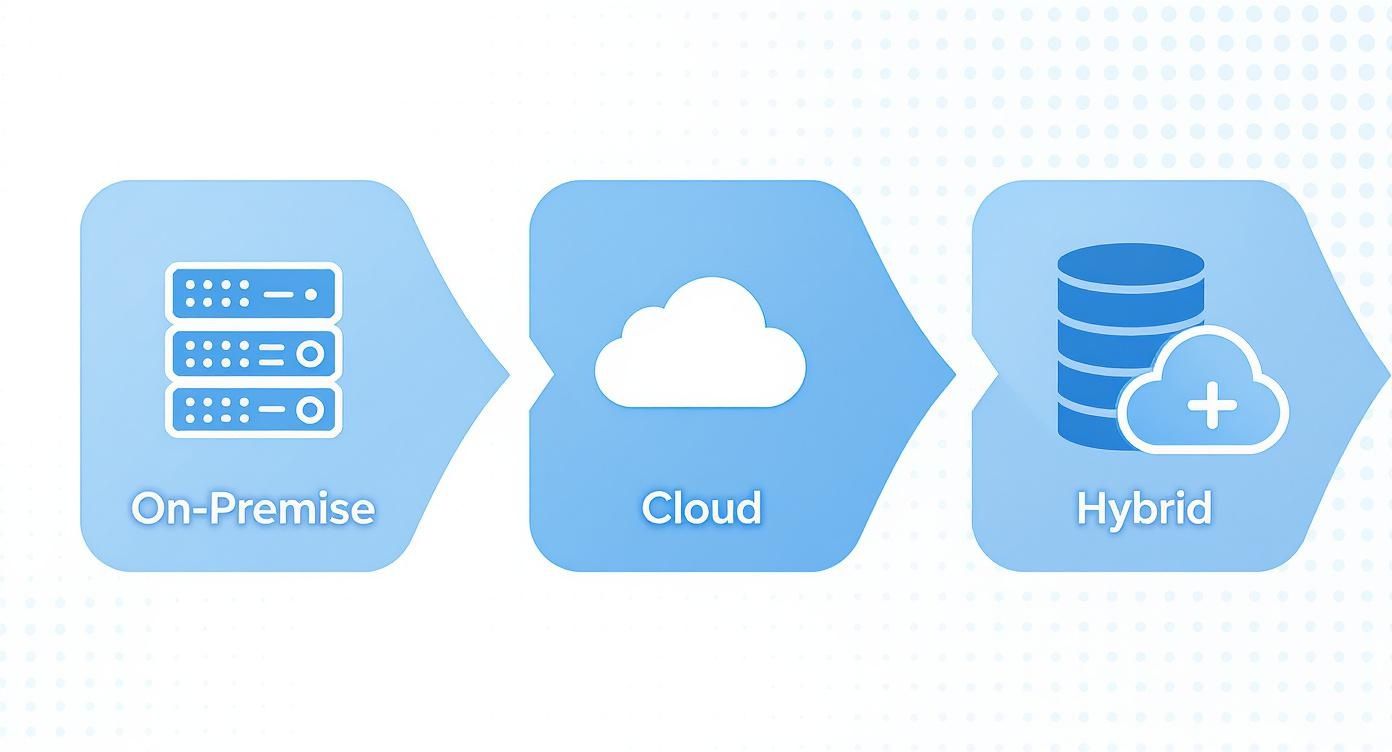
As you can see, a hybrid strategy combining local and cloud storage is a perfect way to fulfill the 3-2-1 rule, creating multiple copies on different media in separate physical locations.
Automate and Test Your Plan Relentlessly
A playbook is useless if you don't know for sure that it works. The two final, non-negotiable elements are automation and testing.
Automation and scheduling are your best defense against human error. Manual backups are all too easy to forget or mess up, leaving you dangerously exposed. Automated backups, on the other hand, run like clockwork, ensuring your data is consistently protected without anyone having to lift a finger.
But the only way to know if your playbook will actually work under pressure is to test it regularly. A shocking 85% of organizations experienced at least one data loss incident in the past year, which shows just how real the threat is. Performing regular test restores—from a single file to an entire virtual machine—verifies that your backups are actually usable and that your team knows the recovery drill cold.
This practice is the ultimate proof that your strategy is ready for anything. With so much data moving to the cloud, these tests are more critical than ever. Research shows about 76% of managed service providers now focus on backing up cloud applications, and industry forecasts predict 75% of enterprises will soon see SaaS application backup as essential. You can read the full analysis about the dominant role of cloud backup solutions on Statista.
Navigating Security and Compliance in Data Backup

Making copies of your data is a great first step, but it's really only half the battle. A backup and recovery plan is only as good as its security. After all, what’s the point of backing up sensitive information if those copies become an easy target for cybercriminals?
This is where security and compliance merge with your backup strategy. You can't just have backups; you have to protect them with the same rigor as your live, operational data. That means building security into every part of the process, from the moment a backup is created to the day it’s deleted for good.
The most critical security layer is encryption. Think of it as a digital lockbox for your data, making it completely unreadable to anyone without the right key. This protection is vital in two specific situations.
Securing Data in Transit and at Rest
First, you need encryption in transit. This shields your data while it's traveling from your network to its backup location, whether that's a server down the hall or a cloud provider across the country. It prevents anyone from snooping on the connection and snatching your information as it moves.
Second is encryption at rest. This keeps the data scrambled and secure while it's just sitting in storage. If a thief managed to steal your backup drives or hack into a cloud server, all they'd get is a pile of useless, jumbled code.
Beyond just scrambling the data, you need tight access controls. Not everyone on your team should be able to view or restore sensitive files. By using role-based access, you ensure only authorized people can manage the backups. This dramatically lowers the risk of accidental data leaks and malicious insider activity. It's a fundamental part of cybersecurity, which you can read more about here: https://defenditservices.com/the-importance-of-cybersecurity-for-growing-businesses/.
A backup without strong encryption and access controls isn't a safety net. It's a potential liability waiting to be exploited.
Staying Aligned with Regulatory Requirements
If your business operates in a regulated industry, compliance isn't just a good idea—it's the law. Your backup and data retention policies are directly shaped by rules designed to protect consumer privacy and data integrity.
Several key regulations have a major impact on how you handle backups:
- GDPR (General Data Protection Regulation): This EU law establishes the "right to be forgotten." It means you must be able to permanently erase an individual's personal data from all of your systems, including backups, if they ask.
- HIPAA (Health Insurance Portability and Accountability Act): For anyone in healthcare, HIPAA requires ironclad security for patient health information. Your backups must be fully encrypted and stored in a way that prevents any unauthorized access.
- CCPA (California Consumer Privacy Act): Much like GDPR, CCPA grants California residents rights over their personal info, including the right to know what you’ve collected and to have it deleted.
Staying compliant means your backup solution must give you precise control over how long data is kept and how it’s destroyed. You need to set clear policies and be able to prove that data was securely wiped when required. For instance, when retiring old hardware, getting a certificate of destruction for hard drives is crucial for proving you've met your compliance obligations.
Ultimately, managing security and compliance is an ongoing process, not a one-and-done task. It starts with choosing a solution designed with these principles in mind and requires you to continually monitor your procedures to keep up with new threats and changing regulations.
How to Choose the Right Backup Solution Vendor
Choosing a partner to protect your data is one of the most critical decisions you'll make for your business. Think of it this way: the right vendor isn't just selling you software. They're providing a lifeline for when things go wrong, offering genuine peace of mind. On the flip side, the wrong choice can mean failed recoveries, unexpected costs, and devastating downtime.
This decision is getting tougher because the market is booming. The global data backup and recovery market is already valued at around USD 27.63 billion and is expected to rocket to nearly USD 88.94 billion soon. You can find more details on this market forecast on marketresearchfuture.com. All that growth means a lot of companies are jumping in, so you have to be extra careful when picking a partner.
Evaluating Technical Capabilities
First things first, you need to look under the hood at the technology itself. Even the most powerful solution is worthless if it's a nightmare to manage or too slow to get you back online when it counts.
Here’s what to focus on from a technical standpoint:
- Ease of Use: Is the dashboard and management console actually intuitive? A clunky, confusing platform is just asking for user error and misconfigurations.
- Scalability: Can this solution grow with you? You don’t want to be forced into a massive, costly migration in a few years just because your data volumes increased.
- Performance: How fast can it really back up and restore your data? Don't just take their word for it. You need to test it in your own environment to see if it truly meets your RTOs.
Your vendor’s technology should simplify your operations, not add another layer of complexity. If the platform isn't user-friendly, it's a red flag.
Assessing Vendor-Specific Factors
Beyond the tech specs, the company behind the product is just as important. The middle of a full-blown disaster is the absolute worst time to find out your vendor has terrible support or a tricky pricing model.
Make sure you get clear answers on these crucial points:
- Customer Support: When you call for help, who answers? You need 24/7/365 access to real experts who can calmly walk you through a stressful recovery, not a generic call center.
- Pricing Transparency: Is the cost structure straightforward? Watch out for hidden fees for things like pulling your data out (egress fees) or penalties for going over your storage limit. A good partner is upfront about all costs.
- Security and Compliance: Does the vendor have certifications like SOC 2 or ISO 27001? These aren't just fancy badges; they are proof that an independent auditor has verified their security practices.
Doing your homework and asking these tough questions upfront is what separates a smart investment from a future headache. To see how local, hands-on expertise can make a real difference, check out why San Antonio businesses trust Defend IT Services for their most important IT needs. A little diligence now ensures the solution you pick fits your technical requirements, your budget, and your security goals for the long haul.
Got Questions About Data Backup? We've Got Answers.
Diving into data backup and recovery can feel a bit overwhelming, and it's natural to have questions. Getting the right answers is the first step toward building a protection plan that actually lets you sleep at night. Let's clear up some of the most common questions we hear from businesses.
What’s the Real Difference Between Data Backup and Disaster Recovery?
It's easy to mix these two up, but they play very different roles. They're related, but they aren't the same thing.
Think of data backup as your insurance policy for your files. It’s the process of making a secure copy of your information—that's it. If a critical spreadsheet gets corrupted or someone accidentally deletes a client folder, you use your backup to get it back.
Disaster recovery (DR) is the entire game plan. It’s the playbook that tells you exactly how to get your whole business back up and running after a catastrophe, whether it's a flood, a cyberattack, or a major server failure. Backups restore your data, but your DR plan gets the servers, networks, and applications running again so you can actually use that data.
Simply put, data backups are a critical tool you use as part of your much larger disaster recovery strategy.
How Often Do I Really Need to Back Up My Data?
This is the classic "it depends" question, but for good reason. The real question you should ask is: "How much data can our business afford to lose forever?" The answer to that question defines your Recovery Point Objective (RPO) and dictates your backup schedule.
There's no magic number that works for everyone. It all comes down to your daily operations.
- Businesses with Constant Activity: An online store processing orders 24/7 or a busy accounting firm might need continuous backups. Losing even an hour of data could be a huge financial hit.
- Typical Office Workflows: For most companies, a daily backup scheduled overnight is a solid baseline. This protects all the work done on project files, emails, and shared documents from that day.
- Less-Changing Data: If you have static archives or data that's rarely touched, a weekly backup might be perfectly fine.
For most small and mid-sized businesses, starting with daily backups is the standard rule of thumb. You can always get more granular from there, setting different schedules for different types of data.
Is the Cloud Really Secure Enough for My Sensitive Data?
Wondering if you can trust the cloud with financial records, client contracts, or patient information? The answer is a resounding yes—as long as you choose a provider who takes security as seriously as you do.
In fact, top-tier cloud providers often have security infrastructure that's far more robust than what a small business could build on its own. The trick is knowing what to look for. These features are non-negotiable:
- End-to-End Encryption: Your data should be scrambled before it even leaves your network and stay that way while it's stored. No one should be able to read it but you.
- Ironclad Access Controls: Features like multi-factor authentication (MFA) and role-based permissions are essential to ensure only the right people can access your backups.
- Third-Party Security Audits: Don't just take their word for it. Look for compliance certifications like SOC 2 or ISO 27001. These are proof that the vendor's security practices have been independently verified.
When you have these safeguards in place, the cloud becomes one of the most secure places you can store your company's most valuable information.
Protecting your business requires a partner who understands both technology and risk. Defend IT Services offers expert-managed data backup and recovery solutions that give you peace of mind. Secure your operations today by visiting Defend IT's official website.