
At its heart, Cyber Security 101 is all about protecting your digital stuff—your information, your devices, and your online identity—from anyone who shouldn't have access to it.
Think of it as the digital equivalent of locking your doors and windows at night. You're not just protecting your computer; you're safeguarding everything from your bank account details to your private family photos. It's an essential life skill for anyone living in our connected world.
Why Cyber Security Matters in Your Digital Life

Let's use an analogy. Imagine your entire digital life is a house. Inside, you keep all your valuables: financial records, personal conversations, important work files, and priceless memories. Cyber security is the complete security system you install to protect that house.
Your passwords are the locks on the doors. Your antivirus software is the alarm system. Your network monitoring tools are the security cameras. Without this system in place, you’re leaving the door wide open for intruders. And this isn’t just a what-if scenario; it happens constantly. The whole point of learning the basics is to empower you to build a secure digital home so you can have some peace of mind.
The Three Pillars of Protection
At the core of any good security strategy, you’ll find three key principles. Together, they're known as the CIA Triad, but this has nothing to do with spies. Instead, it’s a simple framework that outlines the main goals of any security measure. Understanding these pillars helps clarify why we take certain precautions.
The Three Pillars of Cyber Security (CIA Triad)
| Pillar | What It Means | Real-World Example |
|---|---|---|
| Confidentiality | Keeping your information private and secret. | Using encryption to scramble the contents of an email so only the intended recipient can read it. |
| Integrity | Making sure your data is accurate, consistent, and hasn't been tampered with. | A bank's system ensuring that when you deposit $100, your balance reflects exactly $100, not $10 or $1,000. |
| Availability | Ensuring you can access your data and systems whenever you need to. | A website using backup servers to stay online during a massive traffic surge or a denial-of-service attack. |
The CIA Triad gives us a powerful, straightforward way to think about digital protection. Every security tool or best practice we use—from creating strong passwords to keeping our software updated—is designed to support one or more of these pillars.
A Growing Field of Importance
The urgent need for strong security measures has sparked massive investment worldwide. In fact, the global cybersecurity market jumped from roughly $208.1 billion in 2023 to an estimated $245.6 billion in 2024.
This isn't just a trend. This growth highlights a major shift in thinking: businesses and governments now recognize that good security is a critical investment, not just an IT expense. For businesses, the stakes are incredibly high. A single data breach can result in devastating financial losses, a ruined reputation, and serious legal consequences.
This is exactly why many companies now rely on specialized teams to manage their digital defenses. As we dive into the fundamentals in this guide, remember that businesses have to apply these same principles on a much larger scale to protect vast networks and sensitive customer databases. Exploring why every San Antonio business needs managed IT and cybersecurity services offers a great look into how these concepts are applied in the real world. This foundation is your first step toward true digital safety.
Understanding Today's Common Cyber Threats

Before you can build a solid defense, you first need to know what you’re up against. The world of cybersecurity can feel like it’s full of invisible, high-tech dangers, but the truth is that most attacks boil down to just a handful of common tactics.
Learning to spot these threats turns abstract risks into concrete, manageable problems. It’s a bit like knowing the difference between a common cold and something more serious—once you know what you're dealing with, you know how to react. This part of our cyber security 101 guide will pull back the curtain on the most frequent attacks out there, so you can see them coming.
Malware: The Unwanted Digital Guest
The term malware is short for “malicious software,” and it’s really just a catch-all for any bit of code designed to mess with your computer. Think of it as a digital parasite that latches onto your device to slow it down, spy on you, or steal your information.
Malware shows up in a few different flavors, each with its own nasty objective:
- Viruses: These hitch a ride on clean files. When you open the file, the virus activates and spreads, disrupting your system’s operations.
- Worms: Unlike viruses, worms are independent. They can travel from one computer to another all on their own, no "host" file needed.
- Spyware: Just like it sounds, this malware secretly watches what you do. It’s designed to quietly gather information like your passwords and credit card numbers.
- Ransomware: This is one of the most destructive types. It encrypts your files, locking you out of your own data. The attacker then demands a ransom, usually in cryptocurrency, to give you the key.
Ransomware isn't just a theoretical threat; it has devastating real-world consequences. In 2023 alone, the FBI's Internet Crime Complaint Center fielded over 2,825 ransomware complaints, with victims reporting losses of more than $59.6 million.
Phishing: The Art of Digital Deception
Have you ever gotten a convincing-looking email from your bank or a service like Netflix asking you to urgently update your account details? That's the essence of phishing. It's the digital version of an old-school con, where the attacker pretends to be someone you trust.
Phishing attacks use fake emails, texts, or even websites that look startlingly real. The goal is to trick you into giving up personal information, like passwords or Social Security numbers. They almost always create a sense of urgency—claiming your account is locked or you’ve won a prize—to get you to act before you think.
They are getting more sophisticated, but many phishing attempts still have tell-tale signs. Look for generic greetings, spelling errors, or a sender email address that doesn’t quite match the real company’s domain.
Denial-of-Service Attacks: The Digital Traffic Jam
Not all attacks are about stealing data. Some are just about causing chaos. A Denial-of-Service (DoS) attack aims to knock a website or network offline by flooding it with an overwhelming amount of traffic.
Imagine thousands of fake customers rushing a store all at once, blocking the entrance so real shoppers can't get in. That’s exactly what a DoS attack does, just with digital traffic instead of people. It makes the service completely unavailable to its legitimate users.
When the attack comes from thousands of computers at once, it’s called a Distributed Denial-of-Service (DDoS) attack. These are far more powerful and much harder to defend against because the malicious traffic is coming from all over the world.
The sheer volume of these threats has fueled a massive global market for security tools. North America is the biggest player, making up about 43.41% of the global cybersecurity market share in 2024. This is largely driven by strict data protection laws and the high number of attacks targeting businesses in the region.
And the threats keep evolving. We're now seeing new challenges like AI-generated deepfakes and widespread misinformation campaigns. To stay safe, it helps to understand how to spot fakes, which is why a good guide to image authenticity in the AI era is becoming an essential resource.
Your Personal Digital Defense Toolkit
Knowing the threats is one thing, but actually putting your defenses into practice is what keeps you safe. The good news? You don't need a computer science degree to build strong personal security. It’s all about creating simple, high-impact habits. This is your action plan.
Think of these tips as the must-have items in your digital survival kit. Each one is a straightforward yet powerful way to reinforce your defenses against the attacks you're most likely to face. Let's walk through the core of your personal cyber security 101 toolkit and turn that knowledge into real-world protection.
Master Your Passwords
Passwords are the front door to your digital life, and all too often, they're left wide open. Using the same simple password everywhere is like having one key for your house, car, and office—if a thief gets it, they get everything.
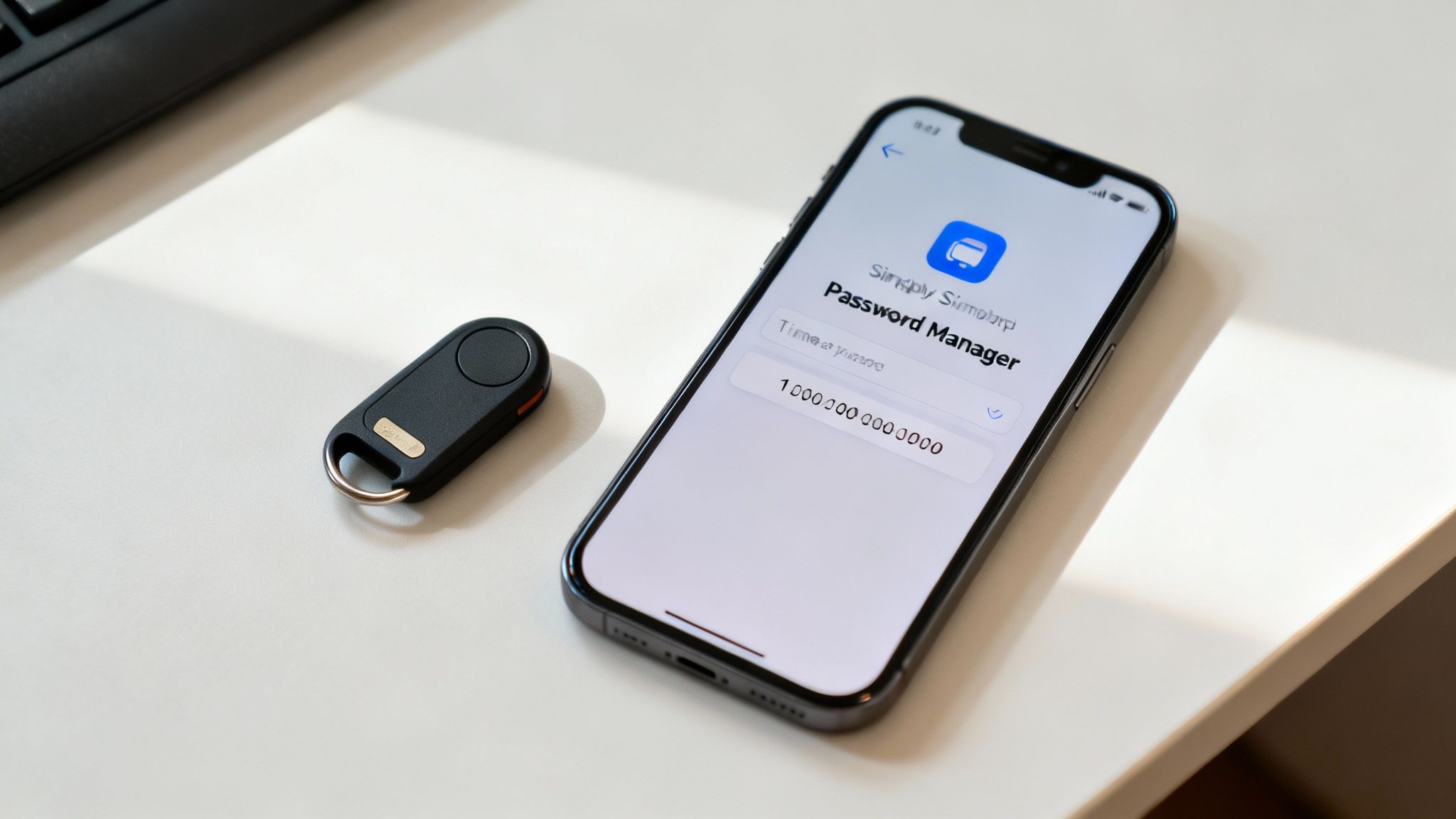
The solution has two parts: create truly strong, unique passwords for every site, and then use a password manager to keep track of them all. A strong password isn't just a long word with a number at the end; it's a random mix of letters, numbers, and symbols that’s nearly impossible to guess.
- Password Managers: These tools are your secure digital vault. They generate and store incredibly complex passwords for all your accounts, so you only have to remember one master password.
- Unique Credentials: Never, ever reuse passwords. When one company suffers a data breach, criminals immediately test those stolen logins on other popular websites.
A recent study found that a staggering 83% of people have been hit by a password-related cyberattack. That number alone shows why strong, unique passwords are your absolute first line of defense.
Enable Two-Factor Authentication
If a strong password is a good lock on your door, think of Two-Factor Authentication (2FA) as the deadbolt. It adds a second step to logging in, requiring something only you have—usually your phone—to prove it’s really you.
So even if a hacker manages to steal your password, they're stopped in their tracks. They can't get in without the temporary code sent to your device. Turning on 2FA for your email, banking, and social media accounts is one of the most effective security moves you can make, and it usually only takes a minute to set up.
Spot Phishing Red Flags
You don't need to be a tech wizard to spot a phishing scam. Most of these fraudulent emails and texts are riddled with subtle clues that give them away. By learning to recognize these red flags, you become a human firewall.
Here's what to look for:
- A False Sense of Urgency: Be wary of any message that pressures you to act immediately. Phrases like "Your account will be suspended" or "Urgent action required" are classic tactics.
- Suspicious Links: Always hover your mouse over a link before you click. The URL that pops up should match the company’s actual website. If it looks strange, don't click it.
- Generic Greetings: Scammers often use vague greetings like "Dear Valued Customer" because they don't have your name. Legitimate companies usually address you personally.
- Poor Grammar and Spelling: While some scams are getting more sophisticated, many still contain obvious spelling mistakes and awkward phrasing. These are big red flags.
Keep Your Software Updated
Those software update notifications aren't just about adding new features. More often than not, they contain critical security patches that fix newly discovered vulnerabilities. It's like patching a hole in your digital armor.
Cybercriminals actively hunt for devices running old software because the weaknesses are well-known and easy to exploit. By simply enabling automatic updates on your computer, phone, and apps, you ensure your defenses are always up-to-date. This one simple habit shuts the door on a huge number of common attacks, making it a fundamental part of any cyber security 101 strategy.
Creating a Human Firewall for Your Business
While the right technology is an absolute must, your strongest and most adaptable security asset will always be your team. Cybercriminals are keenly aware of this fact—it's why a staggering 91% of successful data breaches start with a phishing attack aimed squarely at an employee.
The best defense is to turn your people from potential targets into a proactive security layer. We call this a human firewall. This isn't about blaming people; it's about building a security-first culture where everyone understands their role in protecting the business, making safe digital habits second nature for the entire organization.
Start with Security Awareness Training
The journey to building a human firewall starts with education. It's unfair to expect your team to spot threats they've never been taught to look for. This is where consistent security awareness training comes in, forming the bedrock of a resilient team defense.
But a single, sleepy PowerPoint presentation once a year won't cut it. Effective training needs to be an ongoing process.
- Phishing Simulations: Regularly send out safe, simulated phishing emails. These aren't "gotcha" tests; they're invaluable teaching moments that show you who might need a bit more coaching in a real-world context.
- Interactive Modules: Use short, engaging videos or quick quizzes to cover topics like strong password creation, the tell-tale signs of social engineering, and how to handle sensitive data properly.
- Clear Reporting Channels: Make sure every single employee knows exactly how to report a suspicious email or activity—and can do so without any fear of getting in trouble.
A well-trained workforce becomes an active, thinking defense. When your people are empowered to spot and report threats, they can stop an attack before it ever gets close to your technical safeguards.
Implement Clear Security Policies
Training gives your team the "why," but clear policies provide the "how." Simple, well-defined security policies take the guesswork out of daily operations, ensuring that everyone handles sensitive information consistently and safely.
These don't need to be dense, 50-page legal documents. They should be straightforward guidelines that cover the essentials. Getting these basics in place is a massive step in understanding the importance of cybersecurity for growing businesses and building a solid foundation.
Adopt the Principle of Least Privilege
One of the most powerful concepts in all of security is the principle of least privilege (PoLP). It's a simple idea with a huge impact: only give people access to the information and systems they absolutely need to do their jobs, and nothing more.
Think of it like keys to a building. The receptionist doesn't need a key to the server room, and the IT admin doesn't need access to HR payroll files. By limiting access, you dramatically shrink your attack surface. If a sales rep's account is compromised, the hacker won't be able to pivot and access critical financial data if PoLP is enforced correctly.
Beyond just training, a comprehensive guide to small business security systems can help you put the right technology in place to support these kinds of policies.
Prepare an Incident Response Plan
Let's be realistic: even with the best defenses, a security incident can still happen. What separates a minor hiccup from a full-blown catastrophe is how quickly and effectively you respond. An incident response plan (IRP) is your playbook for when things go wrong.
Your IRP should be a simple, step-by-step guide that anyone can follow in a high-stress situation. It needs to clearly outline:
- Who to Contact: Who is the first person or team to call?
- Initial Actions: What are the first few things to do to contain the threat, like disconnecting a compromised machine from the network?
- Communication: How will you talk about this internally? What about with customers, if it comes to that?
Having this plan ready and accessible means you get a calm, coordinated response instead of a panicked scramble. It empowers your team to act decisively, minimizing the damage and getting you back on your feet faster.
Choosing the Right Cyber Security Tools
Once you've built strong security habits, the right technology can supercharge your efforts. Think of it as an automated, 24/7 security detail for your digital life. Your security toolkit is really a layered system, with each tool playing a specific, vital role. The first step to building a truly tough defense is simply understanding what these tools do.
This part of our cyber security 101 guide will walk you through the must-have tools for both personal and business use. We'll explain what each one does in plain English, helping you pick the right tech to protect your digital world without getting overwhelmed.
Foundational Tools for Everyone
Whether you're an individual or a massive corporation, everyone needs a baseline of protection. These are the absolute non-negotiables for staying safe online and they form the bedrock of any solid security strategy.
- Antivirus and Anti-Malware Software: This is your always-on digital bodyguard. It constantly scans your devices for known threats like viruses, spyware, and ransomware, and then works to neutralize them before they can do any harm.
- Firewalls: Picture a firewall as the bouncer for your network. It stands at the digital front door, inspecting all incoming and outgoing traffic. If anything looks shady or comes from an untrusted place, it gets blocked, keeping intruders out.
- Virtual Private Networks (VPNs): A VPN wraps your internet connection in a private, encrypted tunnel. This is absolutely essential when you're on public Wi-Fi, because it hides your online activity from anyone trying to spy on you.
A VPN scrambles your data, making it completely unreadable to outsiders. It’s the difference between sending a locked safe through the mail and sending an open postcard.
Advanced Tools for Business Protection
When you're running a business, the stakes are much higher. You need more specialized tools to handle complex IT environments and protect sensitive customer and company data. While the foundational tools are still a must, businesses need to add more layers to defend against a wider range of threats and stay compliant with regulations.
These advanced systems work best as part of a coordinated security plan. For companies looking for a comprehensive solution, exploring professionally managed cyber security services can provide the deep expertise needed to deploy and manage these tools effectively.
Key Business Security Technologies
- Encryption: At its core, encryption is the process of scrambling data so it can only be read by someone with the right key. It’s critical for protecting information whether it's just sitting on a server (data at rest) or being sent across a network (data in transit). If a hacker manages to steal encrypted data, all they get is a useless jumble of code.
- Identity and Access Management (IAM): Think of IAM systems as the digital gatekeepers for your entire business. They make sure only the right people can get to the right information, and only when they're supposed to. This means rigorously verifying user identities (often with multi-factor authentication) and strictly enforcing the "principle of least privilege," which means employees only get access to the bare minimum they need to do their jobs.
Your Cybersecurity Questions Answered
Getting started in cybersecurity can feel like drinking from a firehose. After covering the core threats and defenses in this cybersecurity 101 guide, you probably have a lot of specific questions about where to focus your efforts. This is the part where we tackle the most common questions I hear from people who are just starting out.
Let's cut through the jargon and get straight to the practical answers. My goal here is to help you build confidence and make smarter decisions to protect your digital life, whether at home or for your business.
What Is the Single Most Important Security Step?
If you do only one thing after reading this guide, do this: enable Two-Factor Authentication (2FA) on all your important accounts. I'm talking about your primary email, banking apps, and social media profiles—anything you can't afford to lose.
Think of it like the deadbolt on your front door. Your password is the first lock, but 2FA adds a second, much stronger one. It requires a code that only you have, usually sent to your phone for a short period. So even if a hacker manages to steal your password, they're stopped cold at that second lock. When you pair 2FA with a password manager that creates strong, unique passwords for you, you’ve built a formidable defense against the vast majority of account takeover attempts.
Security experts agree: enabling 2FA can block up to 99.9% of automated attacks. It’s a simple action with an enormous security payoff.
Is Cybersecurity Only for Large Companies?
This is one of the most dangerous myths out there. The reality is that cybercriminals love targeting small businesses and individuals for one simple reason: they’re often seen as easier targets with weaker defenses.
For an individual, the prize is your personal data, which can be quickly turned into cash through identity theft and fraud. For a small business, the stakes are so much higher. A single breach can mean stolen customer lists, financial ruin, and a hit to your reputation that you might never recover from. The fundamentals we've talked about are essential for everyone, no matter how big or small you are.
How Do I Start a Career in Cybersecurity?
Breaking into this field is more achievable than ever, and you don't always need a four-year computer science degree to get your foot in the door. A great way to begin is by building a solid foundation with respected industry certifications.
- Entry-Level Certifications: Look into programs like the CompTIA Security+ or Google's Cybersecurity Certificate. They provide a structured path to understanding core concepts and are well-regarded by employers.
- Gain Hands-On Experience: Knowing the theory is one thing, but applying it is another. Get your hands dirty on platforms like TryHackMe or HackTheBox, which let you practice your skills in safe, simulated environments.
- Specialize Your Skills: Once you've got the basics down, you can start exploring areas that excite you. Maybe it's ethical hacking (with a cert like the CEH), network defense, or cloud security.
- Network with Professionals: Get on LinkedIn and start connecting with people in the industry. Look for local security meetups. Honestly, networking is one of the best ways to find mentors and hear about job opportunities before they're even posted.
Another fantastic route is to start in an entry-level IT role, like a help desk technician. These jobs provide priceless, real-world experience that you can build on as you work your way into a dedicated security position. The key is to just start learning, get hands-on, and become part of the community.
Ready to build a robust defense for your business? The team at Defend IT Services provides expert guidance and managed solutions to protect your operations from today's threats. Secure your business's future by visiting https://defenditservices.com to learn more.