

A business continuity plan is more than just a document filed away in a cabinet; it's your company's survival guide for the chaos of the modern world. Think of it as a pre-built framework that helps you identify what could go wrong, figure out how to respond, and ultimately, get back on your feet after a major disruption with as little damage as possible.
Why a Continuity Plan Is No Longer Optional
Let's get one thing straight: a business continuity plan isn't just corporate busywork. It's a critical tool for survival. We live in an age where disruptions are the new normal, and the goal isn't to avoid every disaster—that's impossible. The real goal is to build a business that can take a punch and keep moving forward.
A solid plan protects your revenue, preserves the customer trust you've worked so hard to build, and gives your team a clear playbook when a crisis inevitably hits. Flying without one is just gambling with your company's future.
The Modern Risk Landscape
The threats we face today go way beyond a fire or a flood. We're dealing with a complex web of vulnerabilities that can bring a business to a dead stop in an instant.
- Supply Chain Failures: What happens when your key supplier suddenly can't deliver? For many, it means production grinds to a halt.
- Digital Outages: Your main software, your cloud provider, even your payment processor—if any of them go down, your revenue stream can dry up immediately.
- Cybersecurity Incidents: A ransomware attack can lock you out of everything, paralyzing your entire operation. The scary part is how common these are becoming, which makes robust cybersecurity for growing businesses a non-negotiable part of any continuity strategy.
The real-world cost of being unprepared is massive. The COVID-19 pandemic was a brutal wake-up call for everyone. It exposed just how fragile many businesses were. Back in 2020, a shocking 51% of companies worldwide didn't have a business continuity plan. That lack of preparation had devastating consequences, with an estimated 100,000 small businesses in the U.S. forced to shut down for good.
A business continuity plan turns a potential catastrophe into a manageable event. It replaces panic with process, confusion with clarity, and reaction with proactive response.
Resilience as a Competitive Advantage
Here's a thought: a well-rehearsed continuity plan is more than just a defensive move. It's a powerful competitive advantage. When a disruption hits your entire industry, the businesses that bounce back the fastest are always the ones that had a plan ready to go.
Imagine a simple scenario, like a regional power outage that takes out an entire business district. The unprepared company is in chaos, scrambling to figure out how to contact employees, what to tell customers, and if they can even operate.
Meanwhile, the prepared company is already in motion:
- Their communication tree is activated, and staff are immediately notified to switch to remote work protocols.
- They're already accessing critical data and systems from pre-configured cloud backups.
- A pre-written message goes out to clients, reassuring them that it's business as usual, with minimal interruption.
In this situation, the prepared business doesn't just cut its losses. It actually strengthens its reputation for being reliable and professional. It proves to customers and partners that it’s a stable organization that can handle a storm—a storm that might be sinking its competitors. This is what separates the businesses that just survive from the ones that truly thrive.
Deconstructing a Powerful BCP Template
A good business continuity plan template is more than a fill-in-the-blanks document; it’s your roadmap to staying afloat when things go wrong. Before you dive in and start customizing, it’s worth taking a moment to understand what makes a BCP tick. Each section has a specific job, and when you know the "why" behind it, you can transform a generic outline into a strategic asset built for your business.
At its core, a solid template forces you to ask the hard questions before a crisis hits. It takes what feels like a massive, overwhelming task and breaks it down into logical, manageable pieces. From identifying your biggest risks to clarifying who’s in charge of what, every element works together to create a plan you can actually use. This is what separates a BCP that works from one that just collects dust on a shelf.
The Anatomy of a BCP
A truly effective business continuity plan is always organized into a few key areas. Each one builds on the last, creating a complete framework for handling disruptions. Think of it like building a house—you’ve got to get the foundation right before you can put up the walls and roof.
Here are the non-negotiable components you'll find in any robust template:
- Business Impact Analysis (BIA): This is ground zero. Here, you’ll pinpoint your most critical business functions—the processes that, if they stop, will cause serious damage to your revenue, reputation, or day-to-day operations.
- Risk Assessment: Once you know what’s critical, you need to figure out what could break it. This is where you identify potential threats, from a simple server crash to a major supplier suddenly going out of business, and then you evaluate how likely they are and the damage they could cause.
- Incident Response Protocols: This is your playbook for day one. It outlines the immediate actions your team will take the moment a disruption happens, including who’s on the response team and exactly what they're responsible for.
- Communication Plan: During a crisis, clear, consistent communication is everything. This section spells out how you'll talk to everyone—employees, customers, vendors, and anyone else who needs to be in the loop.
Getting a handle on how these pieces fit together is the first real step toward building genuine resilience.
The infographic below gives a great high-level view of the process, moving from identifying a risk to planning your response and, ultimately, keeping the business secure.
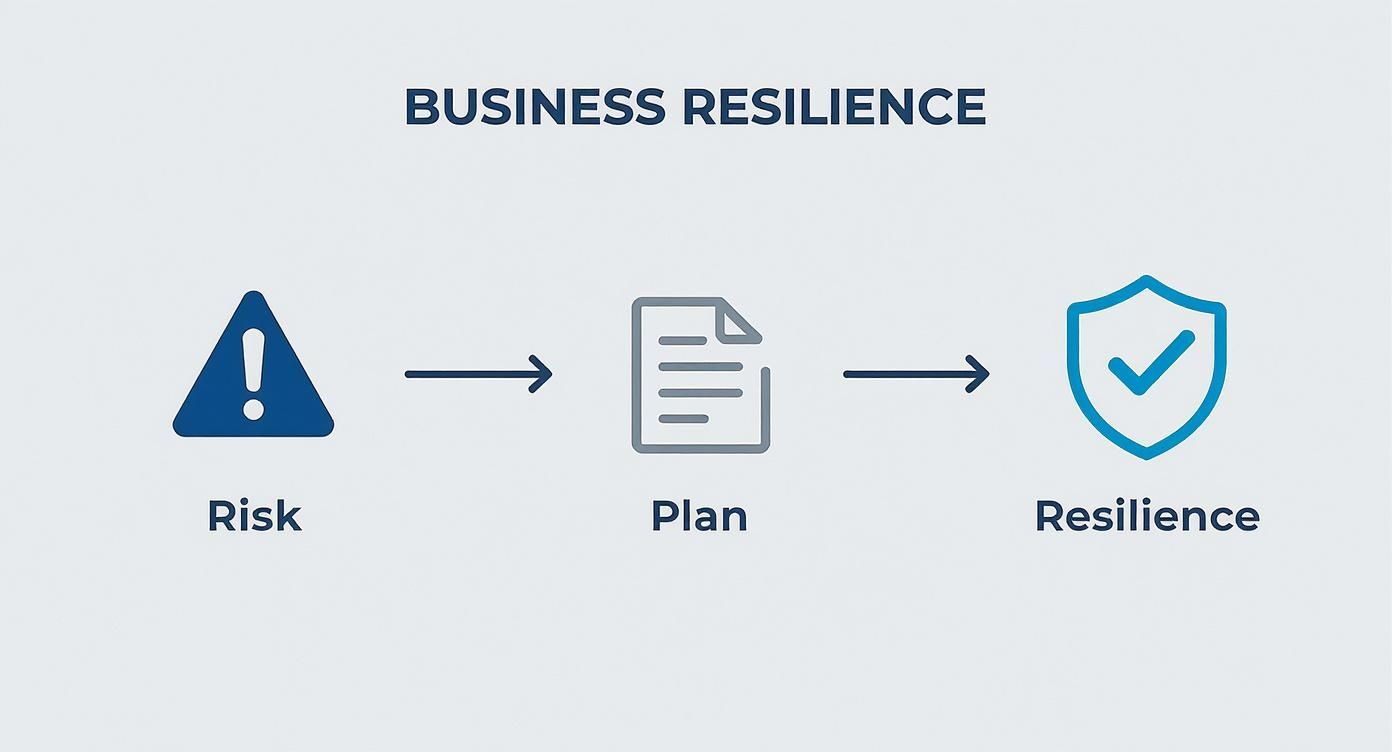
It really reinforces the idea that business continuity is a proactive journey, not just a reactive scramble. You're moving from assessing threats to building a protective shield around your operations.
To help you get started, here's a breakdown of what you should expect to see in a well-structured BCP template and what each part is for.
Key Components of Your Business Continuity Plan
| Component | Purpose | Key Information to Include |
|---|---|---|
| Business Impact Analysis (BIA) | Identifies critical functions and the impact of their disruption. | Prioritized list of business processes, financial and operational impact ratings, and dependencies between functions. |
| Risk Assessment | Identifies and evaluates potential threats to the business. | List of threats (natural, technical, human), likelihood and impact scores for each, and existing mitigation controls. |
| Incident Response Plan | Provides immediate, step-by-step actions for responding to a crisis. | Emergency contact lists, roles and responsibilities of the response team, and initial containment procedures. |
| Recovery Strategies | Outlines the methods to restore business functions. | Alternate worksite details, data backup and recovery procedures, and vendor arrangements for critical supplies. |
| Communication Plan | Defines how information will be shared during and after an incident. | Stakeholder contact lists (employees, clients, media), pre-approved message templates, and communication channels. |
| Plan Maintenance & Testing | Ensures the BCP remains current and effective. | Schedule for regular reviews and updates, procedures for drills and exercises, and logs of test results. |
Each of these components is a building block. Together, they create a comprehensive strategy that covers your bases from initial alert to full recovery.
Understanding Key Recovery Metrics
You're going to see two terms pop up constantly in any BCP template: Recovery Time Objective (RTO) and Recovery Point Objective (RPO). They sound a bit technical, but the concepts are actually pretty simple—and absolutely vital for making a practical plan.
Recovery Time Objective (RTO) is the absolute maximum time a system, application, or business function can be down before the business starts to feel significant pain. It answers the question: "How fast do we need to be back up and running?"
For an e-commerce site, the RTO might be just one hour, because every minute of downtime directly translates to lost sales. An internal HR system, on the other hand, might have a more relaxed RTO of 24 hours.
Recovery Point Objective (RPO) defines the maximum amount of data you can afford to lose. It asks: "How much recent work are we willing to re-do from scratch?"
If your RPO is 15 minutes, it means your systems need to be backing up data at least that often. In a worst-case recovery scenario, you'd only lose the last 15 minutes of work. These two metrics are the backbone of any realistic recovery strategy.
Expanding the Plan Beyond IT
While technology is obviously a huge piece of the puzzle, a truly effective BCP looks at the whole picture. Your people are your most important asset, and planning for their well-being and availability during a crisis is non-negotiable.
When deconstructing a BCP template, don't forget to consider all the different parts of your organization. That includes dedicated plans like a human resource business continuity plan guide, which ensures your team is supported, informed, and ready to act when needed.
Pinpointing Your Critical Business Functions
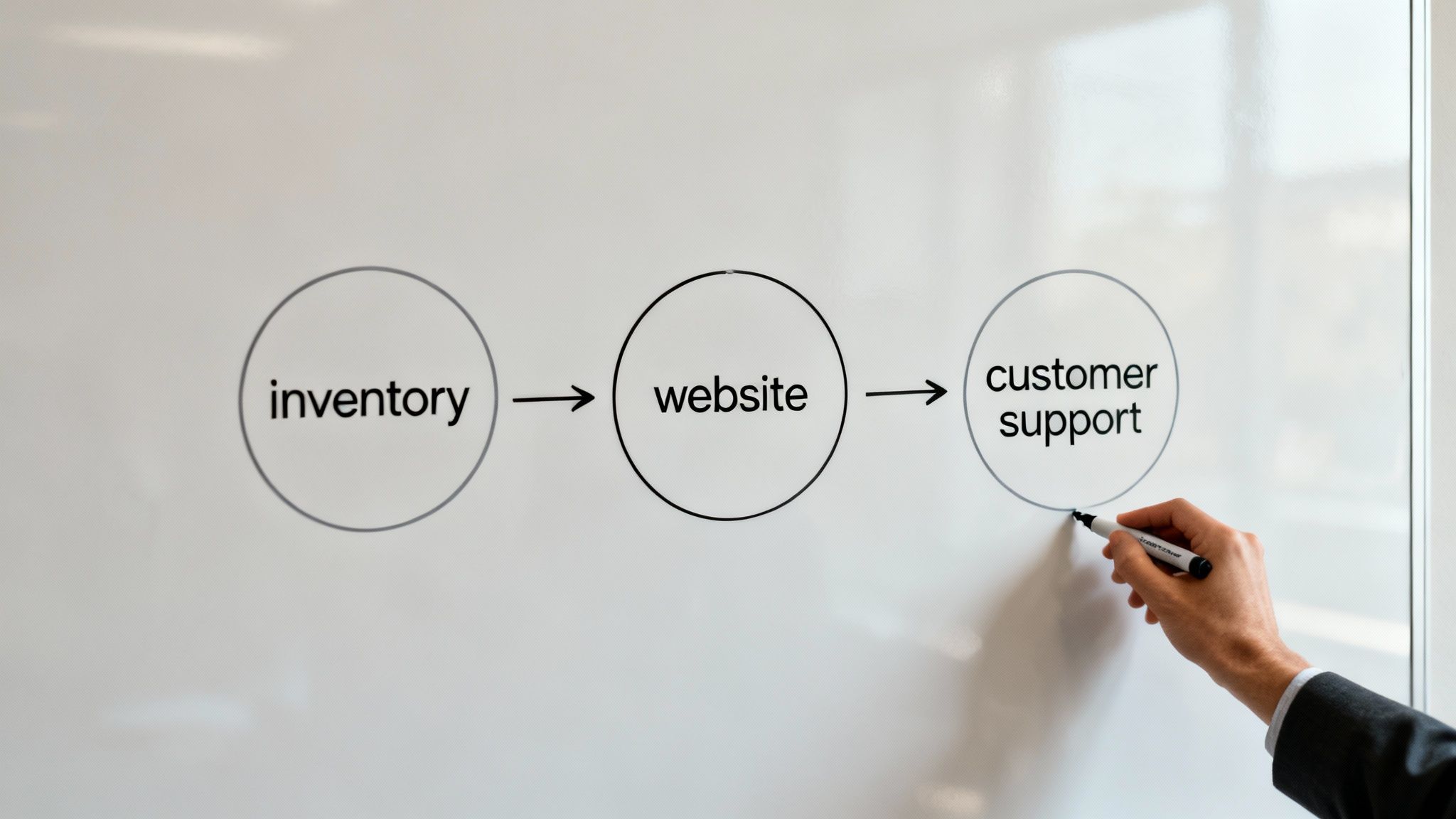
Alright, this is where the rubber meets the road. Your business continuity plan template starts to become a living, breathing strategy right here. Identifying your critical business functions is easily the most important step in this whole process, as it forces you to separate the "nice-to-haves" from the "can't-live-withouts."
Forget the corporate jargon for a second. The real question is brutally simple: what processes absolutely must keep running for you to serve customers and bring in money?
Answering that question honestly is the bedrock of a plan that actually works. This isn't about listing every single task your team performs. It's about finding that handful of core operations that, if they stop, cause a domino effect that brings everything else crashing down.
The official term for this is a Business Impact Analysis (BIA), but I just think of it as a reality check for your business.
Asking the Right Questions to Find Your Core Operations
First, you need to zoom out and look at your business from a 30,000-foot view. How do you actually make money? What specific sequence of events has to happen for a customer to get what they paid for, and for you to get paid in return?
Let's use a real-world example. Imagine you run a local catering company. Your critical functions aren't just "making food." They're more specific:
- Order Intake and Quoting: The phone ringing, the emails coming in, and your team sending out proposals. Without this, your sales pipeline is dead on arrival.
- Menu Planning and Inventory: You have to know what ingredients are in the walk-in and what you need to order. No ingredients, no food.
- Food Prep and Production: This is the heart of your operation. If the kitchen can't function, nothing else you do matters.
- Delivery and Logistics: Getting the finished food to the client's event on time. A failure here kills your reputation instantly.
- Invoicing and Payments: The final, crucial step. If you can't bill for your work, you're just running an expensive hobby.
Each of these is a critical link in the chain. Your job is to figure out what the unique "links" are for your own business.
Quantifying the Impact of a Disruption
Once you have a list of those critical functions, the next move is to figure out what actually happens when one of them breaks. The impact is never just about lost dollars; it sends ripples through your entire company. This is where you connect each function to real-world financial, reputational, and operational pain.
Think about the tangible consequences. It's one thing to hear that the average cost of a data breach is a whopping $4.45 million, but the loss of customer trust can be infinitely more damaging over the long haul.
A Business Impact Analysis forces you to put a number on the pain. It changes the conversation from "it would be bad if our server went down" to "every hour our server is down costs us an estimated $5,000 in lost sales and makes a dozen clients angry." That kind of specificity creates urgency.
To get there, you can sketch out a simple table for each critical function and gauge the damage over time.
| Critical Function | Impact after 1 Hour | Impact after 4 Hours | Impact after 24 Hours | Impact after 3 Days |
|---|---|---|---|---|
| Online Ordering System | Minor inconvenience; phone orders still possible. | Noticeable drop in sales; customer frustration grows. | Significant revenue loss; potential reputation damage. | Catastrophic. Customers are actively finding competitors. |
| Primary Supplier Delivery | Use backup stock; no immediate impact. | Minor delays; may need to adjust production schedules. | Production grinds to a halt; orders are delayed. | Inability to fulfill contracts; severe brand damage. |
| Payroll Processing | No impact. | No impact. | Employee dissatisfaction; potential legal snags. | Major morale crisis; possible regulatory fines. |
This simple exercise immediately clarifies your priorities. You can see right away that your online ordering system needs a much faster recovery plan than your payroll system.
Identifying Dependencies and Vulnerabilities
Here’s something most people miss: no business function exists in a vacuum. Your invoicing system depends on your CRM, which depends on your server, which depends on your internet connection. Mapping these dependencies is crucial because it shines a spotlight on hidden single points of failure.
For each of your critical functions, just keep asking, "What does this process need to actually work?" You’ll quickly uncover dependencies on:
- Technology: Specific software (QuickBooks, Salesforce, etc.), cloud services, servers, or network gear.
- People: That one person on your team who has all the institutional knowledge. What happens if they're unreachable for a week?
- Suppliers: Key vendors who provide essential goods or services you can't get elsewhere.
- Facilities: Your physical office, warehouse, or storefront.
A marketing agency’s "Campaign Reporting" function, for instance, depends on analytics software, the account manager who interprets the data, and the cloud server holding the data. A failure in any one of those three breaks the whole process. Understanding these connections is fundamental to building a business continuity plan template that covers all your bases and prevents one small problem from triggering a full-blown crisis.
Building Your Incident Response Playbook

You've done the hard work of mapping out your critical business functions and pinpointing their weak spots. Now it’s time to move from analysis to action and build the actual playbook your team will grab when things go sideways.
A great incident response plan isn't a 300-page binder that collects dust on a shelf. It's a set of simple, clear, and decisive protocols that real people can follow under immense pressure.
When a crisis hits, chaos is your biggest enemy. Your goal here is to replace that knee-jerk panic with a coordinated, pre-planned sequence of moves. This part of your business continuity plan template is where the rubber meets the road, defining who does what—and when—to contain the damage and kickstart recovery.
Assembling Your Lean Incident Response Team
Forget about forming a massive committee. When it comes to managing a crisis, a small, agile team almost always wins. You just need a few key people who have the authority and know-how to make tough calls on the fly.
Take a look at the core pillars of your business and pick a leader from each. A solid team usually looks something like this:
- Incident Commander: This is your quarterback, the final decision-maker. It’s often the business owner or a senior manager whose main job is to see the big picture and coordinate the entire response.
- Operations Lead: This person is laser-focused on one thing: keeping the business running. They’re in charge of getting critical functions back online, whether that means shifting to a backup site or finding a clever workaround for a downed system.
- Communications Lead: They manage the message, both internally and externally. This person makes sure employees, clients, and key partners are kept in the loop with clear, consistent updates. No rumors, no confusion.
- Technical Lead: This is your IT guru. They handle everything on the technical side, from restoring data to getting on the phone with software vendors or your IT partner.
The trick is to assign these roles long before you ever need them. Everyone must know their exact responsibilities so they can jump into action without a moment's hesitation.
Crafting Your First-Hour Checklist
The first 60 minutes of a disruption are absolutely critical. What you do in that initial window can make the difference between a minor hiccup and a major disaster. Your playbook needs a dead-simple checklist of immediate actions for when an incident is declared.
An effective response plan is all about creating muscle memory. By drilling a simple first-hour checklist, you ensure that the most important tasks get done automatically, even when stress levels are high.
Every checklist will be a bit different depending on the scenario, but most include these universal first steps:
- Confirm and Classify the Incident: Is it a server crash, a burst pipe, or a ransomware attack? The Incident Commander quickly verifies the threat and assesses its potential impact.
- Activate the Response Team: The Commander gets everyone on the team notified through a dedicated channel, like a group chat or conference line.
- Secure People and Places: If there's a physical threat, the first priority is always employee safety and securing the location.
- Launch the Communication Plan: The Communications Lead pushes out the first pre-written notification to all staff.
- Isolate Affected Systems: For a cyberattack, the Technical Lead's immediate job is to pull the plug on compromised systems to stop the threat from spreading.
For small businesses, especially those in San Antonio, this is where a managed IT partner can be a lifesaver. It’s worth looking into the benefits of having managed IT and cybersecurity services that can essentially act as your on-demand technical lead and handle these critical steps for you.
Developing Phased Recovery Strategies
Once you’ve contained the initial fire, the focus pivots to recovery. This isn't a frantic, all-at-once scramble; it’s a methodical process. By breaking recovery into phases, you ensure the most important functions come back first, giving you a stable foundation to build on.
Your recovery plan should be broken into a few logical stages, each with a clear goal.
Phase 1: Immediate Restoration (First 4-24 hours)
The mission here is to get your most vital, customer-facing operations back on their feet. This phase is all about executing the recovery steps for the functions with the shortest Recovery Time Objectives (RTOs). You're aiming for a baseline level of operational capability.
Phase 2: Business Normalization (Days 2-7)
With the bleeding stopped, you can now work on bringing secondary systems and internal processes back online. This is when you restore things like HR or accounting software, work through data backlogs, and help staff transition back to their normal duties.
Phase 3: Full Recovery and Post-Incident Review (Week 2 and beyond)
The final stretch is about getting back to 100% and—just as importantly—learning from what happened. You need to conduct a thorough post-incident review to figure out what went right and what went wrong. Use those lessons to make your business continuity plan even stronger for next time.
Keeping Your Continuity Plan Relevant and Ready
https://www.youtube.com/embed/vwLTLidaRHg
Creating your business continuity plan is a huge step, but the work doesn’t stop there. A plan that just collects dust on a shelf is worse than having no plan at all—it creates a dangerous false sense of security. Your business is always changing. New tech gets adopted, key people move on, and supply chains shift. Your BCP has to keep up, or it becomes an irrelevant, outdated document.
Think of your plan as a living thing. You have to train it, test it, and feed it new information to keep it strong. The goal is to build instinctual responses across your team, so when a real crisis hits, they can act swiftly and confidently without fumbling through a binder. This is only possible through consistent testing and reviews, which turn abstract procedures into ingrained, practical skills.
From Paper Plan to Active Preparedness
So, how do you keep your plan sharp? Regular testing is the only way. This doesn't mean you have to orchestrate a massive, business-halting drill every month. You can find hidden flaws, communication gaps, and faulty assumptions with simple, low-impact exercises.
Here are a few practical ways to test your plan without causing a major disruption:
- Tabletop Exercises: Get your incident response team in a room and walk them through a simulated crisis. What happens if a key supplier suddenly goes out of business? What if your main server crashes? It’s a low-stress, guided discussion that quickly reveals if everyone understands their role and if the documented steps actually make sense.
- Walkthroughs: This is an even simpler check. Just focus on one specific part of the plan, like your emergency communication tree. Try calling the first few people on the list. Are the numbers correct? Do they know who to call next? You’d be surprised how often this simple test uncovers outdated info that would cripple you in a real emergency.
- Component Tests: Instead of running through the whole plan, just test one critical piece of it. A great example is trying to restore a few files from your data backup to a test server. This confirms that your backups are actually working and that your team knows the recovery process inside and out.
It's far better to uncover these weaknesses in a controlled test than to have a real disaster find them for you.
Establishing a Rhythm for Reviews and Updates
A BCP is never really "finished." To keep it from going stale, you need to get on a regular schedule for reviews and updates. Putting it on the calendar takes out the guesswork and ensures critical details don’t fall through the cracks.
Here’s what a practical update schedule looks like:
- Quarterly Reviews: This is the time to check on things that change often. Verify all employee and vendor contact lists, review call trees, and update your software and hardware inventories.
- Annual Deep Dive: Once a year, set aside time for a full, top-to-bottom review of the entire plan. This means re-evaluating your Business Impact Analysis (BIA) and risk assessment. Have new threats popped up? Have certain business functions become more critical over the past year?
- Post-Incident Updates: Any time you face a disruption—big or small—hold a "lessons learned" meeting afterward. What went right? What went horribly wrong? Use that real-world feedback to immediately strengthen your plan.
This proactive cycle ensures your BCP is always a true reflection of how your business operates today.
Don't just take my word for it. Research shows that 57% of businesses agree that running quarterly or semi-annual tests on their BCP helps get everyone on board and boosts overall preparedness. For more on the latest trends, check out the data on EnterpriseStorageForum.com.
Remember, continuity planning often intersects with industry regulations and standards. Weaving in effective compliance training is a must to ensure your team understands their responsibilities and keeps your plan legally sound. And if you'd rather not handle the technical heavy lifting yourself, exploring professional IT services can give you expert guidance on everything from data recovery to security protocols, making sure every technical detail is buttoned up.
Your Top Questions About Business Continuity Planning, Answered
As you start turning that blank page into a real, working plan, you’re going to hit some roadblocks. That's completely normal. I've seen countless business owners get stuck on the same handful of questions, so let's tackle them head-on with some practical, no-nonsense advice.
Think of this as the real-world FAQ for getting your plan from theory to a tool you can actually count on.
How Often Should I Dust Off My Business Continuity Plan?
Your business continuity plan can't be a "set it and forget it" document. Treat it like a living part of your business. A deep, comprehensive review needs to happen at least once a year. This is your chance to look at the big picture—have your major risks changed? Are the same business functions still the most critical?
Some parts, however, need a quicker look. Your contact lists for key employees and vendors can go stale in a hurry. I always recommend giving those a quick check-in quarterly.
Most importantly, any significant change to your business should trigger an immediate update. Rolled out a new piece of core software? Switched to a new key supplier? Opened another office? Each of these events means your plan is already outdated. To be effective, it has to mirror how you operate today.
What's the Single Biggest Mistake You See Companies Make?
Easy. They never test the plan. An untested plan isn't a plan at all; it's just a stack of paper filled with hopeful assumptions. You’re essentially betting your business on a theory that will almost certainly crumble under the pressure of a real crisis.
Testing is where you find the hidden problems. It’s how you discover the communication gaps, the flawed resource assumptions, or the logistical nightmares you’d never think of sitting in a conference room.
An untested business continuity plan is worse than having no plan at all—it gives you a false sense of security. Running simple tabletop exercises or drills is how you find the cracks in your strategy before a real emergency does it for you.
Another classic mistake is creating the plan in a silo. When one person writes the BCP without getting real input from department heads and the folks on the front lines, it's guaranteed to miss the practical, on-the-ground details that make a plan work. Collaboration isn’t optional.
Can I Just Grab a Free BCP Template Online?
Yes, you can, and you should! A free template is a fantastic starting point, especially compared to the intimidation of a completely blank document. It gives you a solid framework and makes sure you don't forget any of the essential components.
But—and this is a big but—you have to see it as a guide, not a fill-in-the-blanks worksheet. The real danger with templates is that they can lead to superficial planning. It's easy to just check all the boxes without doing the hard thinking that makes the plan uniquely yours.
So, by all means, use a template to structure your efforts. Just remember that the real value comes from digging deep with a Business Impact Analysis and Risk Assessment that is specific to your operations, your suppliers, and your customers.
I Run a Small Business. Do I Really Need a Full-Blown Plan?
You absolutely do, but "full-blown" doesn't mean a 200-page binder. Your plan should be scaled to your business. For a small shop, a tight, actionable plan that’s just three to five pages long can be a powerful lifesaver.
Simplicity is your friend here. Your plan just needs to have clear answers to a few core questions:
- What's our immediate move if our point-of-sale system goes down?
- If the owner is unreachable, who's in charge of calling our clients?
- How do we keep the lights on if our main supplier suddenly vanishes?
The fundamental idea of knowing your risks and having a clear response is universal, whether you have five employees or five hundred. A simple, practical plan you actually look at is infinitely more valuable than a complex one that gathers dust on a shelf.
Navigating these challenges is much easier with a dedicated partner. Defend IT Services provides the expertise to help you build, test, and maintain a robust business continuity plan that protects your operations. Learn how we can help at https://defenditservices.com.