
In an era of relentless cyber threats, relying on a complex password alone is like using a single lock on a bank vault. For Small and Medium-sized Businesses (SMBs) and regulated organizations, particularly those managing compliance in sectors like healthcare and finance, the stakes are significantly higher. A single compromised credential can lead to devastating data breaches, financial loss, and severe reputational damage. The reality is that effective security hinges not on one perfect password, but on a layered, strategic approach to identity and access management.
This guide moves beyond outdated advice and outlines the top 10 best practices for password management that form a modern, resilient defense. We will provide actionable strategies tailored for today's threat environment, from implementing dedicated password managers and phishing-resistant Multi-Factor Authentication (MFA) to fostering a security-aware culture through targeted user training. Each point is designed to be a practical, implementable step toward strengthening your organization's security posture.
Beyond traditional account credentials, it's crucial to consider the physical devices that access your data. For company-issued mobile devices, leveraging built-in security features adds another vital layer of protection against theft and unauthorized access. For example, you can learn more about iPhone Activation Lock to understand how hardware-level security complements your overall strategy. By adopting these proven methods, your organization can build a robust defense, safeguard critical data, and turn your password policies from a vulnerability into a strategic asset.
1. Use a Dedicated Password Manager
The foundational step in modern credential security is to stop relying on human memory, spreadsheets, or sticky notes. Instead, a dedicated password manager should be the central, non-negotiable tool in your security stack. These specialized applications are designed to securely store, generate, and autofill credentials for all your accounts, creating a fortified, encrypted database often called a "vault." Access to this entire vault is protected by a single, strong master password, which is the only one your team members need to remember. This approach is a cornerstone of effective password management, as it eliminates the root cause of most password-related breaches: the use of weak, reused, or easily guessable credentials.

For small to midsize businesses and regulated entities, a password manager directly addresses security and compliance needs by centralizing control and visibility over credential access. It moves password storage from unsecured, scattered locations into an encrypted, auditable system. This is crucial for organizations handling sensitive data, such as those in healthcare (HIPAA), finance, or legal sectors.
Implementation and Key Features
Choosing and implementing a business-grade password manager involves more than just picking a popular name. Look for solutions like 1Password, Bitwarden, or Dashlane that offer enterprise-specific features.
- Zero-Knowledge Architecture: Select a manager where the provider cannot access your stored data. Your information is encrypted and decrypted locally on your device, ensuring only you can see your credentials.
- Centralized Administration: An admin dashboard is essential for managing user access, enforcing security policies (like master password complexity), and securely sharing credentials among teams without exposing them.
- Auditing and Reporting: For compliance, the ability to generate reports on password health, identify weak or reused passwords, and track user access to shared credentials is a critical feature.
Actionable Tip: When onboarding employees, make password manager training a mandatory part of the process. Provide clear instructions on creating a strong master password, setting up two-factor authentication (2FA) for the vault itself, and using the browser extension to generate and save new, unique passwords for every service they use. This proactive training is one of the best practices for password management you can adopt.
2. Implement Strong Password Criteria
Beyond using a password manager, the next critical layer of defense is establishing and enforcing strong password criteria across the organization. This means defining a clear policy that dictates the minimum complexity for all user-created credentials. Such policies are designed to make passwords resilient to common hacking techniques like brute-force and dictionary attacks, where attackers systematically guess combinations until they gain access. For regulated entities, having a documented and enforced password policy is not just a best practice; it is often a core compliance requirement.
The goal is to move away from easily guessable passwords like "Password123!" and toward credentials that are computationally difficult to crack. Modern guidance, heavily influenced by organizations like the National Institute of Standards and Technology (NIST), emphasizes length and unpredictability over forced complexity. A long, memorable passphrase is significantly more secure than a short, complex password that an employee has to write down. This approach is a fundamental component of effective password management practices.
Implementation and Key Features
A strong password policy should be enforced automatically wherever possible, typically through Active Directory, your identity provider, or within individual applications. The key is to balance robust security with user practicality.
- Minimum Length: Enforce a minimum length of 12-15 characters. Length is the single most important factor in password strength. For highly sensitive systems, consider 20 characters or more.
- Discourage Sequential/Common Patterns: Configure systems to reject passwords containing common words (like "password"), company names, or sequential keyboard patterns (like "qwerty" or "123456").
- Embrace Passphrases: Instead of forcing a difficult-to-remember mix of symbols, encourage the use of passphrases. A phrase like "Four!Correct.Horse.Staple9" is far more secure and easier for a user to remember than a shorter, more complex password like
Tr0ub4dor&3.
Actionable Tip: Update your security policy to align with NIST SP 800-63B guidelines. Educate users to create passphrases by combining four or more random, unrelated words. A password manager can generate these automatically, but for master passwords, teaching this technique empowers users to create strong, memorable credentials on their own without relying on weak patterns.
3. Enable Multi-Factor Authentication (MFA)
A strong password is a critical first line of defense, but it should never be the only one. Multi-Factor Authentication (MFA) adds a vital, secondary layer of security by requiring users to provide two or more verification factors to gain access to a resource. This practice moves beyond what a user knows (a password) to include what they have (a physical token or phone) or what they are (a biometric marker). By requiring this additional proof of identity, MFA renders stolen passwords useless to attackers, effectively blocking the vast majority of automated credential-stuffing and phishing attacks.
For regulated industries like healthcare and finance, implementing MFA is no longer optional; it is a core compliance requirement. It provides an auditable trail that proves an organization has taken robust steps to protect sensitive data and verify user identities. Major platforms like Microsoft Azure and Google Workspace have made MFA a standard security feature, recognizing its indispensable role in protecting both personal and corporate accounts from unauthorized access.
Implementation and Key Features
Deploying MFA across an organization requires a strategic approach that balances security with user convenience. The goal is to make the verification process as seamless as possible while maintaining a high level of assurance.
- Prioritize Authenticator Apps: While SMS-based codes are better than nothing, they are vulnerable to SIM-swapping attacks. Encourage the use of more secure time-based one-time password (TOTP) applications like Google Authenticator, Microsoft Authenticator, or Authy.
- Deploy Hardware Security Keys: For high-privilege accounts (administrators, executives), hardware keys like a YubiKey offer the strongest form of MFA. These FIDO-compliant devices are phishing-resistant and require physical presence, making remote attacks nearly impossible.
- Establish Clear Policies: Define which systems require MFA and what methods are acceptable. Ensure that critical infrastructure, cloud services, VPNs, and especially the password manager vault itself are all protected with this additional layer.
Actionable Tip: Begin your MFA rollout by securing the most critical asset: the primary email account for each employee. Since email is the hub for password resets, protecting it first creates a secure foundation. Ensure every user securely stores their MFA backup codes in a designated safe location, like their encrypted password vault, to prevent being locked out. This makes MFA adoption one of the most impactful best practices for password management you can implement.
4. Practice Password Uniqueness Across Accounts
One of the most dangerous yet common habits is password reuse: using the same password across multiple services. This practice turns a single, isolated security breach into a potential cascading disaster for your entire digital footprint. When a password from one platform is compromised, cybercriminals use automated "credential stuffing" attacks to test those same credentials against thousands of other popular sites, from corporate email to financial portals. Enforcing password uniqueness is a fundamental principle of modern security, ensuring that a breach at one service doesn't give attackers the keys to your entire kingdom.
For organizations, particularly those in regulated sectors like healthcare or finance, the risk is magnified. A single employee reusing a compromised password on a corporate system can lead to a significant data breach, reputational damage, and severe compliance penalties. High-profile incidents, such as the massive breaches at LinkedIn and Yahoo, have repeatedly demonstrated how reused passwords from one service become a primary vector for compromising other, more sensitive accounts. Adopting a policy of unique passwords is a non-negotiable best practice for password management.
Implementation and Key Features
The only feasible way to manage unique passwords for every service is by leveraging the tools and strategies designed for this purpose, primarily a password manager. This tool makes the process seamless rather than an impossible memory game.
- Password Generation: Utilize the built-in password generator in your password manager. These tools create long, complex, and truly random passwords for each new account, automatically saving them to your vault so you never have to see or remember them.
- Breach Monitoring and Auditing: Modern password managers and services like Have I Been Pwned can actively monitor the internet for your credentials appearing in data breaches. An admin dashboard should also provide reports on password reuse within the organization, flagging employees who are duplicating credentials.
- Prioritization: If you are transitioning to this policy, start with the most critical accounts. Ensure every employee has a unique, strong password for their primary work email, financial systems, cloud infrastructure logins, and any system containing sensitive customer or patient data.
Actionable Tip: Schedule quarterly or semi-annual password health audits within your organization. Use your password manager's reporting tools to identify and remediate any instances of password reuse. Educate employees on the dangers of credential stuffing and train them to use the password generator for every new account they create, making password uniqueness an automatic, ingrained habit.
5. Regular Password Updates and Rotation
While modern security guidance has shifted, the strategic, risk-based rotation of passwords remains a critical practice, especially for high-value accounts and regulated industries. This involves periodically changing credentials at set intervals or immediately following a security event. The goal is to limit the window of opportunity for an attacker who may have acquired a password through a breach, phishing, or other means. If a credential is stolen, a mandatory rotation policy ensures it becomes useless after a designated period.
For organizations governed by compliance frameworks like PCI-DSS or HIPAA, scheduled password rotation is often a non-negotiable requirement for administrative and system accounts. This practice provides a clear, auditable trail demonstrating that access controls are actively managed and refreshed. Rather than a blanket, company-wide 90-day rule, a modern approach involves identifying critical assets, like server administrator accounts or financial system credentials, and applying a more aggressive rotation policy to them specifically.
Implementation and Key Features
Implementing a thoughtful rotation policy requires balancing security with user convenience to avoid "password fatigue," where users create weak, predictable variations. A password manager is essential for this, as it can track update schedules and generate new, strong passwords effortlessly.
- Risk-Based Schedules: Apply different rotation schedules based on the sensitivity of the account. For example, rotate domain administrator passwords every 30-60 days, while standard user accounts may only require a change if a breach is detected.
- Breach-Triggered Rotation: The most important modern application of this practice is immediate, forced rotation following a security incident or the discovery of a credential on the dark web. This is a core component of any effective incident response plan.
- Avoid Predictable Patterns: Enforce policies that prevent users from making minor, sequential changes (e.g., "Summer2023!" to "Fall2023!"). Use the password history feature in your systems to block reuse of the last several passwords.
Actionable Tip: Prioritize rotation for shared or service accounts that cannot use MFA. These non-personal accounts are high-value targets. Use your password manager to schedule reminders and document rotation dates for these critical credentials, ensuring you maintain a clear audit log for compliance purposes. This is one of the best practices for password management when securing systemic access points.
6. Implement Passphrase Strategy
Shifting away from complex, hard-to-remember character strings is a key evolution in modern security. Implementing a passphrase strategy involves using a sequence of several unrelated words to create a password that is both exceptionally strong and easier for humans to recall. Popularized by the famous XKCD comic, this method focuses on length rather than complexity, creating credentials like "correct-horse-battery-staple" that are significantly more resistant to brute-force attacks than a shorter, complex password like "Tr0ub4dor&3".

For organizations, particularly those in regulated fields like healthcare or finance, encouraging passphrases can dramatically improve user compliance with security policies. When employees can easily remember their master password for a vault or other critical credentials, they are less likely to write them down or resort to other insecure practices. This approach, endorsed by NIST Special Publication 800-63B, balances robust security with practical usability, making it one of the most effective best practices for password management.
Implementation and Key Features
Adopting passphrases requires educating users on how to create them effectively, emphasizing randomness over personal connection. The goal is to maximize entropy, which is a measure of a password's unpredictability.
- Diceware Method: Use a proven system like the Electronic Frontier Foundation's (EFF) diceware word lists. These lists are specifically curated to create statistically strong, random passphrases when words are selected using dice rolls or a secure random generator.
- Focus on Length and Randomness: Instruct users to combine at least four, but preferably five to six, completely unrelated words. The sequence should not form a logical sentence or quote. For example, "Cloudy-River-Magnet-Trophy" is far stronger than "My-Dog-Is-Named-Spot".
- Password Manager Integration: Most modern password managers can generate secure passphrases automatically. Configure your password manager's generator to default to creating multi-word passphrases instead of random character strings for better user adoption.
Actionable Tip: During security training, demonstrate the strength of a passphrase versus a complex password using an online password strength checker. Show how adding just one more random word increases the estimated cracking time exponentially, from years to millennia. This visual proof helps solidify user buy-in for adopting the passphrase method.
7. Monitor for Breaches and Compromised Credentials
Creating strong, unique passwords is a critical defensive measure, but it's only half the battle. A proactive security posture requires actively monitoring for signs that your organization's credentials have been exposed in third-party data breaches. Specialized services and tools are designed to scan the dark web and breach databases, alerting you the moment an employee's email or password appears in a leaked dataset. This allows you to respond immediately by rotating the compromised credential, preventing attackers from using it to gain unauthorized access to your systems.
For small businesses and regulated entities, this practice moves password security from a passive state to an active one. A breach at a vendor or partner site could expose credentials that are reused across your corporate network, creating a significant vulnerability. By monitoring for these exposures, you can neutralize the threat before it escalates, demonstrating due diligence and protecting sensitive company data. This is a key component of a comprehensive cybersecurity strategy, highlighting why many businesses rely on managed IT and cybersecurity services for continuous threat monitoring.
Implementation and Key Features
Integrating breach monitoring into your security workflow is straightforward with modern tools. Many password managers and major tech platforms offer built-in features, while dedicated services provide deeper insights.
- Breach Notification Services: Utilize services like Have I Been Pwned to check individual or domain-wide email addresses against a massive database of known breaches. Many business password managers integrate its API to automatically flag compromised passwords within user vaults.
- Built-in Platform Tools: Major platforms like Google (Password Checkup) and Microsoft (Microsoft Authenticator) provide native alerts that notify users if credentials saved in their accounts have been found in a breach, prompting an immediate password change.
- Password Manager Alerts: Business-grade password managers such as 1Password and Dashlane include dark web monitoring features that continuously scan for employee credentials and provide real-time alerts to administrators if a match is found.
Actionable Tip: Establish a clear incident response policy for compromised credential alerts. This policy should mandate that the affected employee immediately changes the password for the breached service and any other account where that password might have been reused. For critical accounts, require a full security review, including checking for unauthorized activity and ensuring multi-factor authentication is active.
8. Secure Password Storage and Recovery Methods
Losing access to a critical account can be as disruptive as a security breach, making robust recovery processes essential. Establishing safe mechanisms for account recovery, such as security questions, backup codes, and designated recovery emails, enables access restoration without creating new vulnerabilities. This practice ensures that legitimate users can regain control of their accounts even if they forget a password, while still keeping unauthorized actors locked out. It's a critical safety net that balances accessibility with security.
For regulated businesses, documented and secure recovery procedures are not just a convenience; they are often a compliance requirement. Properly configured recovery methods for critical systems, such as administrative accounts or financial platforms, prevent operational paralysis and data loss. This strategic approach to credential management ensures business continuity by preparing for inevitable human error or unforeseen access issues, making it one of the most practical best practices for password management.
Implementation and Key Features
Implementing secure recovery involves more than just filling out the default security questions. It requires a thoughtful, layered approach to ensure resilience against common social engineering and brute-force attacks.
- Treat Security Questions Like Passwords: Avoid using easily discoverable answers (e.g., mother's maiden name, first pet). Instead, generate and store long, random, and unique answers for each security question within your password manager, just as you would for a password.
- Utilize Backup Codes and Hardware Keys: For services like Google or Microsoft, generate and store the single-use backup codes in a secure, offline location. A primary and a backup hardware security key (like a YubiKey) should be stored separately, one for daily use and one in a secure location like a company safe.
- Leverage Emergency Access Features: Business-grade password managers like Bitwarden and 1Password offer "emergency access" features. This allows a designated, trusted individual (e.g., a business partner or IT lead) to request access to a user's vault after a specified waiting period, preventing single-point-of-failure scenarios.
Actionable Tip: Standardize your organization's recovery procedures. Mandate the use of a dedicated, secure recovery email address (separate from the primary user account) for all critical services. Document the storage locations for backup codes and hardware keys in your IT policy, and regularly audit that these recovery methods are correctly configured for all team members. To delve deeper into how a comprehensive security strategy incorporates these elements, you can find more information about how San Antonio businesses are bolstering their defenses.
9. Educate Users on Social Engineering and Phishing Prevention
Even the strongest, most complex passwords become useless if an employee is tricked into giving them away. This is why technical controls must be paired with robust user education focused on social engineering and phishing prevention. These attacks target human psychology, using deception, urgency, and authority to manipulate individuals into divulging sensitive credentials. One of the most critical best practices for password management is therefore to build a vigilant, security-aware culture that acts as a human firewall.
For small businesses and regulated entities, where a single compromised account can lead to a devastating breach, employee training is not just a recommendation; it's an essential layer of defense. It addresses the unavoidable human element of security, transforming your team from potential victims into active participants in protecting company data. This proactive approach is fundamental, as it recognizes that attackers often find it easier to exploit a person than to crack a system.
Implementation and Key Features
Effective security awareness goes beyond a one-time onboarding session. It requires an ongoing program that uses practical tools and real-world examples to reinforce learning. Look for platforms like KnowBe4 or create a structured internal program to keep awareness high.
- Regular Phishing Simulations: The most effective way to train is to test. Send simulated phishing emails to employees to gauge their awareness and provide immediate, contextual feedback to those who click. This turns a potential mistake into a valuable learning moment.
- Clear Reporting Procedures: Establish a simple, non-punitive process for employees to report suspicious emails or messages. A "see something, say something" culture empowers your team to alert IT to potential threats before they can cause harm.
- Focus on Telltale Signs: Train users to spot common red flags, such as unexpected attachments, requests for credentials, grammatical errors, a sense of extreme urgency, or links that lead to unfamiliar domains.
Actionable Tip: Integrate security awareness into your company culture by rewarding positive behavior. Publicly recognize and praise employees who identify and report phishing attempts. This positive reinforcement encourages vigilance and makes security a shared responsibility rather than just an IT problem. Learn more about the importance of cybersecurity for growing businesses on defenditservices.com and how this training fits into a broader strategy.
10. Use Hardware Security Keys for High-Value Accounts
For your most critical assets, even strong passwords combined with traditional MFA may not be enough. This is where hardware security keys, based on standards like FIDO2 and U2F, provide the ultimate layer of protection. These small, physical devices (like YubiKeys) plug into a USB port or connect via NFC to cryptographically verify your identity. Unlike one-time codes, they do not transmit secrets over the network, making them virtually immune to sophisticated phishing attacks and credential theft. This approach is a cornerstone of modern, high-assurance security.
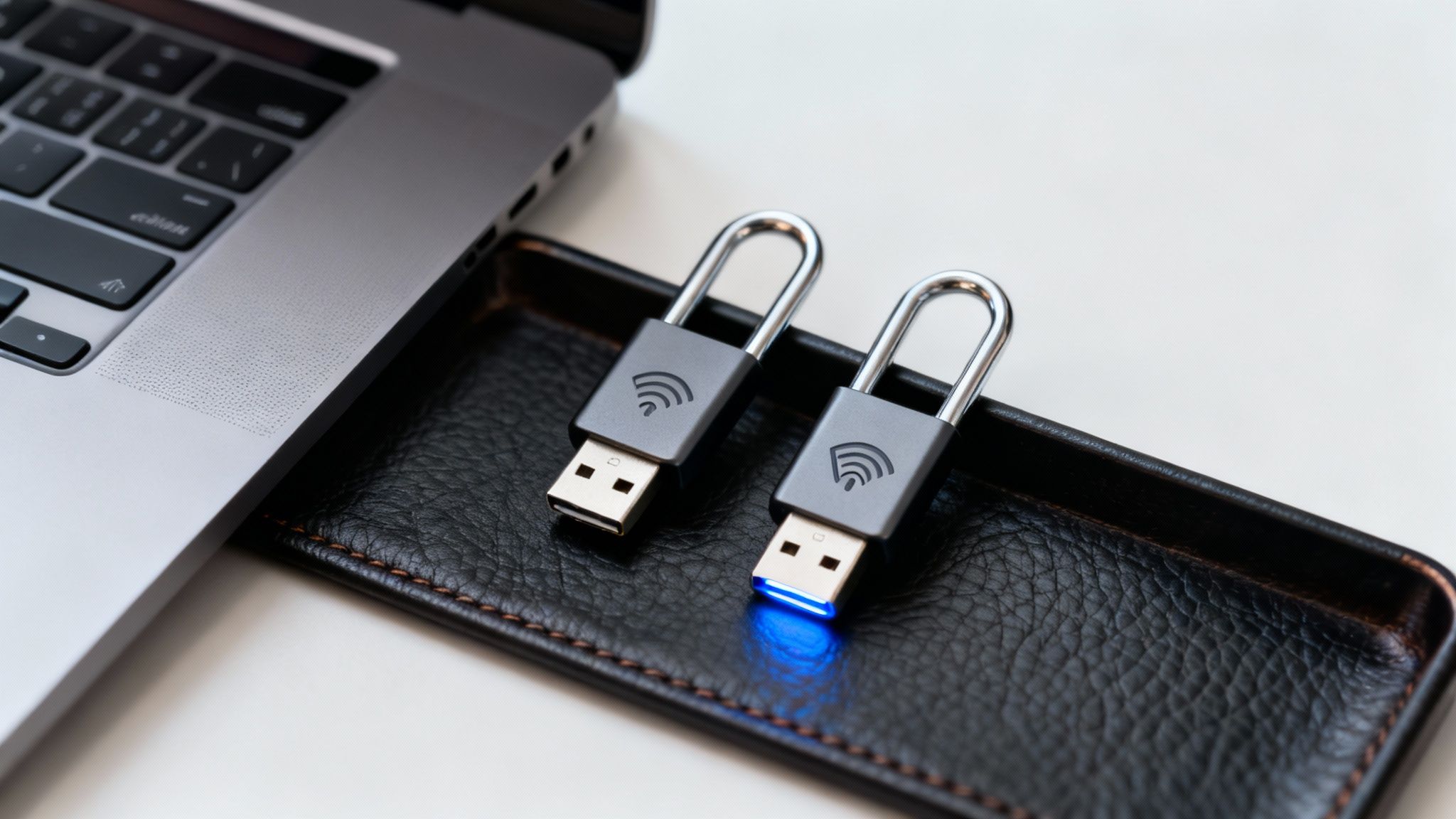
This technology is not theoretical; it's a proven best practice for password management at the highest levels. Since Google mandated security keys for its employees in 2017, it has reported zero successful phishing-based account takeovers. For businesses handling sensitive data, especially in regulated fields like finance or healthcare, deploying hardware keys for administrative accounts, financial controllers, and key executives can eliminate the single greatest vector for a catastrophic breach.
Implementation and Key Features
Integrating hardware keys should be a strategic decision focused on protecting high-value targets rather than a blanket rollout. Leading providers like Yubico and Google (Titan Security Key) offer a range of options compatible with major platforms.
- Prioritize Critical Accounts: Deploy keys first to protect administrator access to your password manager, cloud infrastructure (AWS, Azure), primary email domains, and financial systems.
- Establish Redundancy: Never rely on a single key. Each user should register at least two keys to their accounts: one for daily use and a backup stored in a secure, separate location like a company safe or a safe deposit box.
- Support and Compatibility: Ensure the keys you select are compatible with your critical services and offer the right form factors for your team's devices (e.g., USB-A, USB-C, NFC). Most major services, including Microsoft 365, Google Workspace, and GitHub, fully support FIDO2 standards.
Actionable Tip: Create a clear policy outlining which roles require a hardware security key. During onboarding for these roles, provide two keys and walk the employee through the registration process for their essential accounts. Mandate that they test their backup key immediately to confirm it works, preventing a future lockout scenario.
Password Management: 10-Point Comparison
| Strategy | Implementation Complexity 🔄 | Resources & Cost ⚡ | Expected Outcomes / Impact ⭐📊 | Ideal Use Cases 💡 |
|---|---|---|---|---|
| Use a Dedicated Password Manager | Medium 🔄: install, configure, user onboarding | Low–Medium ⚡: free/basic tiers or subscription; cross‑device sync | High ⭐📊: centralized strong passwords, breach alerts, reduced reuse | Centralized credential management for individuals & enterprises |
| Implement Strong Password Criteria | Low 🔄: define and enforce rules | Minimal ⚡: policy changes + user guidance | Moderate ⭐📊: stronger resistance to brute‑force; compliance alignment | Baseline security for systems, regulated environments |
| Enable Multi‑Factor Authentication (MFA) | Medium 🔄: integrate methods and enroll users | Low–Medium ⚡: apps, SMS (less secure), or hardware keys | Very High ⭐📊: greatly reduces account takeover risk | Email, admin, financial and corporate access |
| Practice Password Uniqueness Across Accounts | High 🔄: manage many distinct credentials (manual or tool‑assisted) | Low–High ⚡: user effort or password manager dependency | High ⭐📊: prevents credential‑stuffing cascade from breaches | All users, prioritized for email/financial accounts |
| Regular Password Updates and Rotation | Medium 🔄: schedule and enforce rotations | Medium ⚡: admin overhead, support costs | Low–Moderate ⭐📊: limits exposure window but limited preventive value | High‑risk or breached accounts; legacy compliance needs |
| Implement Passphrase Strategy | Low 🔄: user education and acceptance of length | Minimal ⚡: guidance or generator tools | Moderate–High ⭐📊: high entropy with better memorability | Users who prefer memorable credentials; systems allowing long passwords |
| Monitor for Breaches & Compromised Credentials | Low 🔄: subscribe or integrate breach monitoring | Low ⚡: free/paid services; optional integration with managers | Moderate ⭐📊: enables rapid remediation, reactive detection | Organizations monitoring many accounts or high‑value identities |
| Secure Password Storage & Recovery Methods | Medium 🔄: design secure recovery flows and backups | Medium ⚡: secure storage (encrypted, offline), backup devices | Moderate ⭐📊: prevents lockout while preserving security if well‑managed | Critical accounts, enterprises with support/POC needs |
| Educate Users on Social Engineering & Phishing | Medium 🔄: ongoing training and simulations | Low–Medium ⚡: training platforms, time investment | High ⭐📊: reduces successful phishing; improves security culture | All organizations; high‑risk roles (finance, IT, HR) |
| Use Hardware Security Keys for High‑Value Accounts | Medium 🔄: provision keys, register backups | High ⚡: purchase keys, manage spares and recovery | Very High ⭐📊: phishing‑resistant, strongest practical auth | Administrators, executives, developers, high‑value accounts |
Build Your Digital Fortress with Expert Guidance
Mastering password management is no longer an optional task for modern organizations; it is a foundational pillar of operational resilience and digital security. The journey from vulnerable, ad-hoc password habits to a fortified, strategic defense system is built upon the consistent application of proven principles. By weaving together the ten core practices we've detailed, you are not merely checking boxes on a security checklist. You are creating a layered, cohesive security posture that transforms your organization from an easy target into a formidable digital fortress.
Each strategy serves a unique and critical purpose. A dedicated password manager acts as the vault, centralizing and encrypting your most sensitive credentials. Strong complexity criteria and the passphrase method ensure that the keys to that vault are difficult to forge. Meanwhile, Multi-Factor Authentication (MFA) and hardware security keys add powerful, phishing-resistant locks that even a stolen key cannot bypass. This multi-layered approach is the essence of effective cyber defense.
From Knowledge to Action: Implementing Your Security Roadmap
The true value of these best practices for password management is realized only through diligent implementation and ongoing vigilance. It’s not enough to simply understand the concepts; they must become ingrained in your company culture and daily operations.
Consider the cumulative impact:
- Reduced Attack Surface: By eliminating password reuse, you contain the damage of a potential breach to a single account, preventing a domino effect across your entire network.
- Enhanced Compliance: For businesses in regulated industries like healthcare or finance, a documented password management policy is not just a best practice; it is a mandatory requirement for standards like HIPAA and PCI DSS.
- Empowered Workforce: Continuous training on phishing and social engineering transforms your employees from the weakest link into your first line of defense, creating a human firewall that is alert and proactive.
Ultimately, the goal is to build a system that is both secure and sustainable. A password rotation policy is effective, but it must be manageable. A password manager is powerful, but only if your team is trained and mandated to use it. This balance is where strategy meets reality.
Beyond Passwords: A Holistic View of Digital Security
While strong credentials are the front door to your digital assets, a truly secure environment requires attention to every potential point of entry. It's crucial to recognize that sophisticated threats often exploit multiple vulnerabilities simultaneously. Protecting user credentials is a massive step forward, but it's part of a larger security ecosystem.
Understanding other technical vulnerabilities is equally important. For instance, ensuring your team's internet traffic is not inadvertently exposing sensitive information is another critical layer of defense. This involves securing your network configurations and understanding technical risks, such as learning how to prevent DNS leaks. This holistic mindset, which connects password security to broader network integrity, is what separates basic protection from comprehensive cybersecurity resilience. Your digital fortress is only as strong as its most overlooked vulnerability.
The path to robust security is a continuous journey, not a one-time destination. By adopting these password management best practices, you are making a profound investment in the stability, reputation, and future of your business. You are actively building a culture of security that protects your data, your clients, and your bottom line from the ever-present threat of cybercrime.
Ready to transform your password management strategy from a liability into a fortress? The expert team at Defend IT Services specializes in implementing comprehensive, compliant cybersecurity solutions for businesses in San Antonio and beyond. Let us help you deploy these best practices seamlessly, so you can focus on what you do best. Contact Defend IT Services today for a consultation.