

In today's digital economy, data isn't just important-it's the lifeblood of your business. A catastrophic data loss from a ransomware attack, hardware failure, or simple human error can halt operations, erode customer trust, and cause irreparable financial damage. While many businesses recognize the need for data protection, navigating the crowded market to find the right service is a daunting task. The best cloud backup solutions offer far more than just storage capacity; they are comprehensive platforms built on reliability, security, compliance, and rapid recovery speed.
This guide moves beyond generic feature lists to provide a direct, side-by-side evaluation tailored for small and midsize businesses, especially those in regulated industries like healthcare or finance. We cut through the marketing noise to analyze each platform based on its ideal use case, from simple file protection to comprehensive disaster recovery as a service (DRaaS) and fully managed IT partnerships.
Here, you will find an actionable breakdown of top providers, complete with screenshots and direct links to help you make a confident decision. We will examine critical factors like pricing tiers, security protocols, and suitability for specific business needs, ensuring you can select a true data protection partner that safeguards your company's future and aligns with your operational goals.
1. Defend IT Services
Defend IT Services presents a unique and compelling model in the cloud backup space, moving beyond a simple software-as-a-service (SaaS) platform to offer a fully managed data protection and cybersecurity solution. This veteran-owned firm is an ideal choice for small and midsize businesses, particularly in the San Antonio area, that require a hands-on, strategic partner to manage their entire IT and security infrastructure, not just a single tool. Their approach integrates best cloud backup solutions directly into a comprehensive security and operational framework.
What truly sets Defend IT apart is its holistic service model. Instead of just selling you backup software, they design and implement a tailored data protection strategy that aligns with your specific business needs and compliance requirements. This is a critical distinction for organizations in regulated industries like healthcare or finance that need to ensure HIPAA compliance and robust risk management.
Key Strengths and Service Highlights
Defend IT's managed service offering wraps robust cloud backup capabilities within a complete cybersecurity shield. This unified approach simplifies vendor management and ensures that your data recovery plan is seamlessly integrated with your overall security posture.
- Integrated Cybersecurity and Backup: Their service combines 24/7 network and endpoint threat monitoring, vulnerability assessments, and rapid incident response with secure data backup and recovery. This means your backups are protected by the same rigorous security protocols that guard your live operational environment.
- Proactive & Strategic Partnership: The team works with you to create a customized IT roadmap. This includes not only implementing backup solutions but also ensuring they support long-term goals like cloud migration, risk reduction, and operational resilience.
- Compliance and Risk Management: Defend IT specializes in helping businesses navigate complex regulatory landscapes. They provide hands-on assistance with compliance assessments (like HIPAA) and implement the necessary controls to protect sensitive data, ensuring your backup strategy meets legal and industry standards.
- Measurable Business Outcomes: The focus is on delivering tangible results, such as minimizing downtime through rapid recovery, reducing risk exposure with hardened security, and enabling secure business growth.
Use Case: The Regulated Professional Services Firm
Consider a midsize law firm in San Antonio handling sensitive client data. A standard off-the-shelf backup tool might meet basic storage needs but would leave the firm to manage security, test recovery processes, and ensure compliance on its own.
With Defend IT, the firm gets a comprehensive solution. The team would conduct a risk assessment, implement encrypted cloud backups, and establish a clear recovery time objective (RTO). If a ransomware attack occurs, Defend IT's 24/7 monitoring detects the threat, their incident response team contains it, and they execute the recovery plan to restore data from secure, immutable backups, minimizing downtime and ensuring client confidentiality is maintained.
Key Insight: The primary value of Defend IT Services is its transformation of cloud backup from a reactive tool into a proactive, fully managed component of a complete cybersecurity and business continuity strategy.
Pricing and Availability
As a managed service provider, Defend IT Services does not offer public, tiered pricing. Instead, they provide customized quotes based on a thorough assessment of a client's specific infrastructure, security needs, and business objectives. This bespoke approach ensures businesses only pay for the services they require.
While their hands-on, on-site support is most prominent in the San Antonio, TX region, many of their managed security and cloud services can be delivered remotely to businesses in other locations.
- Pros:
- Veteran-owned provider with a focus on long-term, responsive partnerships.
- End-to-end cybersecurity stack simplifies security and data protection.
- Unified offering combines managed IT, cloud services, and cost-saving managed print.
- Customized roadmaps are aimed at measurable outcomes like reduced downtime.
- Cons:
- On-site response is geographically focused on the San Antonio area.
- Pricing is quote-based and not publicly available.
To explore how their integrated approach could benefit your operations, visit Defend IT Services. You can learn more about the critical role of these comprehensive solutions and why every San Antonio business needs managed IT and cybersecurity services.
2. Backblaze
Backblaze positions itself as one of the simplest and most cost-effective cloud backup solutions available, making it a powerful choice for businesses that need to protect large data volumes without a complex setup. Its core philosophy is "set it and forget it," offering unlimited backup for a single computer (Mac or Windows) under one license. This makes it ideal for individual workstations or servers with massive local datasets, removing the anxiety of hitting data caps or incurring overage fees.
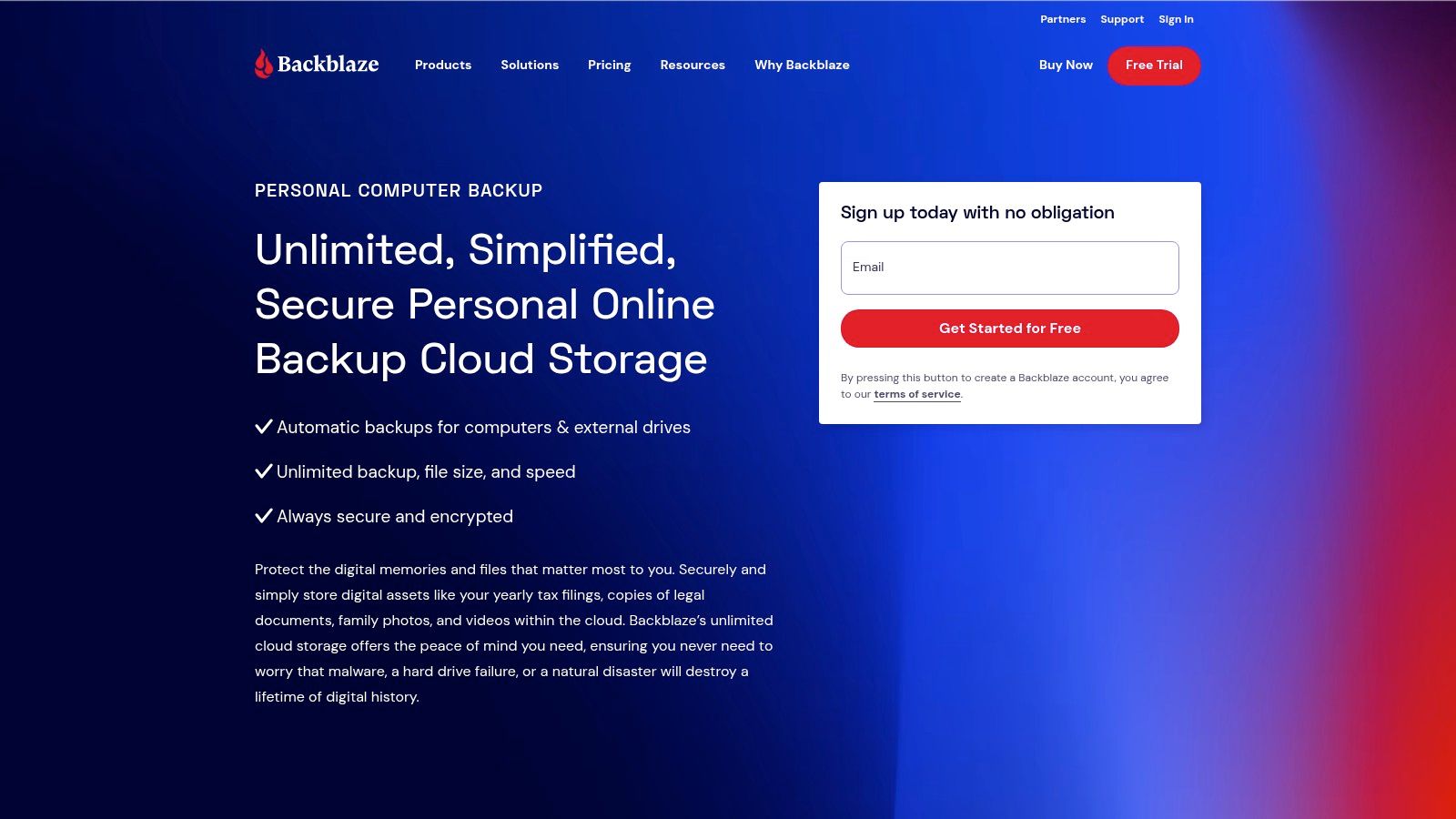
The platform continuously backs up user files in the background with minimal performance impact, ensuring that the latest versions of documents are always protected. For businesses concerned with compliance and data security, Backblaze provides a crucial layer of protection with an optional private encryption key and mandatory two-factor authentication (2FA). This ensures that only your business can decrypt its backed-up data, a critical feature for industries like healthcare (HIPAA) or finance.
Key Features and Use Cases
Backblaze's standout feature is its straightforward, unlimited data model. This approach is particularly beneficial for creative agencies, legal firms, or engineering companies that work with large files like high-resolution video, extensive legal archives, or complex CAD designs. Instead of micromanaging storage quotas, teams can focus on their work, confident that everything is secure.
Another practical feature is the Restore by Mail service. In a disaster recovery scenario where downloading terabytes of data is impractical, Backblaze will ship a physical hard drive (up to 8 TB) or a USB flash drive (up to 256 GB) with your data. You can then return the drive within 30 days for a full refund, effectively making the data recovery free.
| Feature Highlights | Details & Suitability |
|---|---|
| Unlimited Backup | No data caps per computer license. Ideal for data-heavy workstations. |
| Private Encryption Key | User-managed key ensures zero-knowledge encryption for maximum privacy. |
| Version History | Standard 30-day history, with options to extend to 1-year or forever. |
| Restore by Mail | Physical media delivery for large-scale data recovery. |
For small to midsize businesses, the one-computer-per-license model is simple to manage. However, for organizations with numerous workstations, the cost can scale linearly. The "Backblaze for Business" tier offers centralized administration and billing, allowing IT managers to oversee all company backups from a single console, which simplifies deployment and monitoring for growing teams.
Website: https://www.backblaze.com/cloud-backup.html
3. IDrive
IDrive stands out as one of the most versatile and comprehensive cloud backup solutions, offering a unique blend of features that cater to both individual users and scaling businesses. Unlike single-machine models, a single IDrive account can back up an unlimited number of devices, including PCs, Macs, smartphones, and tablets. This makes it an incredibly cost-effective option for businesses that need to protect data across multiple endpoints without purchasing separate licenses for each one.
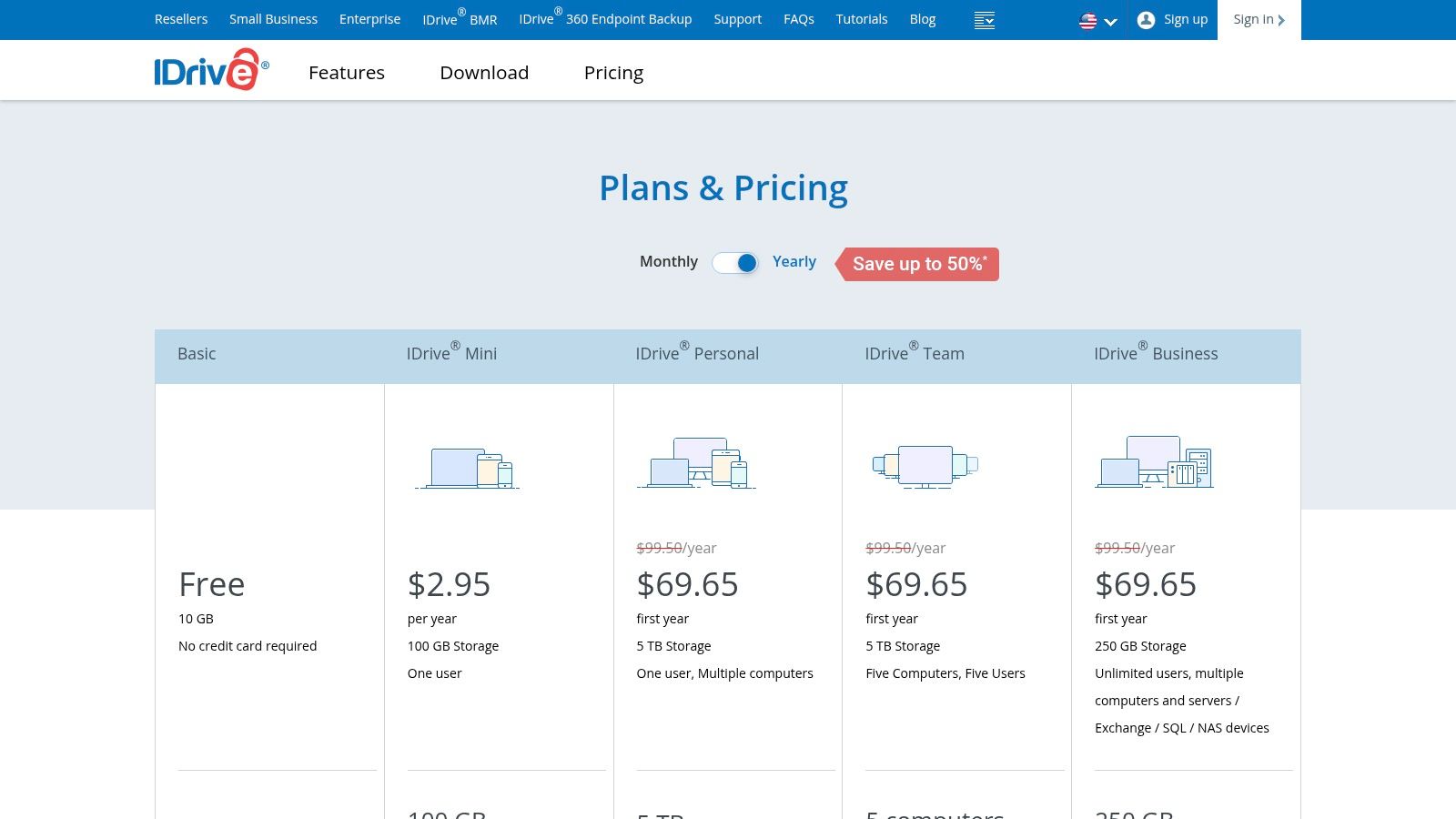
The platform goes beyond simple file backup, offering robust functionality like disk image and bare-metal recovery, server and database backup, and even protection for Microsoft 365 and Google Workspace data. This all-in-one approach consolidates data protection needs, simplifying management for IT teams. Security is a priority, with 256-bit AES encryption and an optional private key that ensures only your business can access its data, a vital feature for meeting compliance standards like HIPAA.
Key Features and Use Cases
IDrive’s multi-device support under a single account is a game-changer for businesses with a mix of desktops, laptops, and mobile devices. A small marketing agency, for example, can back up its main office server, designers' MacBooks, and sales team's iPhones and Androids, all under one unified plan and dashboard. This centralized management simplifies tracking and ensures no device is left unprotected.
For large-scale data transfer, the IDrive Express service is a significant time-saver. Businesses can request a physical hard drive to perform the initial backup (seeding) or a full restore, shipping it back to IDrive to avoid bogging down their internet connection for days or weeks. This is especially practical for organizations recovering from a major data loss event or those with slow network speeds.
| Feature Highlights | Details & Suitability |
|---|---|
| Unlimited Device Backup | A single account covers all PCs, Macs, and mobile devices. Best for multi-endpoint environments. |
| Server & SaaS Backup | Includes add-ons for SQL Server, Exchange, VMware, and Microsoft 365/Google Workspace. |
| IDrive Express | Physical hard drive shipment for initial seeding and rapid data recovery. |
| Bare-Metal Recovery | Creates a complete image of your system for full disaster recovery. |
While IDrive offers exceptional value, particularly with its frequently discounted first-year pricing, businesses must be mindful of their storage limits. Unlike unlimited plans, IDrive operates on a tiered storage model, and exceeding the cap can result in overage fees. However, its scalability and deep feature set make it a top contender among the best cloud backup solutions for businesses needing more than just basic file protection.
Website: https://www.idrive.com/pricing
4. Acronis Cyber Protect Home Office
Acronis Cyber Protect Home Office carves out a unique space among the best cloud backup solutions by integrating comprehensive data protection with advanced cybersecurity features. Instead of offering just backup, Acronis provides an all-in-one suite that combines full-disk imaging, file-level backups, and active anti-malware and anti-ransomware protection. This integrated approach is ideal for businesses and power users who want a single console to manage both data security and disaster recovery, eliminating the need for separate security and backup software.
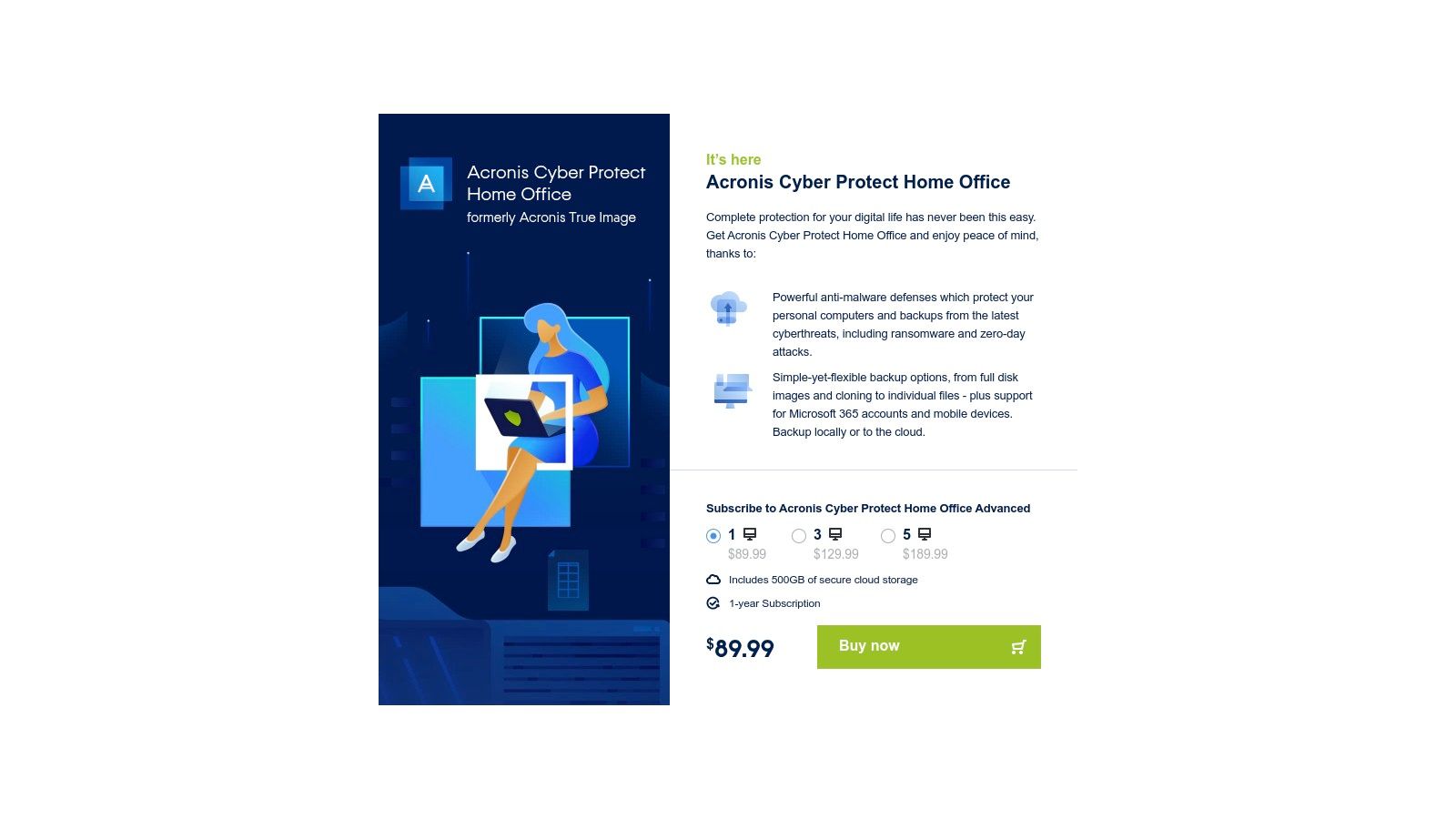
The platform supports both local and cloud backup destinations, giving users the flexibility to implement a hybrid backup strategy. You can create a complete image of your system for bare-metal restores, clone entire disks for hardware upgrades, and back up specific files and folders to the Acronis Cloud. For growing businesses, understanding the importance of cybersecurity is critical, and Acronis’s built-in defenses provide an essential layer of protection against modern threats.
Key Features and Use Cases
The standout feature of Acronis is its powerful disk-imaging capability, which is essential for rapid, full-system recovery. If a hard drive fails or a system is compromised by malware, you can restore the entire operating system, applications, and data to a new machine without reinstalling everything from scratch. This makes it an excellent choice for businesses where minimizing downtime is a top priority.
Its integrated security actively scans for malware and stops ransomware attacks in real-time before they can encrypt your files. For businesses handling sensitive data, this proactive defense is a major advantage. Higher-tier plans also include cloud storage and the ability to back up Microsoft 365 accounts, safeguarding emails and OneDrive data.
| Feature Highlights | Details & Suitability |
|---|---|
| Integrated Cybersecurity | Active anti-malware and anti-ransomware protection in the same console. |
| Full-Image Backup | Create complete system images for bare-metal restore and disaster recovery. |
| Hybrid Backup Options | Supports both local storage (NAS, external drives) and cloud destinations. |
| Microsoft 365 Backup | Protects data in OneDrive and Outlook.com on higher-tier plans. |
While its feature set is extensive, the user interface can feel more complex than simpler, set-and-forget services. The cloud storage included in consumer plans (starting at 500 GB) may also require upgrades for users with very large datasets. However, for those who value its combined security and powerful disaster recovery tools, Acronis offers a robust, unified solution.
Website: https://www.acronis.com/en-us/in-app-browser/ati2023/ipn/buy.html
5. Carbonite (by OpenText)
Carbonite has established itself as a reliable and user-friendly name in the cloud backup space, making it one of the best cloud backup solutions for individuals and small businesses who prioritize simplicity and security. Its approach focuses on an easy setup process, allowing users to install the software and have it run quietly in the background, automatically protecting files. For individuals or single-workstation businesses, its "Personal Safe" plans offer the significant advantage of unlimited cloud storage, removing any concern about data caps for a single computer.
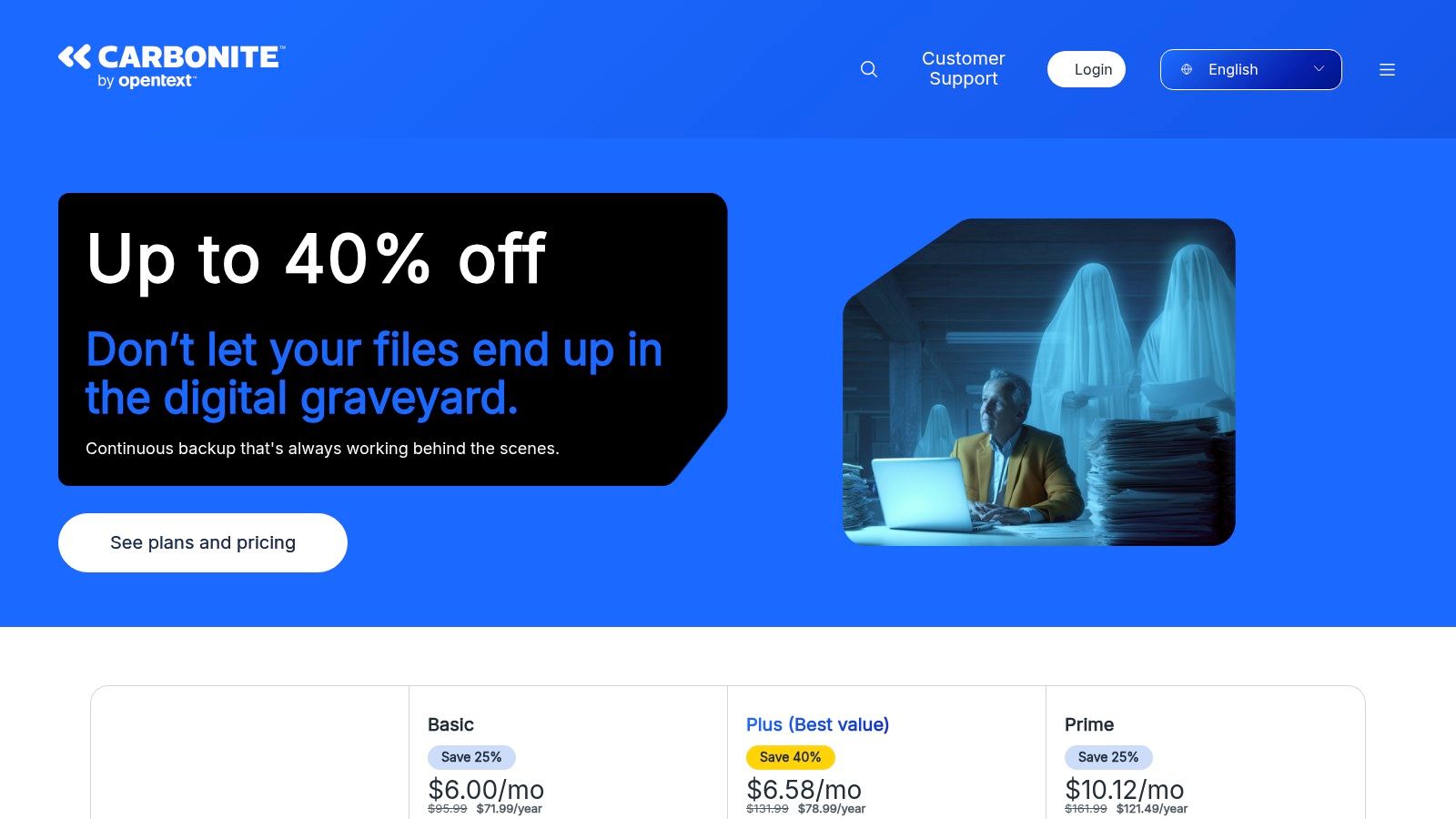
For growing businesses, Carbonite's "Pro" plans scale to protect multiple computers, external hard drives, and even servers (Windows Server OS). While these plans come with defined storage pools rather than unlimited data, they provide a centralized dashboard for managing backups across the organization. Security is also a key focus, with 128-bit or 256-bit encryption and the option for a private encryption key, ensuring that only the business has access to its data.
Key Features and Use Cases
Carbonite’s main draw is its blend of simplicity and comprehensive protection, especially with its business-tier offerings. The Pro plans (Core, Power, and Ultimate) are designed for environments with multiple endpoints, including critical servers holding databases or applications. The top-tier plan includes bare metal restore capabilities, which is crucial for full system recovery after a hardware failure or catastrophic event.
A standout feature for businesses operating in the U.S. is the Courier Recovery Service. In a disaster scenario where downloading large volumes of data is not feasible due to time or bandwidth constraints, Carbonite can ship a physical hard drive with the backed-up data directly to the office. This service significantly reduces downtime and ensures business continuity. Organizations looking to integrate such robust solutions into their IT strategy can explore managed services that support them. Learn more about comprehensive IT services that align with these goals.
| Feature Highlights | Details & Suitability |
|---|---|
| Unlimited Personal Backup | Consumer plans offer unlimited storage for a single computer. |
| Server Backup | Pro Power and Ultimate plans support Windows Server backup. |
| Private Encryption Key | User-managed key provides an extra layer of security and privacy. |
| Courier Recovery | Physical data delivery service for rapid, large-scale restores (U.S. only). |
While the one-computer-per-license model on personal plans can be a drawback for users with multiple devices, the platform's reliability and straightforward interface make it an excellent choice for businesses needing dependable, automated protection for their workstations and servers without requiring deep IT expertise.
Website: https://www.carbonite.com/
6. CrashPlan
CrashPlan is designed as a robust, continuous cloud backup solution specifically for small businesses and enterprises that prioritize central control and data retention. It moves beyond simple file backup, offering a powerful administrative console that allows IT managers to enforce backup policies, monitor device status, and manage user restores across the entire organization. This focus on managed, multi-user environments makes it a strong contender among the best cloud backup solutions for teams.
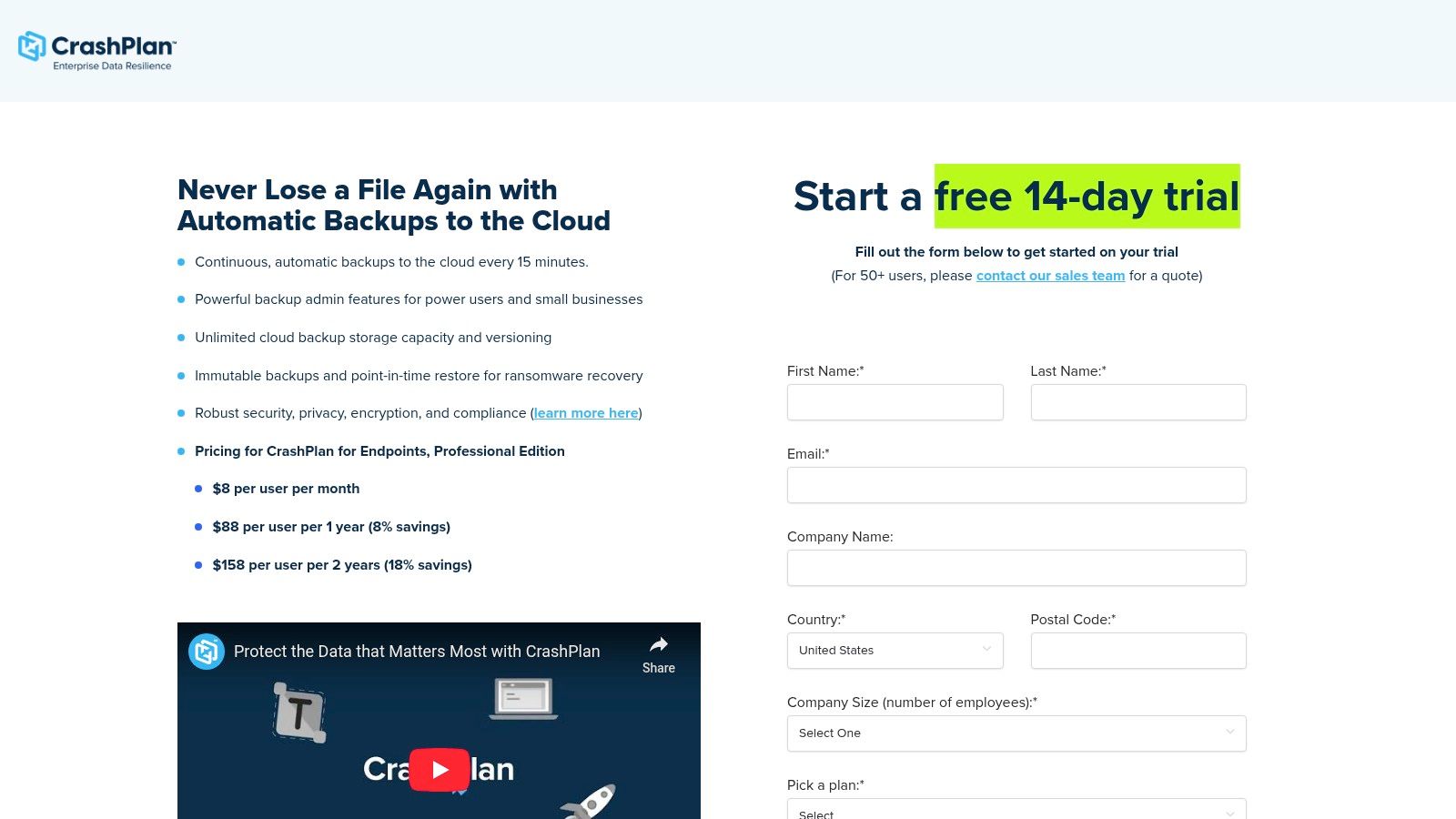
The platform operates continuously in the background, capturing new file versions as they are created. Its approach to versioning and ransomware recovery is a key differentiator; businesses can restore files from any point in time, not just the most recent backup. This granular control is invaluable for recovering from data corruption or a targeted malware attack, ensuring business continuity with minimal disruption. Security is reinforced with 256-bit AES encryption both in-transit and at-rest.
Key Features and Use Cases
CrashPlan's strength lies in its scalability and administrative oversight, making it ideal for distributed teams or companies with strict data governance policies. The Professional plan offers unlimited storage per device, eliminating concerns about data caps for users with large datasets, such as video editors or engineers. The central admin console provides a single pane of glass to manage all company backups, a critical feature for maintaining compliance and security standards.
The service's unlimited versioning capability is another standout feature. Unlike solutions that limit file history to 30 or 60 days, CrashPlan allows you to keep file versions indefinitely, which is crucial for legal holds, intellectual property protection, or simply recovering an older draft of a critical document. This deep version history, combined with the ability to set custom retention policies, provides an unmatched level of data resilience.
| Feature Highlights | Details & Suitability |
|---|---|
| Unlimited Storage | Available on Professional and Enterprise plans, perfect for data-intensive roles. |
| Central Admin Console | Manage users, enforce policies, and monitor backup status across the entire business. |
| Continuous Backup | Files are backed up automatically as they change, with customizable CPU usage limits. |
| Unlimited Versioning | Restore any version of a file ever backed up, providing robust ransomware protection. |
While the feature set is business-oriented, it’s accessible through a straightforward cross-platform application. However, the Essential plan is limited to 200 GB per user, with overage charges, making the Professional plan the more practical choice for most businesses. Some limitations, such as backing up network-attached storage (NAS) devices on Windows, may require workarounds, but its core function as a secure endpoint backup solution is exceptionally strong.
Website: https://www.crashplan.com/crashplan-automatic-backups-to-the-cloud/
7. Best Buy (digital licenses for cloud-backup software)
While not a direct provider, Best Buy serves as a unique and convenient purchasing channel for some of the best cloud backup solutions, particularly for businesses that prefer consolidating purchases through a major retailer. The platform offers instant digital delivery for software licenses, allowing a business to acquire and deploy top-tier backup solutions like Acronis Cyber Protect Home Office almost immediately. This approach is ideal for companies wanting to use retailer-specific benefits like gift cards, rewards points, or take advantage of frequent promotional sales.
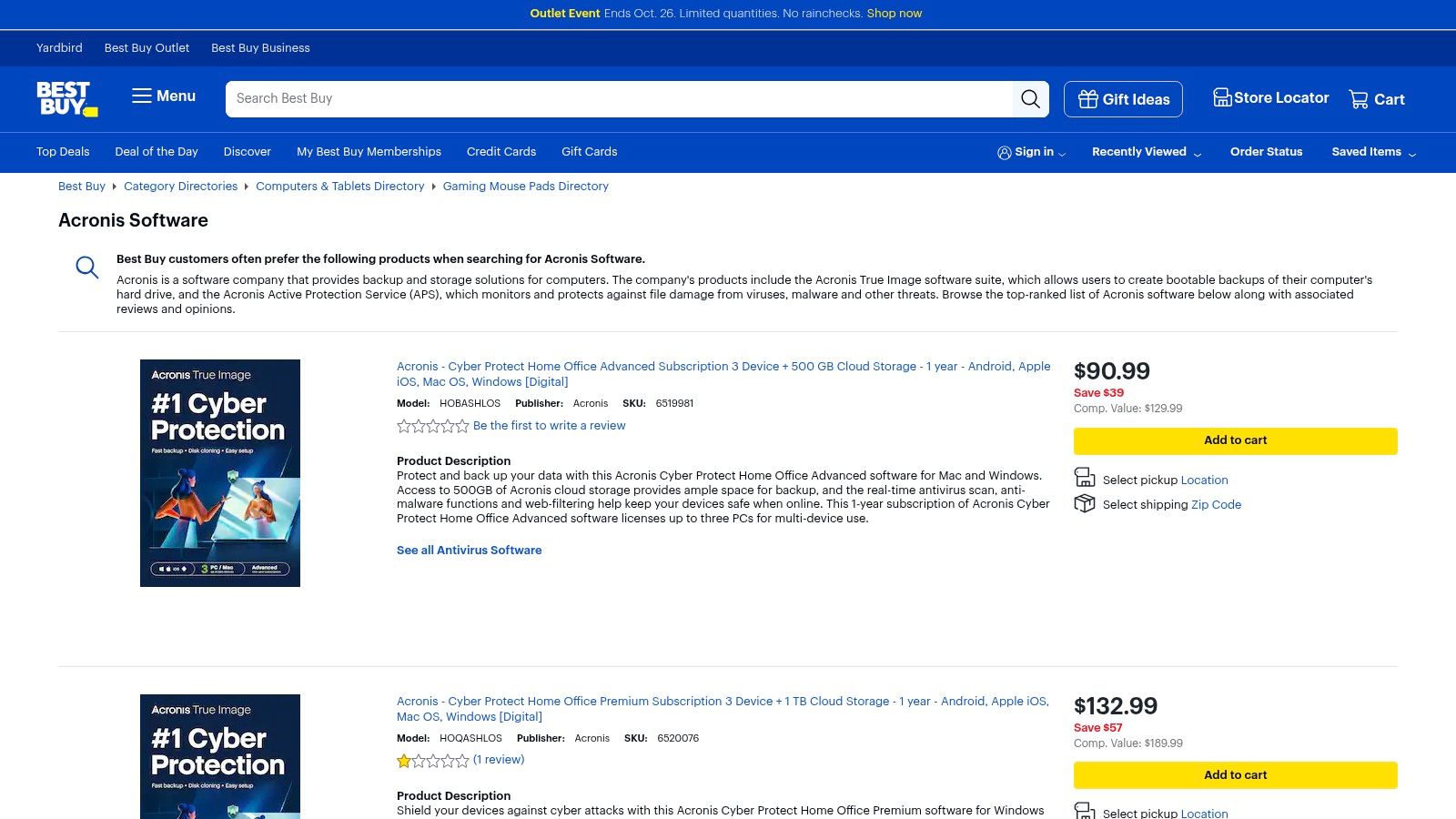
The primary advantage of purchasing through Best Buy is the blend of retailer trust and immediate access. Businesses benefit from Best Buy's established customer support, clear return policies, and transparent user reviews, which can help in making a confident purchasing decision. Rather than navigating a new vendor's website, IT managers can use a familiar interface to buy licenses, manage them in their order history, and get them delivered to their inbox within minutes.
Key Features and Use Cases
Best Buy's value proposition centers on convenience and speed. For a small business that just experienced a hardware failure and needs a robust backup solution urgently, the ability to purchase an Acronis license and have it delivered digitally on the same day is a significant benefit. This eliminates the wait time associated with direct vendor processing and provides a straightforward path to implementation. The retailer often bundles these backup solutions with other security software, offering comprehensive protection packages.
The platform's frequent sales and price-matching policies also present a cost-saving opportunity. A business can secure a multi-device license with a substantial cloud storage allotment at a discounted rate compared to buying directly from the software vendor. This makes it a practical option for organizations that need to protect multiple workstations or a small server environment without overstretching their IT budget.
| Feature Highlights | Details & Suitability |
|---|---|
| Instant Digital Delivery | Get software license keys via email within minutes of purchase. |
| Trusted Retailer Benefits | Utilize gift cards, rewards points, and access retailer support and return policies. |
| Multiple Acronis SKUs | Choose from various editions with different device counts and cloud storage sizes. |
| Frequent Promotions | Capitalize on sales, bundles, and price-matching opportunities for cost savings. |
While Best Buy offers excellent convenience, its selection is generally limited, focusing heavily on consumer-oriented SKUs from major brands like Acronis. Cloud storage is tied directly to the purchased software version, so upgrading storage might require buying an entirely new license. However, for a small business seeking a reliable, multi-device backup solution with a straightforward purchasing process, Best Buy is a powerful and efficient alternative to direct vendor engagement.
Website: https://www.bestbuy.com/site/shop/acronis-software
Top 7 Cloud Backup Solutions Comparison
| Item | 🔄 Implementation Complexity | ⚡ Resource Requirements | 📊 Expected Outcomes | 💡 Ideal Use Cases | ⭐ Key Advantages |
|---|---|---|---|---|---|
| Defend IT Services (Services) | Moderate–High — custom deployments, on‑site work and roadmaps | Moderate–High — managed service fees, local on‑site capability | Reduced downtime, lower risk exposure, tailored security posture | Small–mid businesses needing hands‑on, local managed IT & cybersecurity | End‑to‑end security + 24/7 monitoring and on‑site responsiveness |
| Backblaze | Low — install client and set‑and‑forget | Low per device (one computer per license can scale cost) | Reliable unlimited cloud backup for a single computer, long retention options | Single users with very large local datasets wanting minimal management | Unlimited data per computer, clear pricing, low overhead |
| IDrive | Moderate — multi‑device setup and optional add‑ons (servers, SaaS) | Moderate — account-based multi‑device plans; seed/restore options | Multi‑device protection with server/SaaS backup capability | Individuals and small businesses needing consolidated device + server backups | Broad feature depth, NAS/server options, physical seeding |
| Acronis Cyber Protect Home Office | Moderate–High — integrated backup + security with many options | Moderate — higher tiers for cloud storage and advanced features | Full‑image disaster recovery plus integrated anti‑malware/ransomware protection | Users who want imaging/restoration and built‑in endpoint security | Combined backup and security console; strong bare‑metal restore |
| Carbonite (by OpenText) | Low — simple consumer setup; Pro plans add complexity | Low–Moderate — unlimited on personal tiers; per‑device licensing | Unlimited personal cloud backup (single device); business plans for multiple systems | Consumers wanting easy unlimited backup for one computer | Truly unlimited consumer storage and a long‑standing brand |
| CrashPlan | Moderate — client + admin console for team deployments | Moderate — business‑oriented pricing and edition choices | Centralized backups with strong versioning and ransomware recovery | Teams/small businesses needing admin controls and retention policies | Unlimited plans for business editions; strong recovery controls |
| Best Buy (digital licenses) | Very Low — retail purchase and license delivery | Low — pays like a retail purchase; SKU‑tied storage limits | Fast license delivery with retailer support and return options | Buyers preferring retailer purchase, gift cards, or same‑day digital delivery | Convenience, promotions, retailer returns/support for software SKUs |
Securing Your Future: Making the Right Backup Choice
Navigating the landscape of the best cloud backup solutions can feel complex, but the journey to securing your business's most valuable asset-its data-is a critical one. We've explored a range of powerful options, each with distinct strengths tailored to different business needs. From the straightforward, set-it-and-forget-it approach of Backblaze to the versatile, multi-device management offered by IDrive and the robust, security-first framework of Acronis, the market provides a solution for nearly every scenario.
The most important takeaway is that there is no single "best" solution for everyone. The right choice is a strategic decision rooted in your organization's unique operational realities, compliance obligations, and growth trajectory. Viewing data backup not merely as an IT task but as a cornerstone of your business continuity plan is the first step toward building true resilience against data loss, cyber threats, and unforeseen disasters.
Key Factors for Your Final Decision
Before you commit, re-evaluate your specific requirements. A growing San Antonio-based medical practice with strict HIPAA compliance needs will have vastly different priorities than a multi-location retail business that simply needs reliable endpoint protection for its sales teams. Consider these final checkpoints:
- Recovery Objectives: How quickly do you need to restore data after an incident? Your Recovery Time Objective (RTO) will heavily influence your choice. Solutions like Acronis, with advanced recovery options, are built for speed, while simpler file-level services might take longer.
- Data Types and Volume: Are you primarily backing up user workstations, or do you have complex server environments? For businesses utilizing virtualized environments, dedicated virtual machine backup solutions are crucial to ensure data integrity and business continuity, a specialized need that standard endpoint tools may not fully address.
- In-House Expertise: Do you have a dedicated IT team to manage, monitor, and test your backups? If not, a fully managed solution or a service with an intuitive, user-friendly interface like Carbonite or CrashPlan might be more appropriate.
- Scalability: Choose a solution that can grow with you. As your data footprint expands, your backup strategy must scale seamlessly without requiring a complete overhaul.
Taking Action: Your Next Steps
Your path forward should be clear and deliberate. Start by conducting a thorough audit of your current data landscape and identifying any gaps in your existing backup strategy. Use the insights from this article to create a shortlist of two or three solutions that align with your business profile.
Don't hesitate to leverage free trials to test the user interface, assess backup speeds, and perform a test restoration. This hands-on experience is invaluable for ensuring the tool not only meets your technical requirements but also fits your team's workflow. Ultimately, investing in one of the best cloud backup solutions is an investment in your company's future, providing the peace of mind that comes from knowing your operations are protected, no matter what comes next.
Feeling overwhelmed by the options? Defend IT Services can help you cut through the noise by implementing a fully managed backup and disaster recovery plan tailored to your specific business and compliance needs. Let our experts handle the complexities of data protection so you can focus on running your business. Contact Defend IT Services today for a comprehensive assessment.