
Imagine your business is a busy city. All your data—every email, file, and application—is like the cars, trucks, and people trying to get around. Your network infrastructure is the entire system of roads, bridges, and traffic lights that keeps everything moving.
That's where network infrastructure services come in. They are the expert city planners, engineers, and traffic controllers for your digital world, responsible for designing, building, and managing those roadways to make sure your data gets where it needs to go, fast and without any accidents.
The Bedrock of Your Business Operations

Think of your network as the central nervous system of your entire company. It’s what connects your team to the tools they rely on, your customers to your services, and all your critical systems to one another. Network infrastructure services are the hands-on work of making sure this system isn't just up and running, but is also tough, secure, and running at peak performance.
Without a solid network, even the best software and most powerful hardware are useless. Are you dealing with sluggish connections, constant security worries, or frustrating downtime? Those are classic signs of a network that's either poorly designed or not being managed properly.
These services get to the root of those problems, turning your network from a nagging headache into a real business advantage. The entire point is to create a smooth, dependable environment where information flows exactly how it should—without a hitch.
Why These Services Are No Longer Optional
The world runs on connectivity, and the demand for strong digital frameworks has never been higher. In fact, the global Infrastructure Services market is on track to hit roughly USD 159.8 billion in 2025, a huge jump fueled by the rollout of 5G and the massive shift to cloud technology.
This isn't just an abstract number; it points to a clear reality. Businesses that get serious about professional network management are pulling ahead of the competition.
So, what exactly do these services do for you? Let's break down their main jobs in a simple table.
Core Functions of Network Infrastructure Services
| Core Function | Description | Business Impact |
|---|---|---|
| Connectivity | Establishes and maintains clear communication pathways between all devices—from servers in the office to smartphones in the field. | Enables seamless collaboration, ensures access to essential tools, and keeps daily operations running smoothly. |
| Security | Implements and manages firewalls, access controls, and threat monitoring systems to protect sensitive information from unauthorized access. | Prevents costly data breaches, protects company and customer data, and helps meet compliance requirements. |
| Performance | Actively optimizes data flow to prevent slowdowns and reduce the risk of outages. | Boosts productivity by eliminating frustrating lag time and ensures your critical applications are always available when needed. |
| Scalability | Designs a flexible network architecture that can easily accommodate future growth without needing a complete and costly overhaul. | Allows your business to add new employees, locations, or technologies without your infrastructure becoming a roadblock. |
In short, a well-built network isn't just a cost of doing business; it's a platform for growth.
A well-architected network doesn't just support your business; it actively enables growth. It ensures that as you add more employees, adopt new applications, or expand to new locations, your technological foundation can handle the increased demand without faltering.
Often, these responsibilities are best left to a managed services provider (MSP). An MSP gives you access to a team of specialists without the overhead of hiring them in-house. To get a better sense of how this works, it helps to understand What are Managed IT Services and the proactive, 24/7 support they can offer.
At the end of the day, think of these services as the architects, construction crew, and maintenance team for your company's digital highways.
Understanding Your Network's Core Components
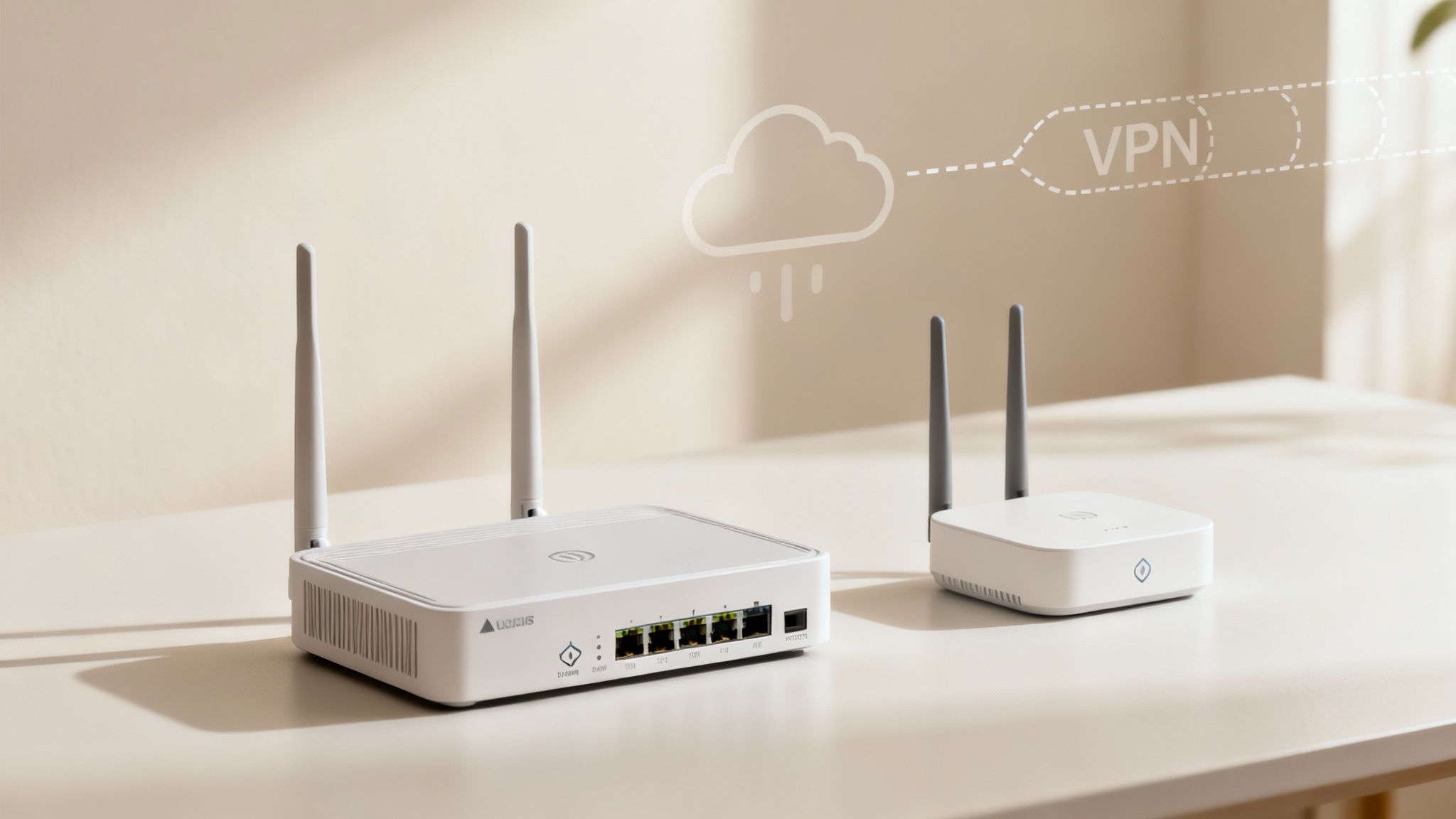
To really get a handle on network infrastructure services, you have to know what they're actually managing. The best way to think about your network is not as one big, abstract thing, but as a team of highly specialized components. Each one has a specific job to do.
When they all work in harmony, your business runs smoothly. But if even one of them stumbles, the whole operation can slow to a crawl. So, let’s peel back the layers and look at the key players, from the hardware in your office to the technologies that connect you to the rest of the world.
The Foundation: LANs and WANs
Everything in your network starts with two fundamental concepts that define its physical reach.
Local Area Network (LAN): Think of a LAN as the private road system within your office or building. It’s the physical web of cables connecting all your local devices—computers, printers, servers—so they can talk to each other and share files at lightning speed. It's the network you use every day, probably without giving it a second thought.
Wide Area Network (WAN): Now, imagine connecting your local roads to the national motorway system. That's what a WAN does for your business. It links multiple LANs across different cities, regions, or even countries, allowing your branch offices to connect back to headquarters as if everyone was in the same building.
These two—local and wide-area connections—are the bedrock. The next step is managing the flow of traffic across these digital roads.
Directing Traffic: Switches and Routers
If LANs and WANs are the roads, then switches and routers are the traffic directors. Their entire purpose is to make sure your data—the tiny packets of information that make up every email, file, and video call—gets where it needs to go, and fast.
A switch is the local traffic cop on your LAN. It’s smart enough to know exactly which computer or printer a piece of data is intended for and sends it only to that specific device. This keeps the local network from getting clogged up with unnecessary traffic, boosting speed for everyone.
A router, on the other hand, is the master controller connecting different networks. It directs traffic between your internal LAN and the outside world (like the internet) or between your various office locations over the WAN. It’s constantly making decisions about the most efficient path for your data to take on its journey.
A great analogy is the postal service. A switch is like your local mail carrier who knows every house on their route and puts the right mail in the right letterbox. A router is the regional sorting hub that decides whether a package needs to go on a truck to the next town or a plane to another country.
Enabling Mobility: Wireless Access Points
In a world where work happens everywhere from the conference room to the coffee shop, being tethered to a cable just doesn't cut it. Wireless Access Points (WAPs) are what create your Wi-Fi network, broadcasting a signal that lets laptops, phones, and tablets connect to the LAN without plugging in.
A modern business needs more than just one WAP stuck in a corner. It requires a carefully planned wireless infrastructure to deliver strong, consistent coverage everywhere it’s needed. This ensures your team stays productive, whether they're at their desk or walking to a meeting. It's no longer a nice-to-have; it's essential.
The Modern Connectors: SD-WAN and VPNs
As more businesses move to cloud apps and embrace remote work, the old ways of connecting aren't always enough. Two key technologies have stepped in to solve this.
First is Software-Defined Wide Area Networking (SD-WAN). This is a much smarter, more flexible way to manage your WAN. Instead of being locked into a single expensive connection, SD-WAN uses software to dynamically route your traffic over the best path available at any given moment—be it a private line, a standard broadband connection, or even 5G. The result? Better performance for cloud apps like Microsoft 365 and a more resilient connection.
Second, a Virtual Private Network (VPN) creates a secure, encrypted "tunnel" through the public internet. This is the technology that lets your remote staff connect back to the company network safely from anywhere. Think of it as a private, armored bridge that shields all the data traveling between your employee and the office from prying eyes.
From the physical cables in the walls to the intelligent software routing your cloud traffic, these are the core pieces that make up the complex ecosystem managed by network infrastructure services.
Choosing Your Management Model: In-House vs. Managed Services
Alright, you’ve got the blueprints for your network. The next big question is a crucial one: who’s going to run the show? How you answer this will directly impact your budget, your security, and frankly, your team's sanity.
You really have two main paths to choose from when it comes to managing your network infrastructure services. You can go the traditional route and build your own in-house IT team, or you can bring in a dedicated partner, a Managed Service Provider (MSP), to handle it all for you. Each approach has its own set of trade-offs, so let's break them down.
The In-House IT Approach
There's a certain appeal to having your own IT crew right down the hall. An in-house team gives you direct, hands-on control. These are your people, dedicated solely to your business, and they get to know the quirks of your operations inside and out. This model often works well for large corporations with deep pockets that can afford to build and maintain a team of specialized experts.
But that control doesn't come cheap. You’re not just paying salaries and benefits. You're on the hook for constant training to keep their skills sharp, expensive diagnostic tools, and a mountain of software licenses. Plus, an internal team can only handle so much. It's easy for them to get bogged down in a constant cycle of troubleshooting, leaving zero time for the strategic projects that actually move your business forward.
The Managed Services Advantage
Working with an MSP is like instantly acquiring a fully-staffed, enterprise-level IT department. Instead of trying to hire a handful of people who know a little about everything, you get immediate access to a deep bench of certified specialists in routing, cybersecurity, cloud tech, and more.
This model flips your IT budget from a hefty capital expense (CapEx) to a predictable, manageable operational expense (OpEx). Even better, an MSP provides 24/7 monitoring and support—something that's incredibly expensive and difficult to staff for on your own. This proactive oversight means problems are often spotted and fixed long before you even know they exist, preventing costly downtime.
There's a reason so many businesses are making this switch. The Managed Network Services market is expected to jump from USD 120.74 billion in 2025 to a massive USD 172.04 billion by 2030. That kind of growth, detailed in this industry report, shows a clear global trend: businesses understand that specialized partners deliver better results and stronger security.
A Direct Comparison
Deciding which model fits best really comes down to your company's specific needs, budget, and where you want to be in a few years. To make it clearer, let's put them side-by-side.
In-House IT vs. Managed Network Services
| Consideration | In-House IT | Managed Network Services |
|---|---|---|
| Cost Structure | High upfront and ongoing CapEx (salaries, benefits, tools, training). | Predictable monthly OpEx (subscription-based fee). |
| Expertise | Limited to the knowledge of the staff you can hire and retain. | Access to a deep bench of certified specialists across many technologies. |
| Availability | Typically limited to standard business hours unless you invest in a 24/7 team. | Guaranteed 24/7/365 monitoring, management, and support. |
| Scalability | Scaling requires a slow and expensive hiring process. | Easily scales up or down based on your changing business needs. |
| Focus | Internal staff are often pulled into reactive "firefighting" tasks. | Allows your team to focus on core business objectives and strategic growth. |
For most small and medium-sized businesses, the math almost always points toward a managed services model. The immediate access to high-level expertise and around-the-clock security provides a level of operational maturity that would take years and a small fortune to build from scratch.
Ultimately, this is a strategic business decision. If you want to stop thinking of your IT as just another expense and start seeing it as a genuine asset that drives growth, then exploring an MSP partnership is the next logical step. At Defend IT Services, we offer a full suite of managed services built to give you that exact advantage—securing your network so you can get back to doing what you do best.
Embedding Security and Compliance into Your Network
In today's world, you can't just bolt on security as an afterthought. It has to be the concrete foundation for everything you build. Treating network security like a feature you'll add later is a guaranteed way to run into trouble. It needs to be woven directly into the fabric of your network infrastructure from day one.
This means going way beyond just setting up a firewall and calling it a day. Real security is about creating a layered defense, where multiple tools and strategies work together to form a smart, resilient shield around your data. It's about being proactive, not just reactive, which is the only way to keep up with the constant evolution of cyber threats.
Building Your Digital Fortress
Think of a truly secure network like a medieval castle. It doesn't rely on a single wall. It has a moat, tall ramparts, watchtowers, and heavily guarded gates—all working in harmony. Your digital fortress needs the same kind of layered defense, using modern tools to spot, block, and report threats before they can do any harm.
Here are the key components of that fortress:
- Firewalls: These are your main gatekeepers. They inspect every bit of data coming in or going out of your network, using a strict set of rules to block anything malicious and prevent unauthorized access.
- Intrusion Detection Systems (IDS): Consider these your sentinels on the wall. An IDS is always watching for suspicious activity or policy violations on your network. If it sees something, it immediately sends an alert so your team can investigate a potential attack.
- Zero-Trust Architecture: This is a modern security philosophy built on a simple, powerful rule: never trust, always verify. No user or device gets a free pass, even if they're already inside your network. Every single request for access must be strictly authenticated and authorized.
This layered strategy means that if one defense fails, another is right there to stop the threat in its tracks. For any growing company, getting these fundamentals right is non-negotiable. You can learn more about this in our guide on the importance of cybersecurity for growing businesses.
The Critical Role of Compliance
Your network isn't just about fighting off threats; it's also ground zero for meeting regulatory requirements. If you handle sensitive information in industries like healthcare, finance, or e-commerce, you're bound by strict rules on how that data is stored, transmitted, and protected. Your network infrastructure is at the heart of it all.
A poorly configured network isn't just a security risk—it's a massive legal and financial liability. Failing a compliance audit can lead to crippling fines, a damaged reputation, and a permanent loss of customer trust.
Your network needs to be designed to support common regulations like:
- HIPAA (Health Insurance Portability and Accountability Act): Essential for healthcare, this requires that patient data is encrypted and that access is tightly controlled.
- PCI-DSS (Payment Card Industry Data Security Standard): A must for any business processing credit card payments, this standard demands a secure network to safeguard cardholder information.
- GDPR (General Data Protection Regulation): Affects any business with customers in the EU, mandating rigorous data privacy and protection protocols.
A professional network infrastructure partner builds your system with these rules in mind from the very beginning. They put the right access controls, data encryption, and activity logging in place so you can pass audits and prove you’ve done your due diligence. This turns compliance from a frantic yearly task into a smooth, continuous process built right into your daily operations, keeping your business safe and on the right side of the law.
Your Roadmap for Network Implementation and Migration
Overhauling your network can feel like trying to change a tire on a car that's still driving down the motorway. It sounds risky and complicated, but it doesn't have to be. With a clear, structured roadmap, what seems like a monumental project becomes a series of smart, manageable steps. A successful plan for your network infrastructure services isn't about flipping a switch overnight; it’s a careful process designed to minimize disruption and deliver real results.
This strategic framework breaks the entire journey down into five distinct phases. Following this path replaces guesswork with a predictable, transparent process, guiding you from your current setup to a modern, high-performing network. It’s the proven way to get the job done right.
Phase 1: Assessment and Discovery
Before you can chart a course to your destination, you need to know exactly where you're starting from. This first phase is all about deep-dive investigation. We're talking a complete audit of your existing network—every last router, switch, access point, and cable.
The real goal here is to pinpoint the current pain points, performance bottlenecks, and any security gaps. Are certain applications crawling? Is the Wi-Fi coverage unreliable in the conference room? This is where your team or your managed service provider documents what works, what’s broken, and what hardware is on its last legs.
Phase 2: Strategic Planning and Design
With a crystal-clear picture of your current network, you can start architecting its future. This is the phase where technology plans meet business goals. Are you planning to hire more staff, open a new location, or shift more of your core applications to the cloud?
A solid network design has to account for this kind of future growth, building in scalability from day one. This is the blueprinting stage where we map out the new network topology, select the right hardware and software, and create a detailed project plan. For anyone managing this process, understanding project management principles is key. Check out this guide on Mastering IT Infrastructure Project Management Strategies to sharpen your approach.
Phase 3: Phased Implementation
Trying to rip and replace an entire network in one go is a recipe for chaos. A phased implementation is a much saner approach, breaking the project into smaller, controlled rollouts.
This could mean upgrading one department, one floor, or one branch office at a time. This method dramatically lowers risk by containing any potential hiccups to a small, manageable area. It allows for quick fixes without bringing the whole organization to a standstill and gives your team the chance to learn and adapt as the project moves forward.
The diagram below shows how critical security elements like firewalls and threat detection are woven into the implementation process, not just bolted on at the end.
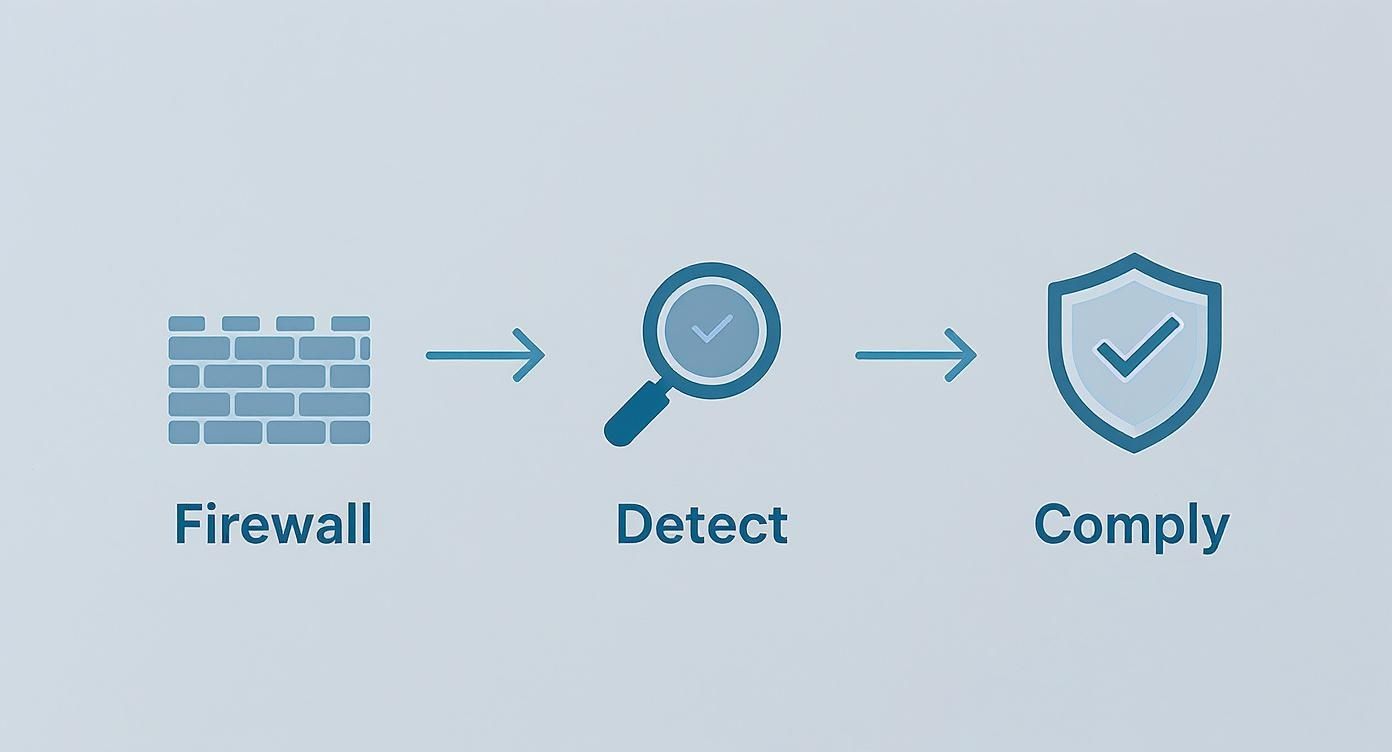
This visualises how a modern network build integrates security at every step, from the first line of defence to ongoing compliance.
Phase 4: Rigorous Testing and Validation
Once a new piece of the network puzzle is in place, it needs to be put through its paces before it goes live. This phase involves stress-testing the new setup to make sure it can handle real-world traffic loads and verifying that every security protocol is functioning as it should.
Validation isn't just about checking if the lights are on. It's about confirming the new system actually delivers the performance, reliability, and security you were promised. Only after it passes these rigorous tests can you confidently move forward.
Phase 5: Ongoing Management and Optimization
So, your new network is up and running—but the work isn't over. Technology is always moving, and so are the needs of your business. This final, continuous phase is all about monitoring, managing, and fine-tuning to keep your network in peak condition. It’s also a good time to consider how other assets are managed; for example, you can learn about streamlining office equipment with managed print services as part of a more holistic IT strategy.
The market for Service Provider Network Infrastructure is projected to jump from USD 189.3 billion in 2024 to USD 269.5 billion by 2029, largely because of the demands of cloud computing and 5G. This explosive growth underscores just how critical it is to continuously optimize your network to keep up.
How to Choose the Right Network Services Partner
Picking a partner to manage your network is a huge decision. It’s one of those choices that directly impacts your security, your team’s productivity, and ultimately, your bottom line. Get it right, and you’ve got a genuine extension of your team. Get it wrong, and you're in for a world of constant IT headaches.
To make the right call, you need to know what to look for. This isn't just about finding a company to call when something breaks. You’re looking for a strategic ally who helps you grow, prevents problems before they start, and aligns technology with your actual business goals—all within a predictable budget.
Look for Real-Deal Technical Expertise and Certifications
First things first: you need to vet their technical chops. Don't just take their word for it; ask to see their credentials. A confident, reputable provider will have no problem showing you their team’s certifications from major players like Cisco, Fortinet, or Microsoft.
These aren't just fancy pieces of paper. They represent a proven, tested level of skill in designing, building, and securing the kind of complex networks businesses rely on today. Look for a team with a solid mix of certifications, as this shows they have deep knowledge across the board—from routing and switching to advanced cybersecurity.
When you’re vetting a provider, their Service Level Agreement (SLA) is the single most important document you’ll read. It is their written promise, defining everything from guaranteed network uptime to exactly how fast they’ll jump on a critical issue.
Put the Service Level Agreement Under a Microscope
The SLA is where promises become contracts. If it’s vague or full of weak language, that’s a massive red flag. A solid partner will have an SLA that clearly defines key performance metrics, leaving zero room for misunderstanding.
Here’s what a strong SLA should nail down:
- Guaranteed Uptime: This needs to be a hard number, like 99.9% or higher. Be sure to ask how this is calculated and what happens if they don't hit the mark.
- Response Times: The SLA must have different response times for different problems. A full network outage should get an immediate, all-hands-on-deck response, while a minor issue affecting one person can have a slightly longer window.
- Resolution Times: It’s not enough to just respond quickly. How long will it take them to fix the problem? Look for clear, concrete targets that match how much downtime your business can actually tolerate.
- 24/7 Monitoring: Your network never sleeps, and neither should your support. The agreement has to state explicitly that they are monitoring your systems around the clock.
Check for a Proven Track Record and Clear Pricing
Finally, you need proof they’ve actually done this before for businesses like yours. Ask for client case studies, testimonials, or even references, especially from companies in your industry or of a similar size. This is the best way to get a feel for their real-world performance.
Their pricing should be just as clear. A partner you can trust will lay out their cost structure plainly, whether it’s a flat monthly fee or a per-user model. If a provider is cagey about costs or you sniff out hidden fees, walk away. You’re looking for a predictable, transparent investment that gives you real value and peace of mind.
Frequently Asked Questions
Even with a solid plan, it’s natural to have questions when you're looking at something as fundamental as your network infrastructure. We get it. Here are some straightforward answers to the questions we hear most often from business owners, helping you get the clarity you need to take the next step.
How Do These Services Actually Support Remote Work?
Think of managed network services as the unseen bedrock of any modern remote or hybrid work model. They're what make it possible for your team to connect securely and productively from anywhere.
For example, technologies like VPNs (Virtual Private Networks) create a private, encrypted tunnel from an employee's laptop straight to your company's network, keeping sensitive data safe from anyone snooping on public Wi-Fi. At the same time, SD-WAN intelligently manages their connection, making sure that critical apps like video calls or your CRM get the bandwidth they need to run smoothly—just like they would in the office. A managed provider handles all the setup, security, and maintenance of this essential framework.
What's the Real Cost?
There's no one-size-fits-all price tag, because the cost really depends on your specific needs—things like the size of your business, how complex your network is, and the level of hands-on support you want. That said, pricing is almost always structured for predictability.
You'll typically see a few common models:
- A flat monthly fee that covers a specific set of services.
- Per-user or per-device pricing, which is great because it scales up or down with your team.
- Tiered service levels, letting you choose the exact degree of support you need.
While it's an investment, it’s almost always more cost-effective than building out an in-house IT team with the same round-the-clock expertise and access to enterprise-level tools. Any good provider will give you a transparent, detailed quote after taking the time to truly understand your business.
A huge advantage of the managed services model is that it turns unpredictable capital expenses (CapEx) into a stable, predictable operational expense (OpEx). This makes budgeting a whole lot easier and gets rid of those surprise bills for replacing old hardware.
How Long Does a Network Migration Actually Take?
The timeline really comes down to the scope of the project. A straightforward network setup for a small office with one location might be done in just a few days. On the other hand, a complex migration for a business with multiple sites and cloud services to integrate could take several weeks or even a couple of months.
A professional provider manages this by breaking the project down into a clear, phased plan. Their number one goal is to minimize any disruption to your business. This usually means scheduling the big, potentially disruptive changes for nights or weekends. The result is a smooth transition that your team barely even notices.
Ready to build a network that actually helps your business grow? The team at Defend IT Services specializes in creating secure, scalable, and high-performance network solutions for businesses in San Antonio and the surrounding areas. Let's talk about what you want to achieve and build a network you can truly count on. Learn more and get in touch with us today.