
A disaster recovery test isn't just a technical exercise; it's a structured dress rehearsal for a crisis. It's how you validate that your disaster recovery (DR) plan actually works by simulating outages—anything from a single server failing to an entire site going dark. The goal is simple: measure your recovery times and find the weak spots before a real disaster does it for you.
A successful test is your proof that you can get critical systems back online within your company's predetermined timelines.
Why Your DR Plan Is Incomplete Without Testing
Let's be blunt: a DR plan collecting digital dust on a server is just a document. It shows good intentions, but it offers zero real-world assurance. True business resilience is only earned when you put that plan under pressure and see if it holds up. An untested plan is a massive gamble, and you're betting the entire company on a set of unproven assumptions.
The gap between what you think will happen and what actually happens during an outage can be devastating. On paper, restoring a critical database might look like a few simple steps. But in the middle of a real crisis, a forgotten password, a subtle network misconfiguration, or a dependency you never documented can completely derail the recovery. Suddenly, minutes of planned downtime spiral into hours—or even days—of a real outage.
Beyond a Compliance Checkbox to Real Confidence
Too many organizations treat DR testing as something to check off a list for auditors or regulators. While meeting compliance mandates is certainly important, the real prize is building genuine confidence in your team and your technology. When a real incident hits, you don't want your people fumbling through a manual for the first time. You want them executing a familiar, battle-tested playbook from muscle memory.
This proactive mindset is becoming the norm for a reason. Recent research shows that 90% of organizations have tested at least some of their recovery capabilities in the past year. This isn't surprising when you consider that cyberattacks are now the number one cause of downtime, impacting 71% of organizations in the last year alone. You can find more of these insights over at Databarracks.com.
A disaster recovery test is the only way to turn your recovery plan from a document of hope into a reliable tool of certainty. It's about finding the flaws so you don't have to discover them during a real emergency.
The Role of RTO and RPO
At the core of every DR plan and test are two metrics that define what a "successful" recovery looks like: Recovery Time Objective (RTO) and Recovery Point Objective (RPO).
Recovery Time Objective (RTO): This is your deadline. It's the maximum amount of time a critical system can be offline before the business starts to suffer significant damage. An e-commerce site might have an RTO of one hour; a less critical internal system might have an RTO of 24 hours.
Recovery Point Objective (RPO): This measures data loss. It's the maximum amount of data, measured in time, you can afford to lose. An RPO of 15 minutes means that if your database goes down, you must be able to restore it to a state from no more than 15 minutes before the incident.
Every test you run is ultimately about validating that your people, processes, and technology can actually meet these two numbers. If you miss your RTO, you get extended downtime and lost revenue. If you miss your RPO, you get permanent data loss. This is why having strong cybersecurity for growing businesses is so critical—these metrics are directly threatened by things like ransomware and data breaches.
Before we dive deeper, let's quickly summarize these foundational concepts.
Understanding Key Disaster Recovery Metrics
| Metric | What It Measures | Business Implication |
|---|---|---|
| Recovery Time Objective (RTO) | The maximum tolerable duration of downtime. | Defines how quickly you must recover to avoid significant business impact. Governs infrastructure choices. |
| Recovery Point Objective (RPO) | The maximum acceptable amount of data loss. | Defines how much data you can afford to lose. Governs backup frequency and replication strategy. |
These two metrics are the north star for your entire disaster recovery strategy. They dictate your technology choices, your budget, and the recovery procedures you'll design and test.
Choosing the Right DR Test for Your Business
Figuring out which disaster recovery test to run isn't about finding one "best" method. It’s about picking the right tool for the job. Each type of test comes with a different price tag in terms of time, resources, and risk, but they also deliver unique insights. The smartest approach is to build a program that mixes and matches these tests to validate everything from your communication plans to your most critical technical failovers.
A good way to start is by asking one simple question: are we testing our people and processes, or are we testing our technology? The answer will immediately point you toward the most valuable exercise for your current needs.
The flowchart below cuts right to the chase, showing the clear difference between being prepared and just hoping for the best.
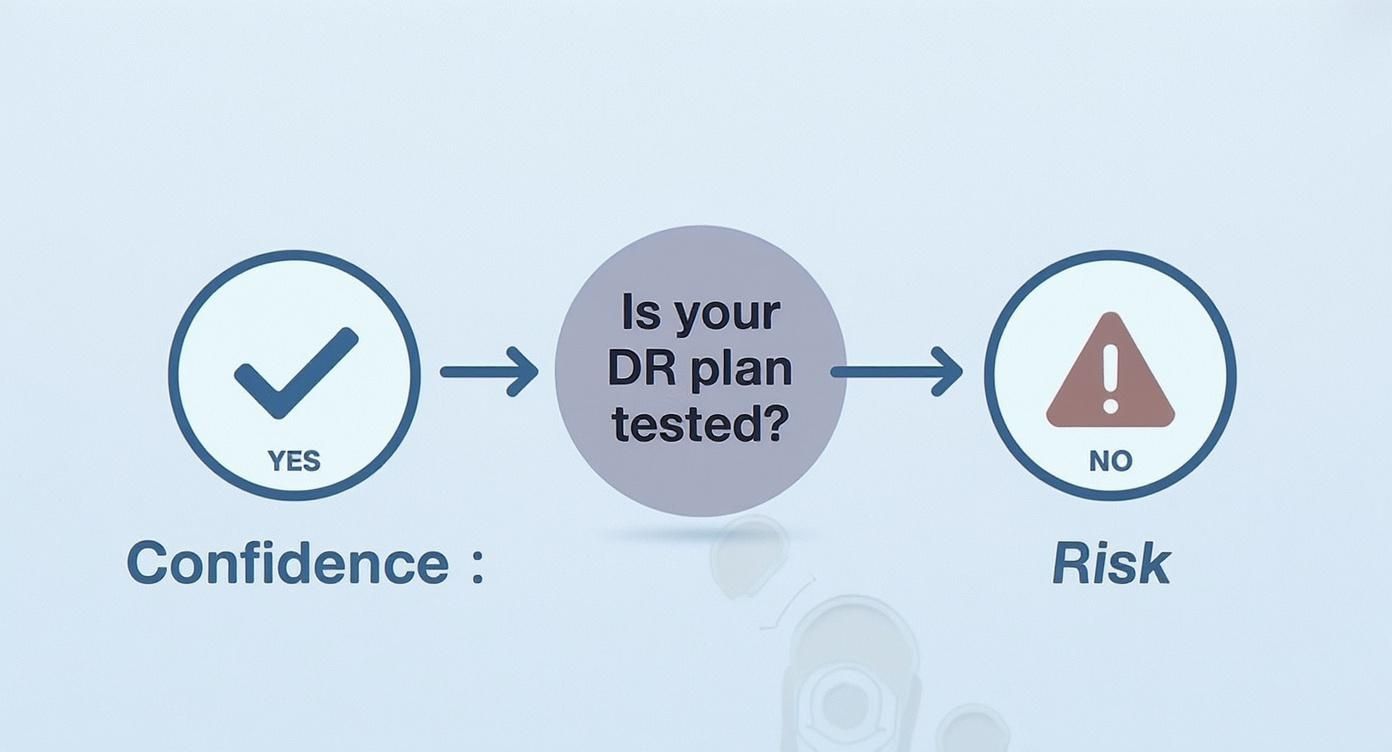
As you can see, testing isn't just a checkbox item; it's the only real way to build confidence that you can weather a storm.
To help you decide where to begin, let's look at the different types of DR tests. Each has its place in a well-rounded strategy, offering a different balance between validation and disruption.
Comparing Disaster Recovery Test Types
| Test Type | Primary Goal | Resource Intensity | Best For |
|---|---|---|---|
| Tabletop Exercise | Validate human responses, communication, and decision-making. | Low | Testing new plans, onboarding staff, and walking through non-technical disasters like ransomware. |
| Walkthrough Simulation | Confirm procedural accuracy and team access to recovery tools. | Low-to-Medium | Verifying that documentation is correct and that the team can perform basic steps in the recovery environment. |
| Partial Failover | Validate RTO/RPO for specific, critical systems in isolation. | Medium-to-High | Testing a single application or database without impacting production. Great for new backup solutions. |
| Full Failover | Prove the entire organization can operate from the DR site. | High | The ultimate annual or bi-annual test to validate the entire DR plan and uncover system dependencies. |
This table provides a quick reference, but the real value comes from understanding the nuances of each approach and how they fit together to create a comprehensive picture of your organization's resilience.
H3: Tabletop Exercises: Validating People and Communication
The tabletop exercise is where every good testing program begins. It’s essentially a structured brainstorming session where your recovery team sits in a conference room and talks through a disaster scenario. No live technology is touched.
The whole point is to stress-test the human element of your plan.
- When to Use It: Perfect for bringing new team members up to speed, checking if your communication plan actually works, or walking through a complex event like a data breach where quick, smart decisions are paramount.
- Pros: Tabletop exercises are incredibly low-risk and low-cost. They are fantastic for finding gaps in your documentation and clarifying who is supposed to do what.
- Cons: This test can't prove your Recovery Time Objective (RTO) or Recovery Point Objective (RPO) are achievable. It only confirms that your team knows the plan, not that the technology behind the plan actually works.
For example, a regional bank could run a tabletop for a scenario where their main branch's network goes down during business hours. The team would talk through how they'd notify tellers, redirect customers to other branches, and switch to offline transaction processing, all without causing a single second of actual downtime.
H3: Walkthrough Simulations: Testing the Procedures
A walkthrough simulation is the next logical step up. Here, your team still talks through the scenario, but they also perform basic, non-disruptive actions along the way. This might involve someone logging into the backup system's admin console to confirm its status or checking that a specific recovery script is actually where the documentation says it is.
This moves the conversation from theory to practice.
A walkthrough forces the team to do more than just remember the plan; they have to interact with the recovery environment. It’s amazing how often this simple step uncovers problems with forgotten passwords, incorrect permissions, or outdated server names.
H3: Partial Failover Tests: Targeting Specific Systems
With a partial failover (sometimes called a parallel test), you start getting your hands dirty with technology. This test involves recovering a single application or a small group of systems into an isolated network segment, completely separate from your live production environment.
This is your first chance to get real performance data in a controlled, safe way.
- When to Use It: A partial failover is ideal for validating the backup and recovery process for a critical database or confirming that a complex, multi-tier application can be brought online from scratch.
- Pros: This is where you get real-world validation of RTO and RPO for specific systems without putting the business at risk. It’s the perfect middle ground.
- Cons: You need a dedicated, isolated recovery environment, which adds cost and technical complexity. It also won't reveal hidden dependencies between the system you're testing and other production services.
Imagine a logistics company testing the recovery of its warehouse management system. They could restore the application servers and database to their DR site and run a series of automated scripts to simulate order processing, all while the live system continues to operate completely unaffected.
H3: Full Failover Tests: The Ultimate Proof
This is the big one. A full failover test is the most comprehensive, high-stakes exercise you can run. It involves shutting down your primary data center and shifting your entire operational workload to your secondary DR site.
A full failover is the only way to prove, without a shadow of a doubt, that your business can survive a catastrophic event. Because the risk is so high, these tests are planned meticulously and usually happen just once a year over a weekend. It's the final exam for your DR plan, and passing it means you're truly prepared.
How to Plan and Prepare Your DR Test
A disaster recovery test that runs smoothly is no accident. In my experience, success is almost entirely determined by the quality of the prep work. Think of it like a theatrical production: the performance you see on stage is the result of countless hours of planning, scripting, and rehearsal. Without that foundational work, the real event is guaranteed to be a chaotic mess.
The same principle applies directly to your DR testing. A well-prepared test doesn't just run more efficiently; it produces far more valuable insights. It’s the difference between a frantic, disorganized scramble and a calm, methodical validation of your capabilities.
Set Clear Objectives and Success Criteria
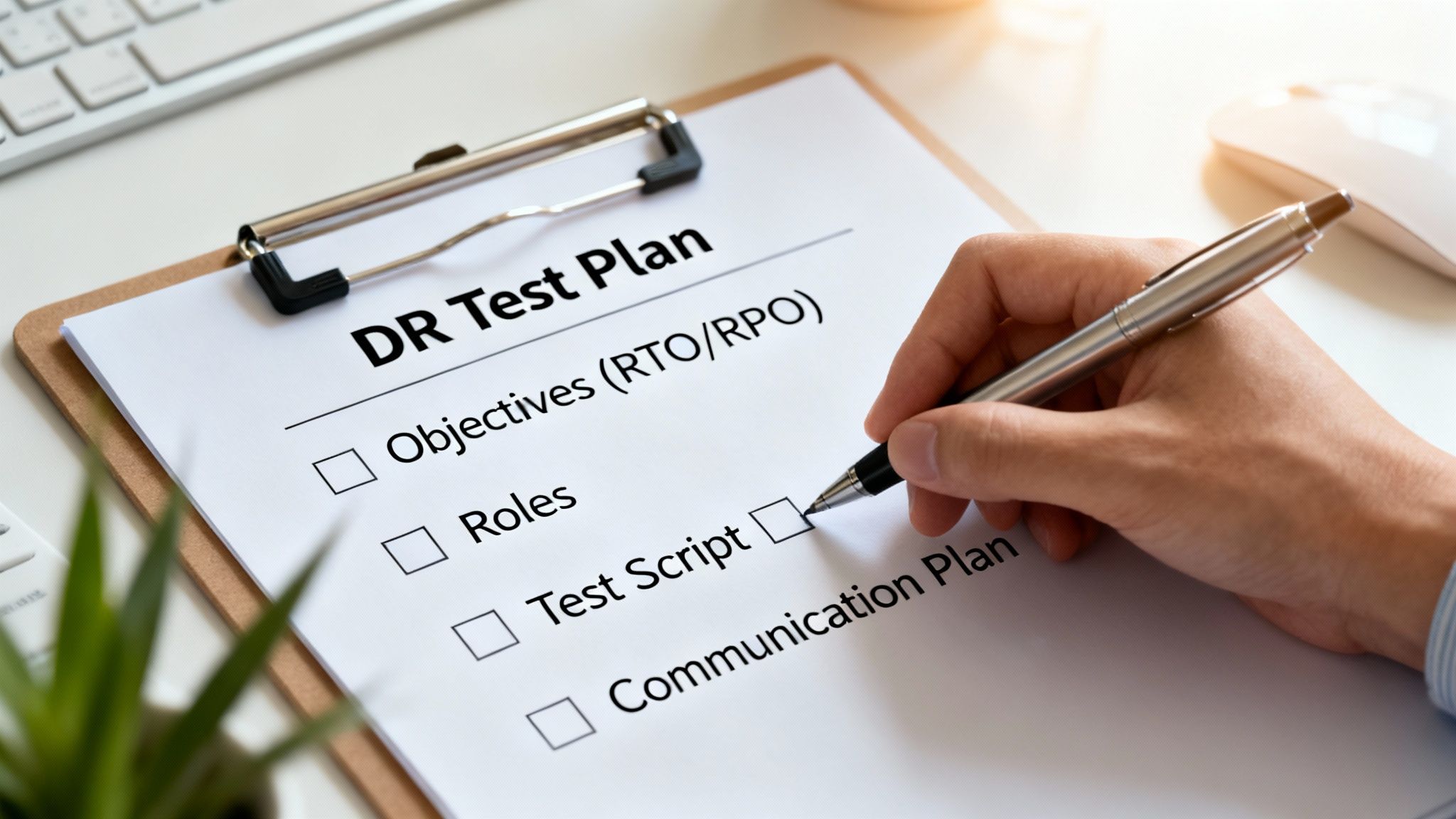
Before you touch a single server or write a line of code, you have to define what a "win" looks like. What are you actually trying to prove with this test? A vague goal like "testing the DR plan" is useless. You need specific, measurable objectives that leave no room for debate later.
Good objectives are always tied directly to business requirements. Instead of a generic goal, aim for something concrete and provable:
- Validate that the e-commerce platform can be fully recovered and processing transactions in under two hours (RTO).
- Confirm that the customer database can be restored with no more than 15 minutes of data loss (RPO).
- Prove that the marketing team can access their critical files from the DR site within 30 minutes of a declared disaster.
These clear targets become your pass/fail criteria. When the test is over, you'll have a straightforward way to see what worked and what didn't, making the whole analysis so much more effective.
Assemble Your Disaster Recovery Team
A successful test needs a well-defined team where everyone knows exactly what they're supposed to be doing. Any ambiguity about roles during a live test will cause delays and mistakes. It's crucial to assign responsibilities to ensure everyone acts in a coordinated, accountable way.
Your core team should include these key players:
- Test Coordinator: This is the director of the show. They oversee the entire test, manage the timeline, and act as the central point of communication.
- Technical Leads: These are your specialists—the network, storage, database, and application experts who will be hands-on, executing the technical recovery steps.
- Observers/Scribes: Their only job is to watch and document everything. They log key timestamps, note any deviations from the plan, and capture unexpected issues as they happen.
- Business Stakeholders: You need people from the departments whose systems you're testing. They are absolutely essential for validating that an application is truly "working" from a user's perspective, not just that the server is online.
Having distinct roles is non-negotiable. I've seen it happen too many times: one person tries to be both the Technical Lead executing the steps and the Scribe documenting them. Critical details always get missed. Separation of duties ensures accuracy.
Develop Realistic and Plausible Test Scripts
Your test script is your screenplay for the simulated disaster. It should be a detailed, step-by-step guide that walks the team through the entire test from start to finish. A common mistake is creating a script for a simple server failure when the real threat might be a multi-system ransomware attack or a total site outage.
Your script needs to mirror a scenario you might actually face. For example, if a regional power outage is your biggest concern, the script must include steps for failing over all systems that rely on that specific data center. This is how you turn a simple drill into a true validation of your defenses against likely threats.
The challenges organizations report often point directly to where scripts need to be tougher. Common pain points include dealing with timely system updates (33%), ensuring knowledgeable IT staff are available (26%), and getting different recovery tools to work together (25%). These are exactly the friction points your test script should be designed to uncover.
And don't forget, when your business undertakes a major infrastructure shift, like a large-scale data center migration, it's a critical moment to revisit and re-test your DR plan. Reviewing data center migration best practices can help inform that planning process.
Plan Your Communications Strategy
How you communicate during a DR test is almost as important as the technical execution itself. Get this wrong, and you risk causing a real-world panic. Key people might think an actual disaster is underway, leading to a storm of confusion and unnecessary escalations.
Before you start, build a detailed communication plan that specifies:
- Who to Notify: Make a list of every stakeholder, from the IT team to executive leadership and even key vendors.
- What to Say: Prepare template messages for different stages: test start, key milestones, test completion, and rollback.
- When to Communicate: Define the triggers for each message (e.g., "send an email to leadership once the primary database is restored").
- How to Communicate: Use dedicated channels, like a specific Slack channel or email list, clearly marked "DR TEST" to avoid any confusion.
Proper planning and clear communication are the foundations of effective DR testing. While many small and midsize businesses can manage this process internally, organizations with complex compliance needs like CMMC or HIPAA often find that professional managed IT and cybersecurity services provide the expert oversight needed to ensure every detail is covered.
Executing the Test Without Causing Chaos
Alright, it's test day. All the planning comes down to this moment, and you can feel the tension in the air. The secret to a successful test isn't just about having the sharpest tech minds in the room; it’s about maintaining calm, methodical coordination.
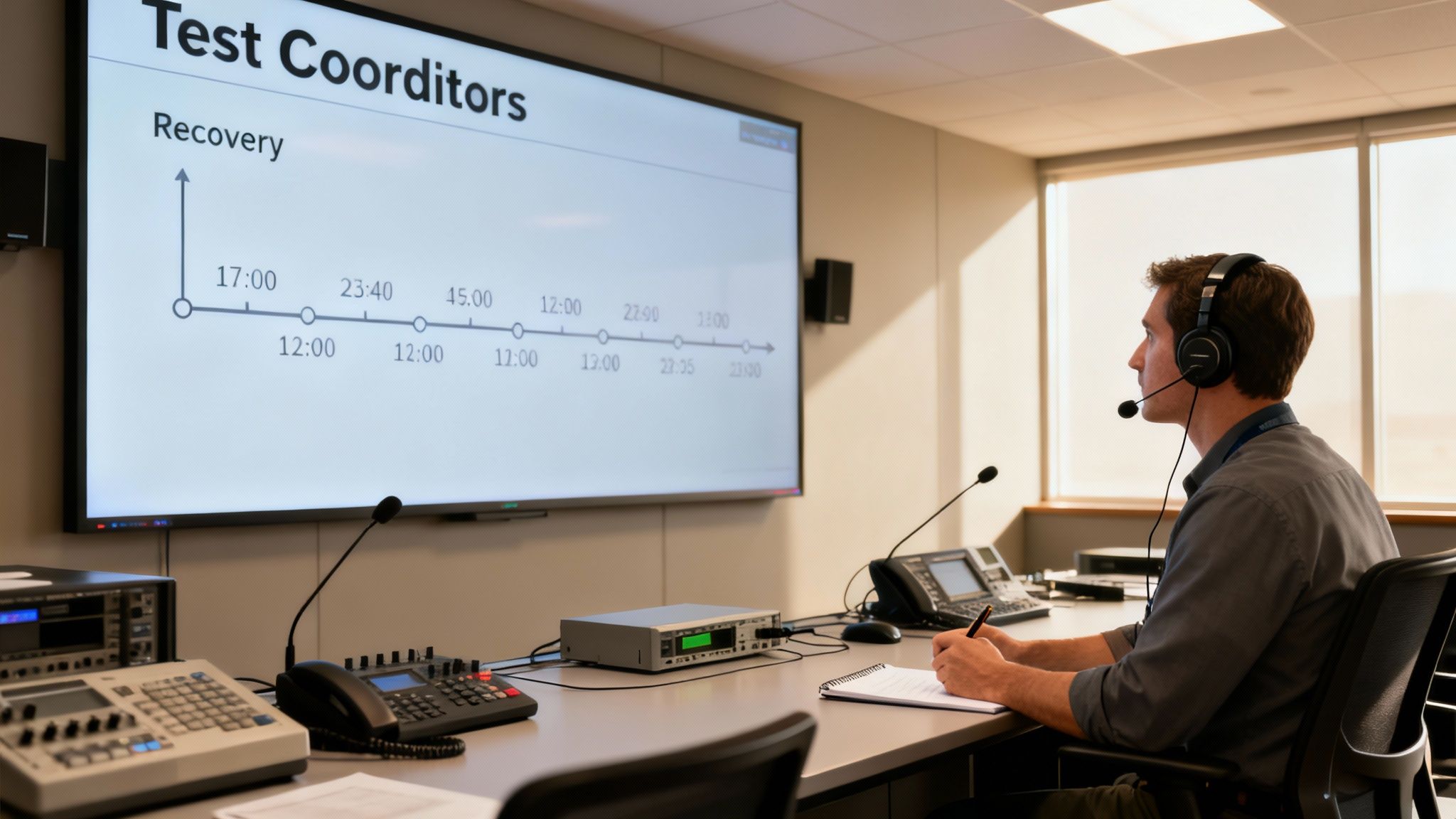
Think of it as a controlled experiment, not a fire drill. Your Test Coordinator is the quarterback here, responsible for kicking things off, keeping everyone talking, and making sure the whole exercise stays on script and on schedule.
The first move is a formal kickoff. The Test Coordinator needs to get the entire team together—tech leads, observers, business stakeholders—for one last huddle. This isn't the time to re-read the entire plan. It's a quick readiness check, a reminder of the day's goals, and the official start of the clock. Formally starting the test is the only way you’ll ever get an accurate measurement of your Recovery Time Objective (RTO).
Observation and Meticulous Documentation
While your technical team is busy executing the recovery steps, the observers have an equally critical job. Their only task is to watch and record everything that happens. This is what turns a simple technical exercise into a goldmine of data for improvement.
Effective documentation is all about the details. Observers should be logging every key event with a precise timestamp. It's not good enough to jot down "database restored." It has to be "Primary database restored and accessible at 10:15 AM." That level of detail is absolutely essential for validating your RTO and RPO metrics.
Here’s what your observers should be laser-focused on:
- Start and End Times: The exact moment each major phase kicks off and concludes.
- Deviations from the Script: Any step taken out of order, skipped entirely, or requiring a creative workaround that wasn't in the plan.
- Unexpected Issues: Every single hurdle—a script that fails, a login that doesn't work, a system that takes forever to boot.
- Decisions Made: Note the critical choices the team makes on the fly, like deciding to restore from a different backup set than planned.
This kind of rigorous logging creates an objective, unbiased record of what really happened. It gives you the hard evidence you need to pinpoint bottlenecks and justify real improvements to your DR plan.
Handling Problems in Real Time
Let's be honest: no DR test goes perfectly. If it does, you probably didn't push it hard enough. You want to find the cracks in this controlled environment.
When things go sideways, how the team responds is just as telling as the technical fix itself. The Test Coordinator has to keep a firm hand on the wheel and prevent a minor hiccup from turning into a full-blown derailment.
The single most important rule when problems pop up is to avoid the "hero" mentality. When something breaks, fight the urge for that one superstar engineer to jump in and fix it from memory. The whole point is to see if the documented procedure allows the designated team to solve it. If it doesn't, that's a massive finding.
You also have to know when to pull the plug. If a test starts bleeding into production systems or if you hit a snag so big it's going to eat up the rest of your testing window, the Test Coordinator needs the authority to pause or even abort the test. It's a tough call, but it protects the business and ensures you can still learn from what you’ve accomplished.
The Critical Rollback Phase
Once you’ve met your test objectives, you’re at the most critical step: the rollback. This is where you cleanly return everything to its normal, pre-test state. I've seen more damage done by a botched rollback than by the simulated disaster itself.
Your plan absolutely must include a detailed, pre-verified rollback procedure. This means methodically shutting down the recovery environment, making sure no test data has contaminated production, and getting a thumbs-up from everyone that business is back to normal. The Test Coordinator shouldn't declare the test complete until every technical and business stakeholder has confirmed a successful rollback.
For companies in regulated industries, this is where having an expert partner can be a lifesaver. It’s a key reason why many San Antonio businesses trust DefendIT Services for cybersecurity and IT solutions; their oversight ensures these make-or-break procedures are handled with the precision they demand.
Turning Test Results into Actionable Improvements
So, the test is over and you've rolled everything back to normal. Great. Now the real work begins.
A DR test without a rigorous follow-up is just a planned outage—a disruption with no real payoff. The entire point of the exercise is to turn the chaos, observations, and raw data into a concrete roadmap for improvement. This post-mortem process is what separates the organizations that just check the compliance box from those that build genuine resilience.
Forget about pointing fingers. This debrief isn’t about blame; it’s a forensic analysis of what actually happened. The goal is to uncover the weak spots in your plan, your documentation, or your technology. A successful test isn't one where everything goes perfectly. It’s one where you find the cracks in the armor so you can fix them before a real disaster does.
Digging into the Test Data
First thing's first: gather all the evidence. You need the observers' detailed logs, any system-generated reports, and the scribbled notes from the tech team scrambling to make things work. You're looking for the story behind the numbers. To really make sense of it all, you need to apply some solid principles of data-driven decision making.
Your main job here is to square the actual results with the goals you set in the planning phase.
Did We Hit Our RTO? If you promised the business the e-commerce site would be back up in under two hours, what was the actual time? The observer logs should give you a precise timestamp when the system was fully functional and the business users gave the thumbs-up.
How Much Data Did We Lose (RPO)? This is just simple math. Compare the timestamp of the last confirmed transaction in the recovered database to the timestamp when the "disaster" was declared. If your RPO is 15 minutes but you found a 25-minute data gap, you’ve got a serious problem.
Where Did the Plan Break Down? Look for every instance where the team had to go off-script. Did a command in the runbook fail? Was a password outdated? These moments are pure gold because they show you exactly which parts of your DR plan are broken.
Writing the After-Action Report
With your analysis done, it's time to consolidate everything into a formal post-test report. This document is the official record of what happened and becomes the foundation for everything you do next. It can't be some dense, 50-page technical tome; it needs to be sharp and clear enough for both your engineers and the C-suite.
A solid report always has these key pieces:
- Executive Summary: A one-page, high-level overview. What did we test? Did we pass? What are the one or two most critical things we learned?
- Timeline of Events: A simple, chronological log of key milestones from the test kickoff to the final "all clear."
- Key Findings: A straight-to-the-point, bulleted list of what worked well and, more importantly, what didn’t. No sugarcoating—just the facts backed by the data you collected.
- Specific Recommendations: For every single negative finding, there must be a matching recommendation for a fix. This is where you pivot from analysis to action.
Your post-test report is more than just a summary; it's a mandate for change. It translates the lessons learned during a controlled exercise into a clear business case for investing time and resources in strengthening your defenses.
Building Your Remediation Plan
This is the final—and most important—step. The remediation plan turns those recommendations into actual tasks assigned to real people with firm deadlines. If you skip this, I guarantee you'll be dealing with the exact same problems during your next test.
Let’s say you missed your RTO by 30 minutes because a DBA had to manually troubleshoot a finicky script. Your action item writes itself.
- Gap Identified: Manual script for database recovery is slow and error-prone, causing a 30-minute delay.
- Action Item: Automate the database recovery script.
- Owner: DevOps Team Lead.
- Deadline: End of next quarter.
This level of specificity is non-negotiable. It creates accountability and ensures every gap you uncovered gets closed. This cycle of testing, analyzing, and improving is the very core of operational readiness. It’s how you transform a dusty DR plan on a shelf into a living, breathing capability that actually protects the business when it matters most.
Answering Your Top Questions About DR Testing
Even with a detailed playbook, you're bound to have questions when it's time to test your disaster recovery plan. That’s perfectly normal. Getting straight answers to common concerns is the best way to demystify the process and get everyone on the same page. Let's dig into some of the most common questions I hear from organizations.
How Often Should We Really Be Doing This?
There’s no magic number here—the right frequency really depends on your business. You have to consider industry regulations, how much downtime you can realistically tolerate, and how often your tech stack changes.
As a baseline, you should aim for a full or partial failover test on your most critical systems at least once a year. It’s the only way to be absolutely sure your tech can actually be recovered when you need it most.
But don't wait a full year between tests. You can (and should) do less intensive drills more often.
- Tabletop Exercises: These are perfect for a quarterly or bi-annual gut check. They keep your team's decision-making sharp and are an excellent way to game out new scenarios, like a new type of ransomware attack.
- Simulations: A semi-annual walkthrough is a great way to make sure your documentation is still accurate and that key personnel haven't lost access to essential recovery tools.
And a pro tip: if you've just made a major change, like migrating to a new cloud provider, test your DR plan immediately. Never assume old procedures will work in a new environment.
What Are the Biggest Mistakes People Make?
I’ve seen a lot of tests that look good on paper but fail to deliver real value. They almost always fall into a few common traps. The absolute biggest one is what I call "hero dependency"—where the entire recovery relies on one or two people who hold all the secret knowledge. A good test proves your process works, not that a single person is indispensable.
Poor communication is another classic blunder. If you don't clearly announce that a test is happening, you risk causing a real panic when people think an actual disaster is underway. It completely undermines trust and can bring business to a screeching halt.
Here's the most important mindset shift: a DR test isn't a pass/fail exam for an auditor. Its real purpose is to find what’s broken. If your test goes perfectly, it probably wasn't hard enough. Every problem you find is a win—because you found it on your own terms, not during a real crisis.
How Can We Test Without Taking Down Production?
This is the big one. Everyone worries about disrupting the business, and for good reason. Thankfully, you have solid options for testing your plan without touching your live environment.
The best approach is to use an isolated recovery environment, sometimes called a sandbox or network bubble. This allows you to spin up your restored servers and applications on a completely separate network. Your team gets to poke and prod everything to confirm it works, with zero risk of interfering with the live business.
A few other non-disruptive methods work well too:
- Targeted Component Tests: Instead of failing everything over, just focus on a single redundant system or a less critical application. You can often do this after hours to minimize any potential impact.
- Simulations and Tabletops: These are inherently safe. You’re testing the plan and the people, not flipping any switches on live technology.
No matter what, a detailed, pre-verified rollback plan is an absolute must. You have to know exactly how to get back to normal before you even start.
At Defend IT Services, we help San Antonio businesses design and execute disaster recovery testing procedures that build true resilience without causing operational chaos. Find out how our managed IT and cybersecurity expertise can protect your organization at https://defenditservices.com.