
Multi-factor authentication (MFA) is no longer an optional security layer; it's a fundamental defense against 99.9% of account compromise attacks. However, simply 'turning on' MFA isn't enough. The difference between a basic implementation and a resilient security posture lies in adopting proven strategies that address policy, technology, and user behavior. Implementing MFA is a foundational element of a robust security in layers (defense-in-depth) strategy, adding a critical barrier against unauthorized access. This is especially true for small and midsize businesses, where a single breach can be catastrophic.
Implementing comprehensive multi factor authentication best practices is a critical step toward building a secure and scalable operation. This guide moves beyond the simple setup and provides an in-depth roundup of 10 essential MFA best practices. We offer actionable insights and practical steps to transform your authentication security from a simple checkbox to a formidable barrier against evolving cyber threats. You will learn not just what to do, but how to do it effectively.
We will explore everything from deploying the most secure authentication methods like FIDO2 hardware keys to establishing robust recovery protocols and proactive monitoring. This listicle is tailored for organizations that need to meet compliance standards like HIPAA, manage privileged accounts, and protect sensitive data across cloud and on-premise environments. By the end of this article, you will have a clear roadmap for enforcing stronger authentication policies, training users effectively, and continuously improving your security framework to counter sophisticated attack vectors.
1. Implement MFA for All User Accounts
The most common mistake businesses make with multi-factor authentication (MFA) is selective deployment. While it seems logical to protect only administrative or privileged accounts, this leaves significant gaps in your security posture. Enforcing MFA across all user accounts, from the CEO to the newest intern, is a foundational multi-factor authentication best practice that provides comprehensive protection.
This universal approach ensures that every potential entry point to your network and data is fortified. A single compromised non-privileged account can serve as a beachhead for an attacker to move laterally within your network, escalate privileges, and eventually gain access to critical assets. By requiring a second verification factor for every user, you neutralize the threat posed by stolen passwords across the entire organization.
Why Universal MFA is Non-Negotiable
A widespread security misconception is that only "important" accounts need MFA. However, cybercriminals often target lower-level employees precisely because their accounts are perceived as less valuable and are often less protected.
A threat actor doesn't need C-level credentials to cause damage. Access to any employee's email or cloud storage can be enough to launch phishing campaigns, exfiltrate sensitive data, or deploy ransomware. Universal MFA closes this common and dangerous attack vector.
Actionable Implementation Strategy
Rolling out MFA organization-wide requires careful planning to minimize disruption and maximize adoption. A phased approach is often most effective.
- Phase Rollouts: Start with a tech-savvy department or a pilot group to identify potential challenges. Gradually expand the deployment department by department or by user role.
- Provide Robust Support: Offer multiple training sessions, create clear "how-to" guides with screenshots, and establish a dedicated support channel for MFA-related questions during the transition period.
- Offer Grace Periods: Give users a clear deadline for enrollment (e.g., 14-30 days) before MFA becomes mandatory. This allows them to adapt without sudden lockouts.
- Monitor and Adapt: Use admin dashboards in platforms like Microsoft 365 or Google Workspace to track adoption rates. Gather user feedback to adjust policies or provide additional resources where needed.
For small and growing businesses, establishing a strong security foundation is crucial for sustainable success. You can find out more by reading about the importance of cybersecurity for growing businesses. By making MFA a universal requirement, you significantly elevate your defenses against the most prevalent cyber threats.
2. Use FIDO2 and Hardware Security Keys
While any MFA is better than none, not all authentication factors are created equal. FIDO2 (Fast IDentity Online) and hardware security keys represent the gold standard in authentication, offering a level of security that is nearly immune to common attacks like phishing and man-in-the-middle exploits. This is a crucial multi-factor authentication best practice for businesses handling sensitive data.

Unlike codes sent via SMS or generated by an app, FIDO2 uses public-key cryptography. When a user registers a key, a cryptographic key pair is created. The private key stays securely on the physical device (like a YubiKey or Titan Security Key) or platform authenticator (like Windows Hello), while the public key is sent to the service. Authentication involves the service sending a challenge that only the device's private key can solve, proving both possession of the key and user presence.
Why Phishing-Resistant MFA is the Goal
Traditional MFA methods can still be bypassed. Attackers can create fake login pages to trick users into entering their password and their one-time passcode. Since FIDO2 keys bind the authentication to the specific website's domain, a fake site cannot receive the correct cryptographic response, rendering the phishing attempt useless.
Google famously reported zero successful phishing attacks on over 85,000 employees after mandating the use of hardware security keys. This demonstrates the profound effectiveness of FIDO2 in eliminating the most common and costly cyber attack vector.
Actionable Implementation Strategy
Deploying hardware security keys requires a clear policy for device management and user training. It provides the highest security assurance for critical systems and privileged accounts.
- Provide Primary and Backup Keys: Issue each user two keys. One for daily use and a second to be stored in a secure location (like a safe) in case the primary is lost or damaged.
- Establish Key Lifecycle Policies: Create documented procedures for provisioning new keys, revoking access for lost or stolen keys, and securely decommissioning keys when an employee departs.
- Train Users on Proper Use: Educate employees on how to use their keys, the importance of not sharing them, and the process to follow if a key is misplaced.
- Prioritize Critical Access: If a full rollout isn't immediately feasible, start by requiring FIDO2 keys for administrators, executives, and employees with access to financial, PII, or other highly sensitive data.
For a deeper understanding of how FIDO2 technology works to secure your accounts, the FIDO Alliance provides a clear overview of its protocol.
3. Enable Conditional Access and Risk-Based Authentication
While universal MFA is the baseline, a more sophisticated approach involves dynamically adjusting security requirements based on context. Conditional Access and risk-based authentication evaluate factors like user location, device health, and network conditions to apply stronger controls only when risk indicators are present. This intelligent approach is a crucial multi-factor authentication best practice for balancing robust security with a seamless user experience.
This method moves beyond a simple "allow" or "deny" decision. Instead, it assesses the risk of each login attempt in real time. A user logging in from a known office network on a company-managed device might not be prompted for MFA, but the same user attempting to log in from an unfamiliar country at 3 AM would be required to provide multiple verification factors. This adaptive security model minimizes friction for legitimate users while escalating protection against suspicious activities.
Why Intelligent Authentication is a Game-Changer
Static security policies can be either too restrictive, frustrating users, or too permissive, creating vulnerabilities. Conditional access allows you to create granular, risk-aware policies that adapt to the ever-changing threat landscape, a core principle of modern cybersecurity.
Your security shouldn't be a blunt instrument. By evaluating the context of each access request, you can apply friction only when it's truly needed, making your defenses both stronger and smarter. This prevents "MFA fatigue" and improves user compliance.
Actionable Implementation Strategy
Platforms like Microsoft Azure AD, Okta, and Ping Identity offer powerful conditional access policy engines. A successful rollout requires a methodical, data-driven approach.
- Start with Conservative Policies: Begin by implementing policies in "report-only" mode to understand their impact without blocking users. A good starting point is to require MFA for all access attempts from outside your corporate network.
- Establish Behavioral Baselines: Allow the system to gather data to understand normal user behavior. This helps improve the accuracy of risk detection and reduces false positives over time.
- Combine Multiple Risk Signals: Create more effective policies by layering conditions. For example, you could block access entirely if a login attempt comes from an anonymous IP address and a device that is not compliant with security policies.
- Document and Refine: Clearly document every policy, including its purpose and scope. Regularly review sign-in logs and risk events to fine-tune your rules and adapt to new threats.
Implementing conditional access is a foundational step towards adopting a modern security framework. This approach is central to a Zero Trust Architecture that assumes no user or device is inherently trustworthy, reinventing security for today’s threats.
4. Prioritize Push Notifications Over SMS and Email
Not all multi-factor authentication methods are created equal. While SMS and email codes were once standard, they are now considered less secure due to vulnerabilities like SIM swapping and email account takeovers. A crucial multi-factor authentication best practice is to prioritize push notifications from authenticator apps, which offer a more secure and user-friendly experience.
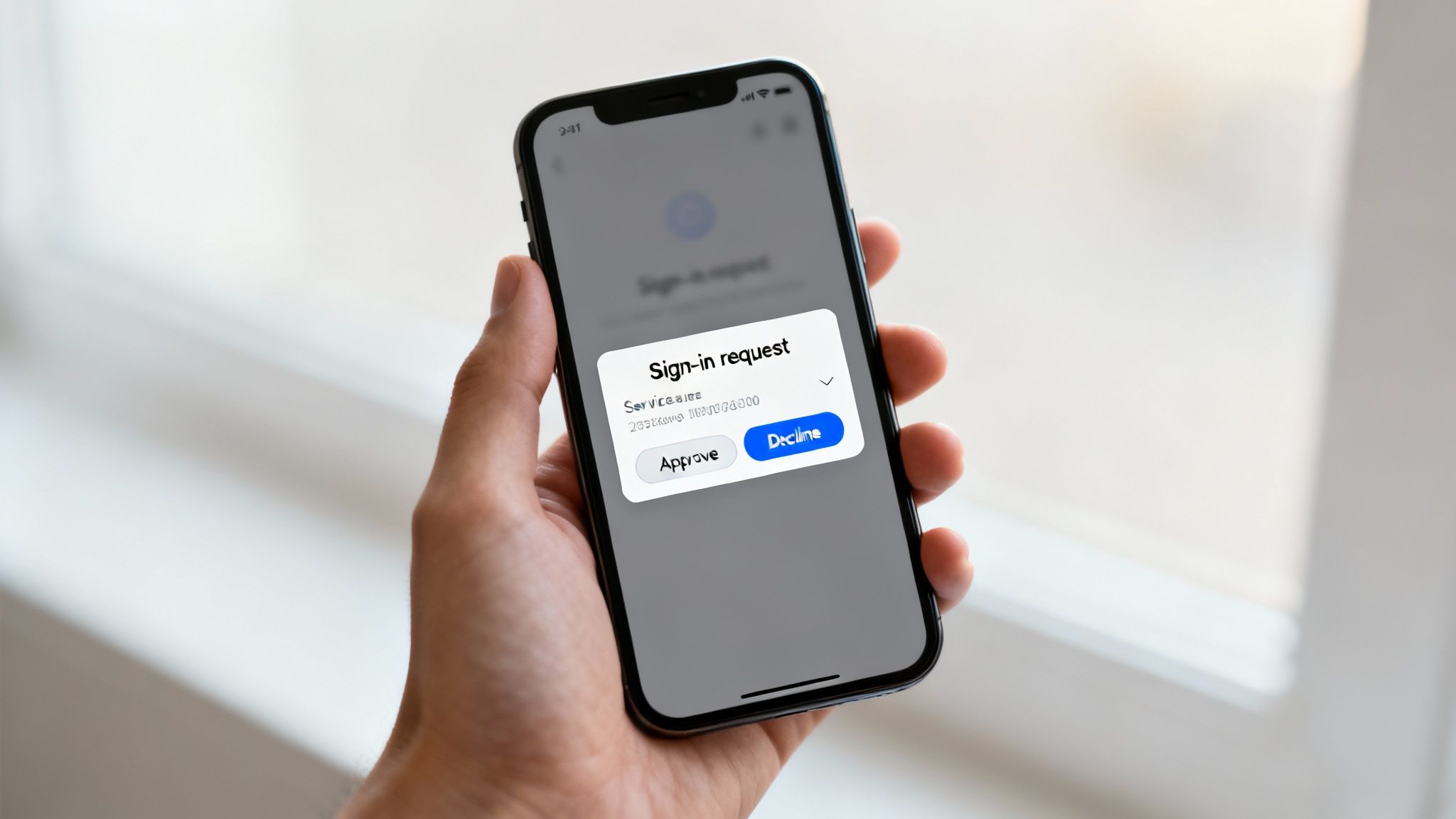
This method sends a real-time approval request directly to a user's pre-registered, trusted device. Instead of manually entering a code, the user simply taps "Approve" on their smartphone. This approach, used by apps like Microsoft Authenticator and Duo Security, validates the user’s identity through possession of the specific device, making it significantly harder for attackers to intercept or replicate.
Why Push Notifications are More Secure
The key advantage of push notifications lies in their resistance to common credential theft tactics. Unlike SMS codes, which can be rerouted through a SIM swap attack, a push notification is tied to the physical device and the authenticator app itself. It provides a secure, out-of-band channel for verification.
An attacker with a stolen password and the ability to intercept SMS messages can bypass MFA. A push notification, however, requires them to also have physical control of the user's unlocked smartphone, a much higher barrier. This closes the loop on attacks that exploit telecommunication and email vulnerabilities.
Actionable Implementation Strategy
Transitioning your team to push-based MFA enhances security without adding significant friction. A well-communicated rollout is key to successful adoption.
- Select a Robust App: Choose a trusted authenticator app that supports push notifications, such as Microsoft Authenticator, Okta Verify, or Duo Security, and standardize its use across the organization.
- Educate on "MFA Fatigue": Train employees to only approve requests they have personally initiated. Teach them to recognize and deny unexpected prompts, a common tactic in "MFA fatigue" attacks where attackers spam users with requests hoping for an accidental approval.
- Provide Clear Context: Configure your MFA system to display contextual information in the push notification, such as the application name and approximate geographic location of the login attempt. This helps users make informed decisions.
- Log and Monitor Events: Ensure all push authentication attempts, both approved and denied, are logged. This data is invaluable for identifying suspicious activity, such as repeated failed login attempts from a specific user or location.
5. Maintain Secure Backup and Recovery Codes
While robust MFA methods are designed for daily use, what happens when a user loses their phone or their authenticator app malfunctions? This is where secure backup and recovery codes become an essential safety net. These are single-use codes provided during initial MFA setup that grant access when primary authentication factors are unavailable, ensuring business continuity without compromising security.

Treating these codes as an afterthought is a critical mistake. If stored insecurely, such as in a plain text file on a desktop, they become a master key for an attacker who gains device access. Proper management of these codes is a non-negotiable component of a secure multi-factor authentication strategy, balancing accessibility with stringent protection.
Why Secure Code Management is Non-Negotiable
Backup codes are, by design, a powerful bypass mechanism. Failing to secure them properly negates the very protection MFA provides. An attacker who finds a user's recovery codes has effectively defeated their second factor of authentication.
Think of recovery codes like a spare key to your office. You wouldn't leave it under the doormat. Likewise, digital recovery codes must be stored with the same level of security as your master passwords, ideally in an encrypted vault or a secure password manager.
Actionable Implementation Strategy
Effective management of recovery codes involves both system-level policies and clear user guidance. The goal is to make them available in an emergency but difficult for an unauthorized party to access.
- Secure Storage Mandates: Instruct users to store codes immediately upon generation in a secure location. The best practice is an encrypted password manager. Discourage printing or saving them in unencrypted files on their local device.
- Generate Sufficient Codes: Configure systems like Google Workspace or Microsoft 365 to provide at least 10 single-use codes. This gives users multiple recovery options before they risk being locked out.
- Log and Alert on Usage: Your security systems should log every time a recovery code is used for authentication. Set up automated alerts to notify security personnel and the user of this activity, as it could indicate a compromised account.
- Enforce Code Rotation: Establish a policy that requires users to generate a new set of backup codes after one is used. This ensures the pool of valid bypass codes remains secure and unused codes from a potentially compromised set are invalidated.
6. Enforce MFA for Administrative and Privileged Accounts
While universal MFA is the goal, securing administrative and privileged accounts is an immediate, non-negotiable priority. These accounts, often called "the keys to the kingdom," hold elevated permissions that can reconfigure systems, access sensitive data, and create or delete other user accounts. Mandating MFA for these high-impact roles is one of the most critical multi-factor authentication best practices for preventing a catastrophic breach.
A compromised administrative account gives an attacker unparalleled control over your IT environment. They can disable security controls, exfiltrate entire databases, or deploy ransomware across the network with minimal resistance. By placing a strong MFA requirement on every privileged login, you create a powerful barrier that neutralizes the threat of stolen admin credentials, which are a primary target for sophisticated attackers.
Why Privileged Account MFA is an Urgent Priority
Treating privileged accounts with the highest level of security is fundamental. Attackers actively seek these credentials because they offer the most direct path to achieving their objectives, whether it's data theft, financial fraud, or operational sabotage.
The compromise of a single privileged account, like an Azure Global Administrator or an AWS root user, can lead to the complete takeover of your cloud infrastructure. Enforcing MFA on these accounts is the single most effective control to prevent this worst-case scenario.
Actionable Implementation Strategy
Securing privileged accounts requires a deliberate and stringent approach. This should be the very first step in any MFA deployment plan, implemented even before a general user rollout.
- Prioritize Critical Roles: Immediately enforce MFA on accounts with the highest privileges, such as Global Administrators in Microsoft 365, IAM administrators in AWS, and root/superuser accounts on critical servers.
- Use Phishing-Resistant Methods: For these high-value accounts, mandate the use of the strongest authentication methods available, such as FIDO2-compliant hardware security keys (e.g., YubiKey) or certificate-based authentication.
- Establish Emergency Access Procedures: Create a secure "break-glass" procedure for emergency access to admin accounts in case MFA devices are lost or unavailable. This process should be heavily audited and require multiple approvals.
- Regularly Audit and Monitor: Continuously monitor privileged account activity and regularly audit their MFA status to ensure compliance. Look for and investigate any signs of MFA bypass attempts or unusual login patterns.
For businesses managing complex IT environments, ensuring these critical accounts are properly secured is paramount. You can discover more about how expert oversight strengthens security by learning about the benefits of managed IT and cybersecurity services. Protecting your admin accounts first builds a secure foundation for your entire organization.
7. Implement Time-Based One-Time Passwords (TOTP) with Offline Support
While SMS and push notifications are common MFA methods, they rely on network connectivity, which can be a significant drawback. A superior multi-factor authentication best practice is to standardize on Time-Based One-Time Passwords (TOTP). This method uses an authenticator app (like Google Authenticator or Authy) to generate a six-digit code that refreshes every 30 seconds, providing robust security that works completely offline.
This offline capability is a game-changer for businesses with remote employees, frequent travelers, or staff working in areas with poor cellular service. Because TOTP relies only on a shared secret key and the current time, it functions seamlessly anywhere in the world without depending on a carrier network. This eliminates a common point of failure and user frustration associated with other MFA methods.
Why TOTP is a Reliable Choice
The strength of TOTP lies in its simplicity and universal compatibility. Unlike proprietary push-based systems, it is an open standard supported by a vast ecosystem of applications and services, from cloud platforms like AWS and Microsoft 365 to internal business software.
Relying on SMS for MFA introduces dependencies on cellular carriers and exposes your organization to SIM-swapping attacks. TOTP removes these external risks by keeping the entire authentication process self-contained on the user's device, making it a more secure and reliable option.
Actionable Implementation Strategy
Successfully deploying TOTP requires a user-centric approach that simplifies setup and provides clear guidance for recovery. This ensures high adoption rates and minimizes help desk requests.
- Prioritize QR Code Setup: During enrollment, display a QR code for users to scan with their authenticator app. This is the fastest and most error-proof way to establish the shared secret.
- Emphasize Backup Codes: Instruct users to immediately save their one-time recovery codes in a secure location, like a password manager or a physical safe. These codes are their only lifeline if they lose their device.
- Provide Time-Sync Guidance: The most common TOTP issue is a time drift between the user's device and the server. Prepare a simple troubleshooting guide explaining how to enable "Automatic time" settings on both iOS and Android devices.
- Implement Server-Side Clock Skew: Configure your authentication server to accept codes from the previous and next time windows (e.g., allowing a code for +/- 30 seconds). This small buffer accommodates minor time discrepancies and prevents legitimate login failures.
8. Monitor and Alert on MFA Bypass and Anomalous Authentication Events
Implementing MFA is a critical preventive control, but it's not a "set it and forget it" solution. A mature security strategy requires robust monitoring and alerting to detect when these controls fail or are being actively attacked. This detective layer is a core component of modern multi-factor authentication best practices, providing the visibility needed to respond to threats in real time.
Continuous monitoring allows you to identify suspicious activities that could indicate a compromised account, even if an MFA challenge was successfully passed. Events like multiple failed MFA attempts, successful logins from geographically impossible locations, or MFA configuration changes by non-administrators are all red flags. Without a system to track and alert on these events, an attacker could operate within your network undetected for an extended period.
Why Real-Time Monitoring is Crucial
Threat actors constantly evolve their tactics to circumvent security controls. They may attempt to trick users into approving MFA prompts (MFA fatigue attacks), exploit misconfigurations, or use stolen session cookies to bypass authentication altogether. Real-time monitoring turns your MFA system into an active defense mechanism.
An alert for an MFA bypass attempt or a login from an unrecognized country is your first line of defense against an active intrusion. It transforms your security from a passive wall into an active alarm system, enabling rapid incident response before significant damage can be done.
Actionable Implementation Strategy
Setting up effective monitoring requires a combination of technology and process. You must define what "normal" looks like to accurately spot the abnormal.
- Establish a Baseline: Analyze authentication logs over a period (e.g., 30 days) to understand normal user behavior, including typical login times, locations, and device types.
- Configure High-Fidelity Alerts: Set up alerts for specific high-risk events, such as MFA being disabled on an account, multiple failed MFA challenges followed by a success, or logins from IP addresses associated with TOR or anonymous proxies.
- Integrate with a SIEM: Feed authentication logs from your identity provider (like Azure AD or Okta) into a Security Information and Event Management (SIEM) tool like Splunk or Azure Sentinel. This correlates MFA events with other network and endpoint data for a complete picture.
- Develop Response Playbooks: Create clear, step-by-step procedures for your team to follow when an MFA-related alert is triggered. This should include steps to verify the activity with the user, disable the account if necessary, and initiate a password reset.
9. Establish Clear MFA Recovery and Support Procedures
A robust MFA implementation is only as strong as its recovery process. When users inevitably lose their phone, break their hardware token, or are otherwise unable to provide their second factor, a well-defined recovery procedure is critical. This process must balance security with usability, ensuring that legitimate users can regain access without creating a loophole for attackers.
Having a clear, documented, and secure account recovery plan is a multi-factor authentication best practice that prevents operational gridlock and user frustration. Without it, employees may be locked out of essential systems for extended periods, disrupting productivity. More importantly, an ad-hoc or insecure recovery process can completely undermine the security benefits that MFA provides, effectively creating a back door for unauthorized access.
Why a Documented Recovery Process is Essential
Forgetting a password is a common issue, but losing an MFA device presents a more significant security challenge. A help desk technician cannot simply reset a password; they must have a protocol to verify the user's identity with a high degree of certainty before temporarily disabling MFA or assisting with re-enrollment.
An attacker who compromises a user's password will immediately probe for weaknesses in the account recovery process. If your support team can be socially engineered into resetting MFA with minimal verification, your entire security investment is nullified. A strict, documented protocol is your primary defense against this tactic.
Actionable Implementation Strategy
Building a secure and efficient MFA recovery system involves creating tiered procedures and training your support staff to follow them rigorously. This ensures that help desk personnel become a security asset, not a vulnerability.
- Implement Tiered Verification: For low-risk accounts, a manager's email confirmation might suffice. For high-privilege accounts, require multiple forms of verification, such as a video call with a photo ID, answers to pre-set security questions, or approval from multiple managers.
- Train Support Staff: Conduct mandatory training for all IT and help desk staff on the exact MFA recovery procedures. Use role-playing exercises to prepare them for potential social engineering attempts.
- Use Temporary Access: Instead of disabling MFA permanently, issue a time-limited Temporary Access Pass (like the feature in Microsoft Entra ID) that allows the user to sign in once and re-register their MFA methods.
- Audit and Alert: Log every MFA recovery event. Automatically notify the user and their manager via a separate communication channel (e.g., SMS) whenever their MFA is reset to alert them of potentially fraudulent activity.
10. Regularly Audit and Update MFA Policies and Methods
Implementing multi-factor authentication is not a "set it and forget it" task. To maintain its effectiveness, you must continuously review your MFA policies, methods, and configurations. Regularly auditing and updating your MFA framework is a critical multi-factor authentication best practice that ensures your defenses evolve alongside emerging threats and changing organizational needs.
This proactive approach helps identify security gaps, such as unused accounts with active MFA, outdated authentication methods, or non-compliant configurations. A consistent audit cycle ensures your security posture remains robust and aligned with industry standards, preventing the gradual erosion of your protective measures over time.
Why Continuous Review is Non-Negotiable
Threat actors are constantly developing new ways to bypass security controls, including MFA. An authentication method that was secure last year might be vulnerable today. Regular audits prevent your organization from relying on outdated or compromised technologies.
A static security policy is a vulnerable one. Without regular audits, you won't know if a new vulnerability exposes your SMS-based MFA, if a department has low adoption rates, or if former employees still have active tokens. Continuous review turns your MFA from a static shield into a dynamic, adaptive defense.
Actionable Implementation Strategy
Building a rhythm of regular review and updates ensures your MFA policies remain a strong line of defense. This process should be systematic and well-documented.
- Schedule Quarterly Audits: Establish a recurring schedule to review MFA configurations, adoption rates, and user access. Use tools like Azure AD reports or Google Security Checkup to identify accounts not enrolled in MFA or those using weaker methods.
- Track Adoption Metrics: Create and monitor dashboards that show MFA enrollment and usage across departments. This helps pinpoint areas where additional training or enforcement may be needed.
- Retire Outdated Methods: Annually review the authentication methods you offer. Phase out less secure options like SMS or voice calls in favor of stronger methods like authenticator apps or hardware security keys.
- Document and Communicate Changes: Meticulously document all updates to your MFA policy. Communicate any changes, such as the deprecation of an old method, clearly and well in advance to all users.
Maintaining a robust and current MFA strategy is a cornerstone of a modern cybersecurity program. You can find out more by reading about how a trusted IT partner helps manage these complex security needs. By making auditing a core part of your process, you ensure your MFA implementation remains effective against tomorrow's threats.
10-Point MFA Best Practices Comparison
| Item | Implementation Complexity 🔄 | Resource Requirements ⚡ | Effectiveness ⭐ | Expected Outcomes 📊 | Tips 💡 |
|---|---|---|---|---|---|
| Implement MFA for All User Accounts | Medium–High — orgwide rollout and change mgmt | Medium — licensing, support, training | ⭐⭐⭐ — broad reduction in account compromise | 📊 Reduced unauthorized access; uniform policy enforcement | Phase rollout, train users, monitor adoption |
| Use FIDO2 and Hardware Security Keys | Medium — device distribution & integration | High — device cost, backups, user support | ⭐⭐⭐ — phishing‑resistant, strongest MFA | 📊 Near‑elimination of phishing/MiTM risk for enrolled users | Issue primary+backup keys, train on key handling |
| Enable Conditional Access & Risk‑Based Authentication | High — complex policy design and tuning | High — analytics, licensing, device management | ⭐⭐⭐ — adaptive security with lower friction | 📊 Dynamic MFA enforcement; fewer false positives over time | Start conservative, refine policies, combine signals |
| Prioritize Push Notifications Over SMS/Email | Medium — mobile app integration & maintenance | Medium — app dev, device registration | ⭐⭐ — strong UX and resistant to SIM swap | 📊 Faster approvals; fewer intercepted codes than SMS/email | Show clear context, short approval windows, educate users |
| Maintain Secure Backup and Recovery Codes | Low — simple to implement but procedural | Low — generation, storage guidance, logging | ⭐⭐ — effective fallback but risk if mishandled | 📊 Prevents account lockouts; supports continuity | Provide at setup, require storing in password manager |
| Enforce MFA for Administrative & Privileged Accounts | High — careful planning, PAM integration | Medium–High — hardware keys, PAM, audits | ⭐⭐⭐ — prevents high‑impact breaches | 📊 Protects sensitive systems; strong compliance evidence | Implement before broad rollout; use hardware keys for admins |
| Implement TOTP with Offline Support | Low–Medium — standard integration (RFC 6238) | Low — no delivery costs, simple apps | ⭐⭐ — reliable offline MFA; phishing risk remains | 📊 Global availability; low ongoing cost | Display QR at setup, advise backup codes, handle time sync |
| Monitor & Alert on MFA Bypass / Anomalous Auth | High — SIEM, analytics, SOC workflows | High — tooling, storage, skilled analysts | ⭐⭐⭐ — detects and enables rapid response | 📊 Early detection of takeover attempts; forensic data | Tune alerts, correlate signals, define escalation paths |
| Establish Clear MFA Recovery & Support Procedures | Medium — documented processes and training | Medium — helpdesk resources, verification tools | ⭐⭐ — balances usability and security when well designed | 📊 Reduced support friction; fewer permanent lockouts | Use tiered verification, audit recovery actions, train staff |
| Regularly Audit & Update MFA Policies & Methods | Medium — recurring reviews and testing | Medium — audit tools, staff time, reporting | ⭐⭐‑⭐⭐ — maintains relevance against evolving threats | 📊 Finds gaps, improves adoption, supports compliance | Schedule quarterly checks, track adoption metrics, retire old methods |
Partnering for a Secure Future
Navigating the landscape of modern cybersecurity requires more than just checking a box; it demands a strategic, layered approach to defense. Throughout this guide, we have explored ten essential multi-factor authentication best practices that form the bedrock of a resilient security posture. Moving beyond basic password policies, your organization now has a clear roadmap to elevate its identity and access management strategy.
From implementing MFA across all user accounts to prioritizing advanced, phishing-resistant methods like FIDO2 hardware keys, the core message is clear: a single security factor is no longer sufficient. The modern threat landscape, characterized by sophisticated phishing attacks and automated credential stuffing, necessitates a more dynamic and intelligent defense. Implementing these best practices is not a one-time project but an ongoing commitment to security excellence.
From Theory to Action: Your Next Steps
The journey from understanding these concepts to full implementation requires deliberate action. Your immediate priorities should be to assess your current state and build a phased deployment plan.
- Audit Your Current Environment: Identify which systems, applications, and user roles lack MFA protection. Pay special attention to administrative and privileged accounts, as these are high-value targets.
- Prioritize Phishing-Resistant Methods: Begin the process of moving away from less secure factors like SMS and email. Introduce and encourage the adoption of strong authenticators like push notifications via trusted apps and, most importantly, hardware security keys.
- Refine Your Policies: Go beyond simple enforcement. Leverage conditional access and risk-based authentication to create an intelligent security perimeter that adapts to user behavior, location, and device health. This transforms MFA from a static hurdle into a dynamic, context-aware shield.
- Empower Your Users: Your security is only as strong as its adoption. Develop clear support procedures for MFA recovery, train your team on new methods, and communicate the "why" behind these changes to foster a security-conscious culture.
The True Value of a Fortified Defense
Mastering these multi-factor authentication best practices provides benefits that extend far beyond preventing unauthorized access. A robust MFA strategy is a cornerstone of regulatory compliance, helping organizations in San Antonio and beyond meet stringent requirements like HIPAA and PCI DSS. It builds trust with clients and partners by demonstrating a serious commitment to data protection.
Furthermore, by reducing the risk of account compromise, you minimize the potential for costly business disruptions, data breaches, and reputational damage. This proactive stance on security allows your team to focus on innovation and growth, confident that your digital assets are protected by a formidable, multi-layered defense. It is an investment in operational continuity and long-term business resilience.
Navigating the complexities of policy configuration, technology integration, and continuous monitoring can be a significant challenge, especially for small and midsize businesses. A trusted partner can provide the specialized expertise needed to architect and manage a truly effective security framework.
Ready to transform your organization's security from a liability into a competitive advantage? The team at Defend IT Services specializes in designing and implementing comprehensive security solutions, including advanced multi-factor authentication strategies tailored for San Antonio businesses. Contact us today to secure your digital future and ensure your defenses are ready for tomorrow's threats. Defend IT Services