
In a landscape where over 43% of all cyberattacks target small and midsize businesses, the belief that you are "too small to be a target" is a dangerous misconception. Malicious actors actively seek out smaller organizations, viewing them as valuable entry points with fewer defenses than large corporations. For a growing business, especially those in regulated industries like healthcare or finance, a single data breach can be catastrophic. The consequences extend far beyond immediate financial loss, leading to severe reputational damage, regulatory fines, and potentially, the complete shutdown of operations.
Proactive defense is no longer an optional luxury reserved for enterprise-level companies; it is a fundamental requirement for survival and growth. Building a resilient security posture doesn't require a Fortune 500 budget or a massive internal IT department. It begins with implementing a strategic, multi-layered defense focused on practical, high-impact measures. This guide moves beyond generic advice to provide a comprehensive roundup of actionable cybersecurity tips for small businesses.
We will detail ten essential strategies, from implementing Multi-Factor Authentication (MFA) and managing software patches to developing a robust incident response plan and securing your network. Each tip is designed to be clear, practical, and immediately implementable. You will learn not just what to do, but how to do it, empowering you to transform your organization from an easy target into a fortified, resilient business prepared to face modern threats. These steps will provide the foundation you need to protect your critical data, your client's trust, and your company's future.
1. Implement Multi-Factor Authentication (MFA)
Passwords alone are no longer enough to protect your business. A single compromised password can give a cybercriminal access to your most sensitive data. Multi-Factor Authentication (MFA) provides a crucial second line of defense, acting as a digital gatekeeper that requires more than just a password to grant access. This method combines something you know (your password) with something you have (like a code from your phone) or something you are (a fingerprint).

Microsoft reports that MFA can block over 99.9% of account compromise attacks. For a small business, this is a game-changing statistic. Consider a local accounting firm that avoided a devastating data breach. An employee's password was stolen in a phishing scam, but the attacker's login attempt was stopped cold because they could not provide the required MFA code from the employee's phone. This simple layer prevented unauthorized access to confidential client financial records.
How to Implement MFA Effectively
Getting started with MFA is more straightforward than you might think. Focus on a phased rollout to ensure a smooth transition for your team.
- Prioritize Critical Accounts: Begin by enabling MFA on your most valuable assets. This includes administrator accounts, email platforms, financial software, and any system containing sensitive customer or company data.
- Choose the Right Method: While SMS text codes are better than nothing, authenticator apps like Google Authenticator or Microsoft Authenticator are more secure. For your most critical accounts, consider hardware keys (e.g., YubiKey) for the highest level of protection.
- Secure Remote Access: It is essential to enforce MFA on all remote access points, including Virtual Private Networks (VPNs) and cloud-based dashboards. This is a vital step in bolstering cybersecurity tips for small businesses with remote or hybrid teams.
- Educate Your Team: Train employees on what MFA is, why it's important, and how to use it. Emphasize that they should never share their MFA codes with anyone, not even IT support.
For practical steps on implementing Multi-Factor Authentication in practice, especially within a dashboard environment, consult this guide. It offers a clear walkthrough that can simplify the setup process for your business's specific applications.
2. Regular Software Updates and Patch Management
Running outdated software is like leaving a back door to your business wide open for cybercriminals. Every piece of software, from your operating system to your web browser, can contain security flaws or vulnerabilities. Hackers actively search for these weaknesses to exploit them. Regular software updates and a formal patch management process are essential for closing these security gaps before they can be used against you.
Failing to patch known vulnerabilities is a leading cause of security incidents. The infamous 2017 WannaCry ransomware attack, for instance, exploited a vulnerability in older Windows systems that Microsoft had already released a patch for. Businesses that hadn't applied the update suffered devastating consequences. Conversely, a small healthcare clinic recently avoided a major HIPAA breach by consistently maintaining its systems. An automated attack attempting to exploit a known software flaw was blocked because the clinic’s IT team had already applied the necessary security patch just days earlier.
How to Implement Effective Patch Management
A systematic approach to updates ensures no system is left behind. This process is a cornerstone of any effective list of cybersecurity tips for small businesses and is more manageable than it seems.
- Enable Automatic Updates: For many standard applications like operating systems (Windows, macOS) and web browsers, enabling automatic updates is the simplest first step. This handles low-risk, critical security patches without manual intervention.
- Create a Software Inventory: You can't protect what you don't know you have. Maintain a complete inventory of all software, applications, and operating systems used across your company's devices. This helps you track which versions are running and when updates are needed.
- Schedule Regular Patching Cycles: Designate a specific time, such as monthly or quarterly, to review, test, and deploy updates for all software on your inventory list. This creates a predictable and manageable routine.
- Prioritize and Test Critical Updates: Not all patches are equal. Prioritize updates based on the severity of the vulnerability they fix. Before deploying a major patch across your entire network, test it on a non-critical system to ensure it doesn’t cause operational issues with your other software.
For a deeper dive into creating a robust security posture, see how a comprehensive risk assessment can identify unpatched systems and other vulnerabilities. This proactive step helps you build a more resilient defense against evolving threats.
3. Employee Security Awareness Training
Technology and software can only go so far; your employees are the frontline of your cyber defense. With an estimated 95% of cybersecurity breaches caused by human error, investing in security awareness training is not just an option, it's a necessity. This training educates your team about cyber threats, safe computing practices, and how to recognize and respond to potential attacks, transforming them from a potential vulnerability into a powerful security asset.
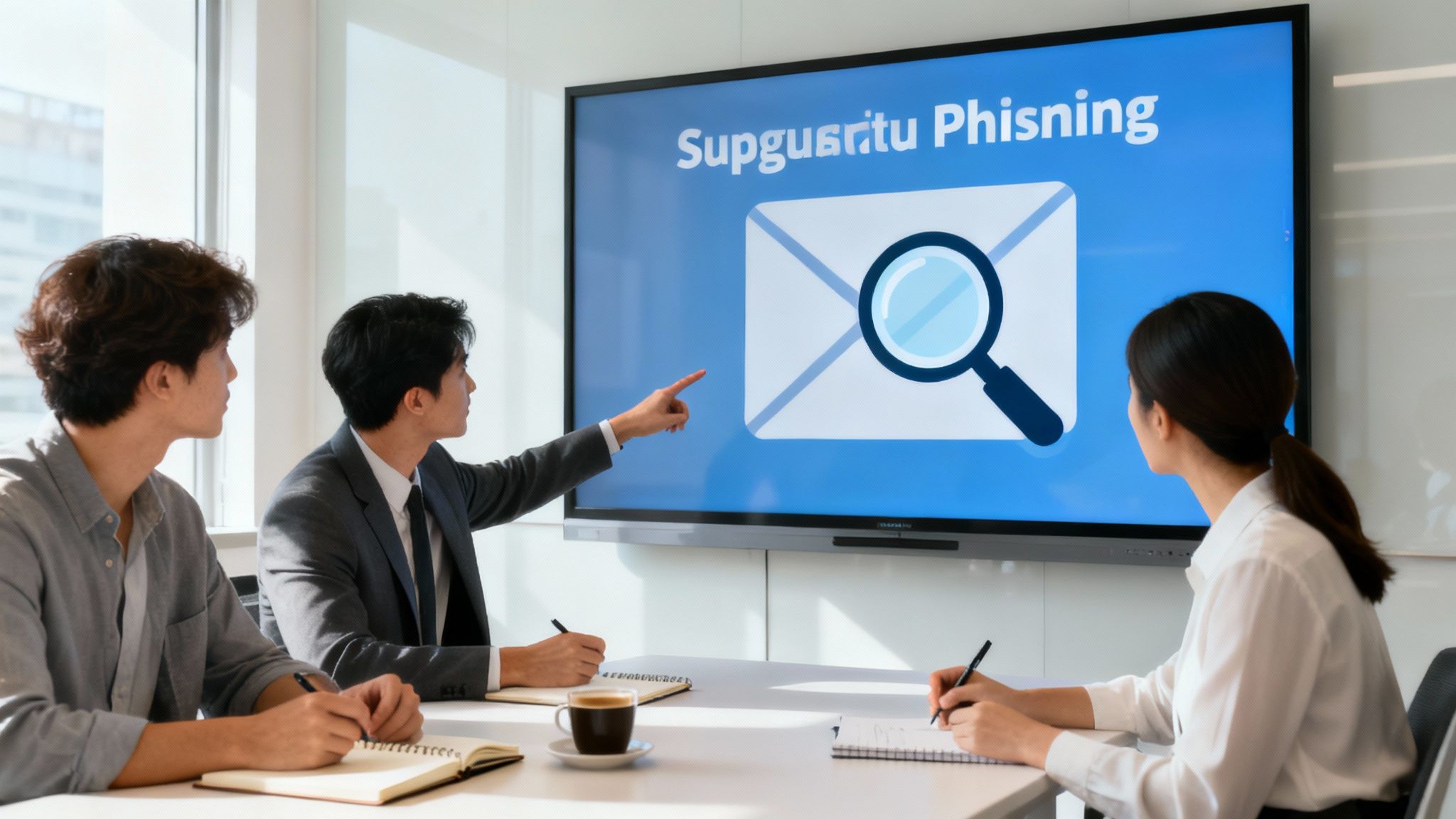
This training directly translates into tangible risk reduction. For instance, a small construction company prevented a $50,000 wire transfer loss because an employee recognized a sophisticated CEO fraud email after recent training. Similarly, a local law firm saw phishing click-through rates plummet from 35% to under 5% after implementing quarterly training sessions and simulations. These scenarios highlight how a well-informed team is one of the most effective cybersecurity tips for small businesses.
How to Implement Security Awareness Training Effectively
Creating a culture of security awareness requires a consistent and engaging approach, not a one-time lecture. Focus on making the training practical, relevant, and continuous.
- Make it Ongoing and Engaging: Forget long, annual sessions. Opt for short, frequent training modules (15-20 minutes) and use gamification or rewards to boost engagement. Regularity keeps security top-of-mind.
- Run Phishing Simulations: The best way to learn is by doing. Conduct regular, simulated phishing campaigns to test your team's awareness in a safe environment. Use the results to identify knowledge gaps and tailor future training.
- Establish Clear Policies: Create simple, easy-to-understand policies for password security, data handling, and incident reporting. Ensure every employee knows exactly who to contact and what to do if they suspect a security issue.
- Integrate into Onboarding: Make cybersecurity training a mandatory part of the onboarding process for every new hire. This sets the expectation from day one that security is everyone's responsibility.
Building this human firewall is crucial, and understanding the importance of cybersecurity for growing businesses can provide the context needed to gain full buy-in from your team and leadership. An educated staff is your best defense against evolving cyber threats.
4. Implement Regular Data Backup and Recovery Plans
Data is the lifeblood of your business, and losing it to a hardware failure, ransomware attack, or natural disaster can be catastrophic. A comprehensive backup and recovery plan is your ultimate safety net, ensuring you can restore operations quickly after a disruptive event. This strategy involves creating regular copies of your critical data and having a clear, tested procedure to bring it back online when needed.
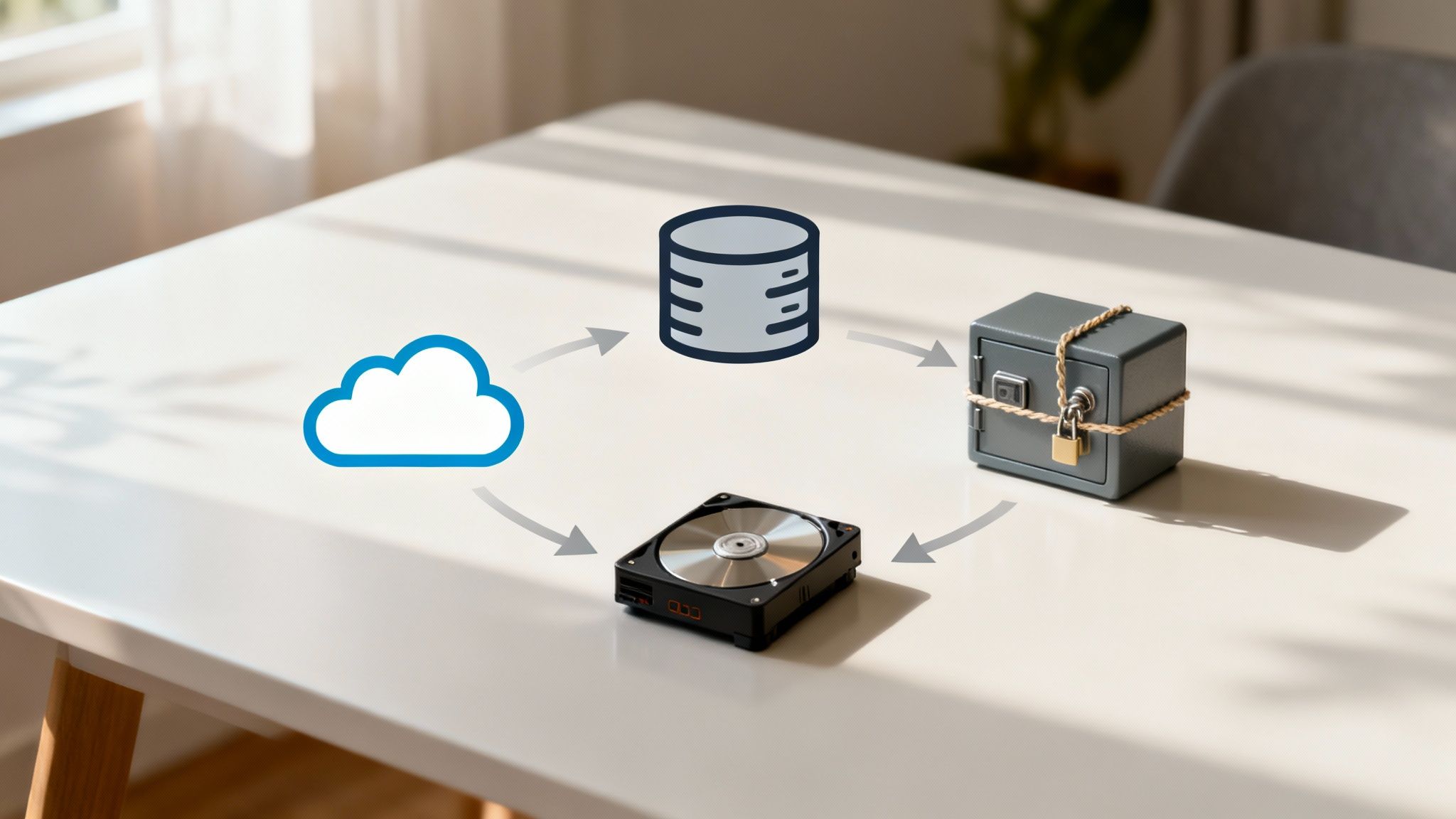
The difference between a minor inconvenience and a business-ending event often comes down to a good backup. For example, a small architecture firm recovered all client blueprints and project files within four hours after a ransomware attack by using its cloud backups. Similarly, a local restaurant chain restored its point-of-sale and reservation systems the same day after a fire destroyed its server, thanks to a reliable offsite backup. These are powerful examples of cybersecurity tips for small businesses in action.
How to Implement Data Backups Effectively
A robust backup strategy is more than just copying files; it's a documented, automated, and tested process. Following a proven framework like the 3-2-1 rule is an excellent starting point.
- Follow the 3-2-1 Rule: Maintain three copies of your data on two different types of media, with at least one copy stored offsite (e.g., in the cloud or a secure physical location). This redundancy protects against almost any single point of failure.
- Automate and Isolate: Schedule your backups to run automatically during off-hours to minimize disruption. Critically, keep your backup systems isolated from the main network to prevent them from being encrypted during a ransomware attack.
- Test Your Restores: A backup is useless if it can't be restored. Regularly test your recovery process at least quarterly to verify data integrity and ensure your team can execute the plan efficiently. For a deeper dive into protecting your data against modern threats, explore how backup strategies effectively combat ransomware and malware.
- Document Everything: Create a step-by-step recovery plan that details who is responsible for what, which systems to restore first, and how to access backup data. This documentation is invaluable during a high-stress recovery situation.
For businesses looking to establish a resilient data protection strategy, expert guidance can make all the difference. Explore professional data backup and recovery services to ensure your critical information is secure, compliant, and always recoverable.
5. Deploy Next-Generation Antivirus and Endpoint Protection
Relying on traditional antivirus software is like using a simple lock to protect a bank vault. Modern cyber threats have evolved, and your security must evolve too. Next-Generation Antivirus (NGAV) and Endpoint Detection and Response (EDR) solutions go far beyond basic signature-based detection, using advanced technologies like behavioral analysis, artificial intelligence (AI), and machine learning to stop threats before they can execute. This proactive approach protects all your endpoints, including computers, servers, and mobile devices, from sophisticated attacks like ransomware and zero-day exploits.
These advanced tools monitor endpoint activity in real-time, identifying and neutralizing suspicious behavior that traditional antivirus would miss. Imagine a consulting firm whose EDR solution detected unusual file encryption activity on a single laptop. The system automatically isolated the device from the network, preventing a ransomware attack from spreading and paralyzing the entire business. This is one of the most critical cybersecurity tips for small businesses, as it provides a powerful defense against today's most damaging threats.
How to Implement Endpoint Protection Effectively
Deploying an advanced endpoint solution is a foundational step in securing your business environment. A strategic implementation ensures you get the maximum benefit from this powerful technology.
- Cover All Endpoints: Ensure your chosen solution is installed on every device that connects to your network. This includes not just desktops and laptops but also servers and company-owned mobile devices.
- Enable Advanced Features: Turn on real-time scanning, behavioral analysis, and automatic updates. Schedule regular full-system scans during off-hours to minimize disruption while ensuring comprehensive checks.
- Configure Strict Policies: Use the management console to set policies that prevent users from disabling or tampering with the protection. Regularly review security alerts and investigate any quarantined items to understand potential threats.
- Move Beyond Free Solutions: While free antivirus is suitable for personal use, it lacks the centralized management, advanced detection capabilities, and dedicated support that a business requires to be secure.
For small businesses, managing this level of security can be complex. Partnering with a provider that offers managed IT and cybersecurity services can ensure your endpoint protection is professionally configured, monitored, and maintained, giving you enterprise-grade security without the overhead.
6. Implement Strong Password Policies and Password Managers
Weak and reused passwords are a primary entry point for cyberattacks. A strong password policy sets clear, enforceable rules for password creation, while a password manager securely generates, stores, and fills these complex credentials. This combination removes the human element of poor password habits, a critical vulnerability given that a significant percentage of breaches involve compromised passwords.
A marketing agency, for example, saw a complete elimination of password-related security incidents after deploying a company-wide password manager. Previously, employees reused simple passwords across multiple platforms, creating a domino effect risk. By enforcing the use of the manager, every account was secured with a unique, long, and complex password, effectively shutting down this common attack vector. This simple tool transformed their security posture.
How to Implement Strong Password Policies and Managers
Deploying this foundational security measure is a high-impact, low-cost initiative. A systematic approach ensures a smooth and secure adoption across your organization.
- Establish a Clear Policy: Your policy should mandate minimum password requirements. Following NIST guidelines, prioritize length (12+ characters) and complexity (a mix of uppercase, lowercase, numbers, and symbols). Crucially, the policy must explicitly ban password reuse across different services.
- Choose a Reputable Password Manager: Select a business-grade password manager like Bitwarden or 1Password. These tools offer centralized administration, secure sharing features for team credentials, and robust encryption. Ensure you enable MFA on the password manager itself for an added layer of protection.
- Master the Master Password: The master password is the key to the entire vault, so it must be exceptionally strong. Instruct your team to use a passphrase method, combining four or more unrelated words (e.g., "CorrectHorseBatteryStaple") to create a password that is both long and memorable.
- Conduct a Password Audit: Use the password manager's built-in security audit tool to identify weak, reused, or compromised passwords across your team's vaults. This provides an actionable list of credentials that need immediate updating, making it one of the most effective cybersecurity tips for small businesses to implement right away.
7. Secure Your Wi-Fi Network and Network Segmentation
An unsecured Wi-Fi network is like leaving the front door of your business wide open for cybercriminals. Simply using the default password provided by your internet service provider is not enough. Securing your network involves creating multiple layers of protection, starting with strong encryption and extending to the strategic practice of network segmentation, which divides your network into isolated zones to contain potential threats.
This approach is one of the most effective cybersecurity tips for small businesses because it drastically reduces an attacker's ability to move laterally within your system. For instance, a coffee shop with a segmented network prevented a malware infection on a customer's laptop from spreading to its Point-of-Sale (POS) system. By isolating the free guest Wi-Fi from the network that handled transactions, the business protected its financial data and operational continuity.
How to Secure and Segment Your Network
Implementing robust network security is a foundational step in protecting your digital assets. It ensures that even if one area is compromised, the damage is contained and does not spread to critical systems.
- Strengthen Router Security: Immediately change your router’s default administrator username and password. Use WPA3 encryption for your Wi-Fi; if unavailable, WPA2 is the minimum standard. Additionally, disable the Wi-Fi Protected Setup (WPS) feature, as it is a known vulnerability.
- Create a Guest Network: Always provide a separate, isolated Wi-Fi network for guests, customers, and any non-employee devices. This network should have a different password and must be configured to have zero access to your internal business resources, printers, or servers.
- Isolate Sensitive Systems: Use network segmentation to create separate zones for different functions. For example, place Internet of Things (IoT) devices like security cameras and smart thermostats on their own network. This prevents a compromised smart device from becoming a gateway to your primary business data.
- Maintain Your Hardware: Regularly check for and install firmware updates for your routers and other network hardware. These updates often contain critical security patches that protect against newly discovered vulnerabilities.
8. Develop and Test an Incident Response Plan
A cyberattack is not a matter of if, but when. Without a clear plan, chaos, panic, and costly mistakes can turn a manageable security incident into a business-ending disaster. An Incident Response (IR) Plan is a documented, pre-approved set of instructions that your team will follow to detect, respond to, contain, and recover from a cybersecurity event. It removes guesswork during a high-stress situation, ensuring a swift and coordinated reaction.
A well-rehearsed plan can be the difference between a minor disruption and catastrophic failure. Consider a small financial services firm that successfully contained a ransomware attack to a single department within two hours. Because their IR plan clearly defined roles, isolation procedures, and communication channels, they avoided a company-wide shutdown and saved over $200,000 in potential damages and downtime. This proactive preparation is one of the most critical cybersecurity tips for small businesses to embrace.
How to Create an Effective IR Plan
Building and maintaining a response plan is an ongoing process, not a one-time task. It should be a living document that evolves with your business and the threat landscape.
- Define Roles and Responsibilities: Identify your core incident response team, including technical leads, management, legal, and communications personnel. Everyone should know their exact duties, from who makes the call to disconnect a server to who notifies customers.
- Establish Communication Protocols: Create a clear communication tree with primary and backup contact methods. This should include internal stakeholders as well as external contacts like your cyber insurance provider, legal counsel, and law enforcement.
- Create Playbooks for Key Scenarios: Document specific, step-by-step procedures for common threats like ransomware, data breaches, and successful phishing attacks. Use a template from a trusted source like the SANS Institute or NIST to get started.
- Test, Refine, and Repeat: A plan is useless if it’s untested. Conduct quarterly tabletop exercises where you walk through different attack scenarios. These drills will reveal gaps in your plan, such as a retail store that discovered flaws in its communication strategy during an exercise, preventing real confusion during a phishing incident months later. Keep both digital and printed copies of the plan readily accessible.
9. Control and Monitor Access with Principle of Least Privilege
Not every employee needs the keys to your entire digital kingdom. Giving unrestricted access to all data and systems is a common mistake that dramatically increases your risk. The Principle of Least Privilege (PoLP) is a foundational security concept that dictates users should only have the minimum levels of access, or permissions, needed to perform their job duties. This simple but powerful strategy drastically limits the potential damage from a compromised account or insider threat.
This proactive approach is one of the most effective cybersecurity tips for small businesses because it contains threats automatically. For instance, consider a small healthcare clinic where a receptionist's account is compromised by ransomware. Because that account only had access to the scheduling software and not the server storing patient medical records, the ransomware was unable to encrypt the most sensitive data, preventing a catastrophic HIPAA breach and operational shutdown. The damage was contained, not widespread.
How to Implement Least Privilege Effectively
Adopting PoLP requires a thoughtful approach to how you assign and manage user permissions across your organization. It’s about being deliberate with access control from the start.
- Audit Current Permissions: Start by conducting a comprehensive access audit. Document who has access to what systems and data, and critically evaluate if that level of access is truly necessary for their role.
- Implement Role-Based Access Control (RBAC): Instead of assigning permissions to individuals one by one, create roles based on job functions (e.g., "Sales," "Accounting," "Marketing"). Assign permissions to these roles, and then simply assign users to the appropriate role. This simplifies management and ensures consistency.
- Separate Standard and Admin Accounts: No user, not even IT staff, should use an administrator account for daily tasks like checking email. Create separate, standard user accounts for routine work and use dedicated administrative accounts only when performing tasks that require elevated privileges.
- Review and Revoke Regularly: Access needs change. Schedule quarterly or semi-annual reviews of all user permissions. Most importantly, have a formal process to immediately disable accounts and revoke all access the moment an employee leaves the company.
10. Establish Vendor and Third-Party Risk Management
Your business's cybersecurity is only as strong as your weakest link, and often, that link is an external vendor or partner. Third-party risk management is the process of identifying, assessing, and mitigating the security risks introduced by suppliers, contractors, and partners who access your systems or data. A vulnerability in their network can quickly become a direct threat to yours.
The infamous 2013 Target data breach, where attackers gained access through an HVAC vendor's credentials, serves as a stark warning. The breach compromised 40 million credit and debit cards, highlighting how a seemingly low-risk partner can create a catastrophic security failure. For a small business, vetting vendor security is not just good practice; it's a critical defense mechanism against supply chain attacks.
How to Implement Vendor Risk Management
Effectively managing third-party risk involves integrating security into your procurement and relationship management processes. This ensures your partners are held to the same security standards you set for yourself.
- Inventory and Classify Vendors: Create a complete list of all third parties with access to your network or data. Classify them by risk level (high, medium, low) based on the sensitivity of the data and systems they can access. A payroll provider is high-risk; a printing service is likely low-risk.
- Set Clear Security Requirements in Contracts: Your contracts should explicitly state your security expectations. Include clauses requiring breach notifications, defining liability, and outlining specific security controls like encryption and access management. This makes security a contractual obligation.
- Enforce Strict Access Controls: Never grant vendors more access than they absolutely need. Use the principle of least privilege, providing separate, dedicated credentials that are limited to specific systems and data. Require vendors to use MFA to access any of your internal resources.
- Conduct Due Diligence and Ongoing Monitoring: Before onboarding a high-risk vendor, require them to complete a security questionnaire or provide a third-party audit report like a SOC 2. Periodically review their security posture and establish a formal process for deactivating their access immediately when a contract ends.
Implementing a vendor risk management program is one of the most essential cybersecurity tips for small businesses, as it closes a frequently overlooked entry point for cybercriminals.
Top 10 Small Business Cybersecurity Practices Comparison
| Item | 🔄 Implementation Complexity | ⚡ Resource Requirements | 📊 Expected Outcomes | 💡 Ideal Use Cases | ⭐ Key Advantages |
|---|---|---|---|---|---|
| Implement Multi-Factor Authentication (MFA) | Low–Medium — account/configuration + user onboarding | Low — free to $3–10/user·mo; short setup (1–2 days) | Strong reduction in account compromise; immediate protection | Protect email, admin, VPN, remote access, high-value accounts | Blocks most automated attacks; quick ROI; adaptive options |
| Regular Software Updates and Patch Management | Medium — ongoing scheduling, testing, rollouts | Low–Medium — manual free or $2–5/device·mo tooling; monthly effort | Fewer exploitable vulnerabilities; improved stability and compliance | All businesses; systems exposed to internet; environments with legacy apps | Closes known vulnerabilities; automatable; compliance evidence |
| Employee Security Awareness Training | Low — program design and regular delivery | Low–Medium — $20–50/employee·yr; 1–2 hrs/quarter per employee | Reduced phishing/social-engineering incidents; better reporting | Organizations with email users, customer-facing staff, regulated sectors | Addresses human risk; cost-effective; cultural improvement |
| Regular Data Backup and Recovery Plans | Medium — design backups, offsite storage, restore testing | Medium — $5–20/user·mo (varies by data); storage and monitoring | Reliable data recovery; business continuity; ransomware mitigation | Any org with critical data, legal/financial records, production systems | Restores operations quickly; avoids ransom; supports compliance |
| Deploy Next-Generation Antivirus & Endpoint Protection | Medium — deployment, tuning, alert triage | Medium–High — $40–100/endpoint·yr; EDR management expertise | Detects advanced/zero-day threats; faster containment and visibility | Endpoint-heavy environments; businesses facing targeted threats | Behavioral + AI detection; automated response; broad visibility |
| Implement Strong Password Policies & Password Managers | Low — policy rollout and migration to manager | Low — $3–8/user·mo; initial migration time (hours–weeks) | Fewer credential-based breaches; better password hygiene | Organizations with many accounts/users and remote workers | Enables unique strong passwords; audit and secure sharing |
| Secure Your Wi‑Fi Network & Network Segmentation | Medium–High — VLANs, ACLs, router config and testing | Medium — $200–1,000+ hardware; networking expertise; maintenance | Limits lateral movement; protects sensitive systems; better performance | Businesses with guest Wi‑Fi, POS, IoT devices, multi-zone networks | Contains breaches to segments; isolates IoT; improved monitoring |
| Develop and Test an Incident Response Plan | Medium — documentation, role assignment, exercises | Low–Medium — internal time or $500–2,000 consultant; tabletop drills | Faster containment and recovery; minimized business impact | Any org that must meet breach notification or continuity SLAs | Organized response; preserves evidence; reduces downtime |
| Control & Monitor Access with Least Privilege (PoLP) | Medium — access audits, RBAC, deprovisioning workflows | Low–Medium — time investment; IAM tools $3–10/user·mo | Reduced blast radius from compromised accounts; better audits | Environments with many roles, privileged users, or sensitive data | Minimizes attack surface; accountability; prevents misuse |
| Establish Vendor & Third‑Party Risk Management | Medium–High — assessments, contracts, continuous monitoring | Medium — time‑intensive; platforms $5k–20k/yr for scale | Reduced supply‑chain risk; contractual and monitoring protections | Businesses relying on vendors with system/data access | Identifies weak vendors early; contractual recourse; risk reduction |
From Vulnerable to Vigilant: Building Your Security Foundation
Navigating the landscape of digital threats can feel like an insurmountable challenge for a small business. With limited resources and competing priorities, cybersecurity often gets pushed to the back burner. However, as we have explored, building a robust defense is not about achieving an impenetrable fortress overnight. It is about a strategic, layered approach that transforms your organization from a vulnerable target into a vigilant, resilient operation.
The journey begins with foundational, high-impact actions. By implementing Multi-Factor Authentication (MFA), you instantly erect one of the most effective barriers against unauthorized access. Pairing this with a strong password policy and the use of password managers eliminates the low-hanging fruit that attackers so often exploit. These initial steps alone dramatically shrink your attack surface.
Turning Knowledge into Action
But technology is only one part of the equation. Your employees are your first and last line of defense. The cybersecurity tips for small businesses detailed in this guide emphasize the human element, from comprehensive security awareness training to establishing the Principle of Least Privilege. When your team understands the "why" behind security protocols, they evolve from potential liabilities into proactive security assets. An employee who can spot a phishing email or who questions an unusual request for data is as valuable as any firewall.
Similarly, preparedness is paramount. An untested data backup is merely a hope, not a strategy. A well-documented and frequently tested Incident Response Plan is your playbook for chaos, enabling a swift, organized, and effective reaction when an incident occurs. This proactive stance, combined with vigilant software patching and next-generation endpoint protection, creates a culture of security that permeates every aspect of your business operations. You are no longer just reacting to threats; you are actively anticipating and mitigating them.
From Checklist to Culture: The Path Forward
The ten pillars we have discussed are more than just a checklist; they are the building blocks of a sustainable security culture.
- Prioritize and Implement: You don't have to do everything at once. Start with the most critical items for your business. For many, this means deploying MFA, initiating employee training, and verifying your data backup systems.
- Document and Standardize: Create clear, written policies for everything from password creation to handling third-party vendor access. This ensures consistency and simplifies onboarding for new team members.
- Review and Adapt: The threat landscape is in constant flux. Schedule quarterly or semi-annual reviews of your security posture. Are your software updates current? Is your incident response plan still relevant? Has your vendor ecosystem changed? Continuous improvement is the key to long-term resilience.
Adopting these cybersecurity tips for small businesses is an investment in your company's future. It protects your sensitive data, safeguards your reputation, and builds trust with your clients, particularly for organizations in regulated industries like healthcare or finance. It ensures business continuity in the face of disruption and provides a competitive advantage in a market where customers increasingly demand security and privacy. While the path requires commitment, the destination is well worth the effort: a secure, confident, and thriving business poised for sustainable growth.
Ready to move from theory to implementation? The team at Defend IT Services specializes in creating tailored security roadmaps for small and midsize businesses in San Antonio. We handle the complexities of cybersecurity, from 24/7 threat monitoring to HIPAA compliance, so you can focus on what you do best. Visit Defend IT Services to schedule a consultation and fortify your business today.